Dashboard
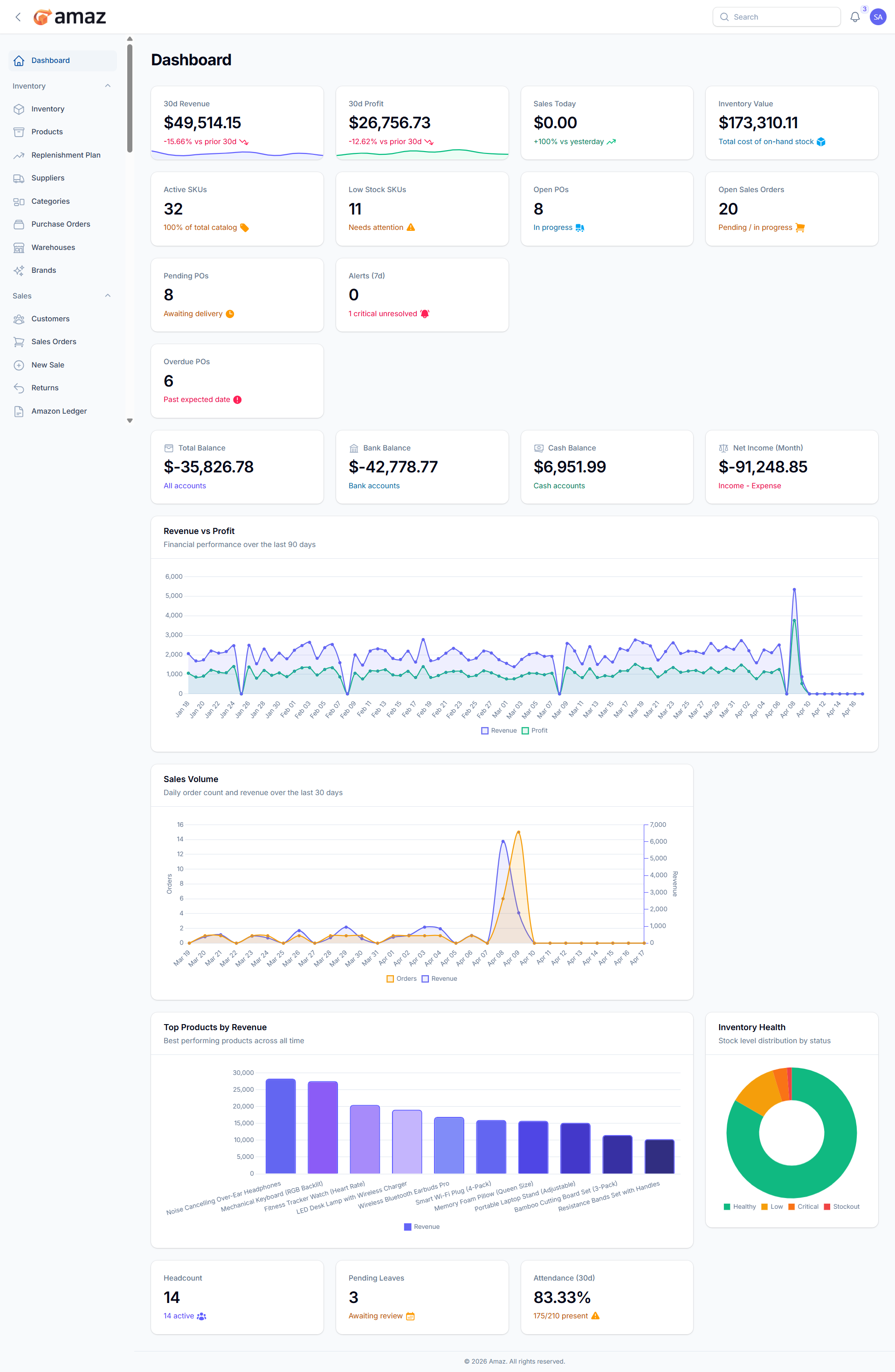
The Dashboard provides a real-time overview of your business performance.
Accessing the Dashboard
Click Dashboard in the sidebar (home icon). This is also the default page after login.
Dashboard Widgets
The dashboard displays the following information widgets:
Financial KPIs (Top Row):
Widget - Description
Revenue - Total revenue for the current period
Profit - Total profit for the current period
Sales Today - Number of sales made today
Inventory Value - Total monetary value of all stock
Operations Metrics:
Widget - Description
Active SKUs - Number of active products
Low Stock - Count of products below the reorder point
Open POs - Purchase orders awaiting delivery
Open Sales Orders - Sales orders being processed
Alerts Section:
Widget-Description
Pending POs - Purchase orders requiring attention.
Recent Alerts -Latest inventory and system alerts.
Overdue POS - Count of POS transactions that have passed their due date and remain unpaid or partially paid, requiring immediate attention.
Shows current balances of your financial accounts. Such as:
Total Balance – Combined balance across all financial accounts.
Bank Balance – Current balance available in all bank accounts.
Cash Balance – Cash on hand available for daily operations.
Net Income – Total income after deducting all expenses for the current period.
Charts:
Chart | Description
Revenue & Profit Chart - Visual trend of revenue and profit over time
Sales Volume Chart - Sales quantity trend visualization
Top Products - Best-selling products list
Inventory Health - Stock distribution and health indicators.
HR Section:
Widget | Description
Headcount - Total number of employees.
Pending Leave Requests - Leave requests awaiting approval.
Attendance Rate - Employee attendance percentage.