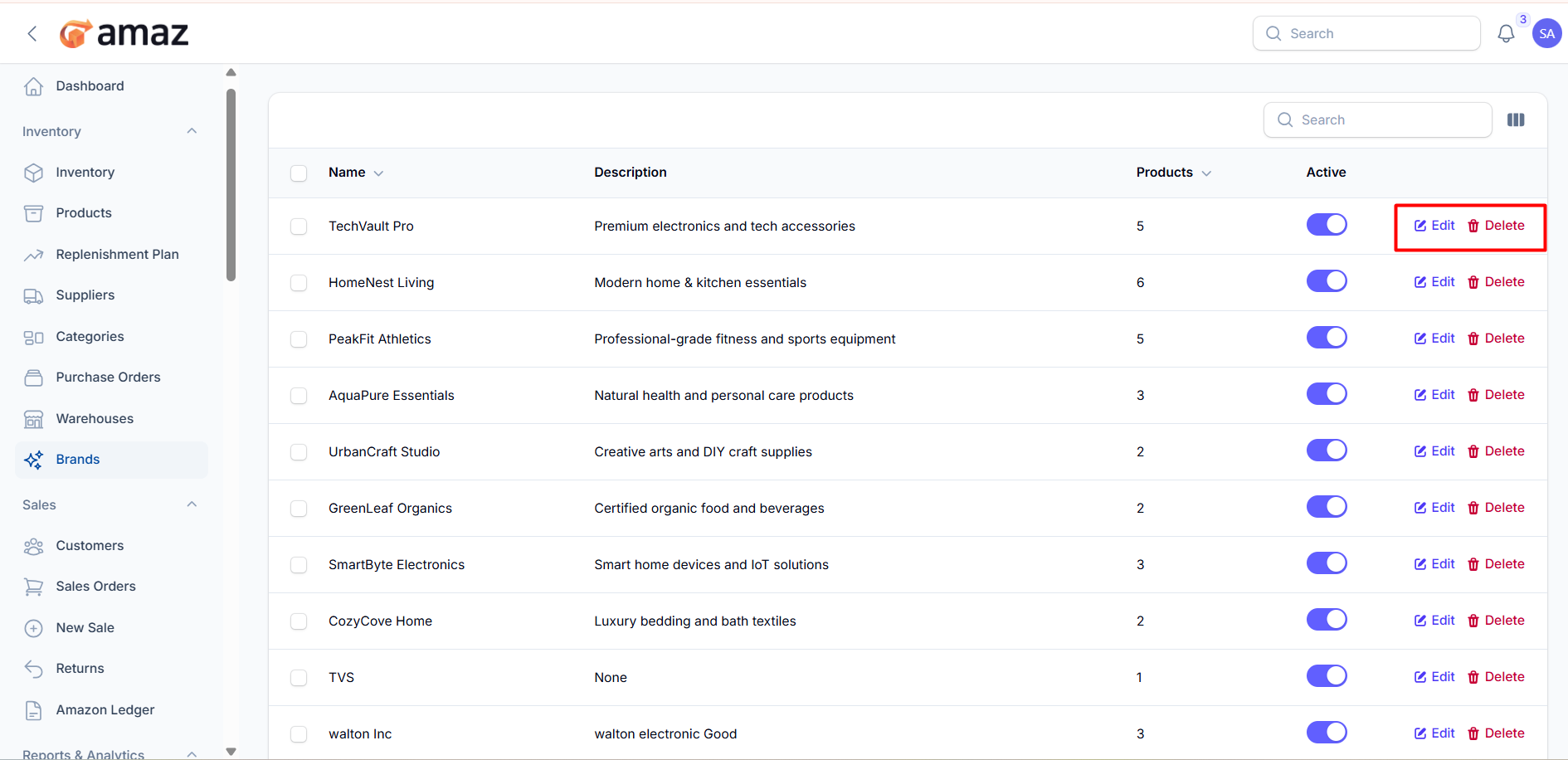
Brands
Track product brands in your catalog.
Location: Sidebar → Inventory → Brands
Creating a Brand
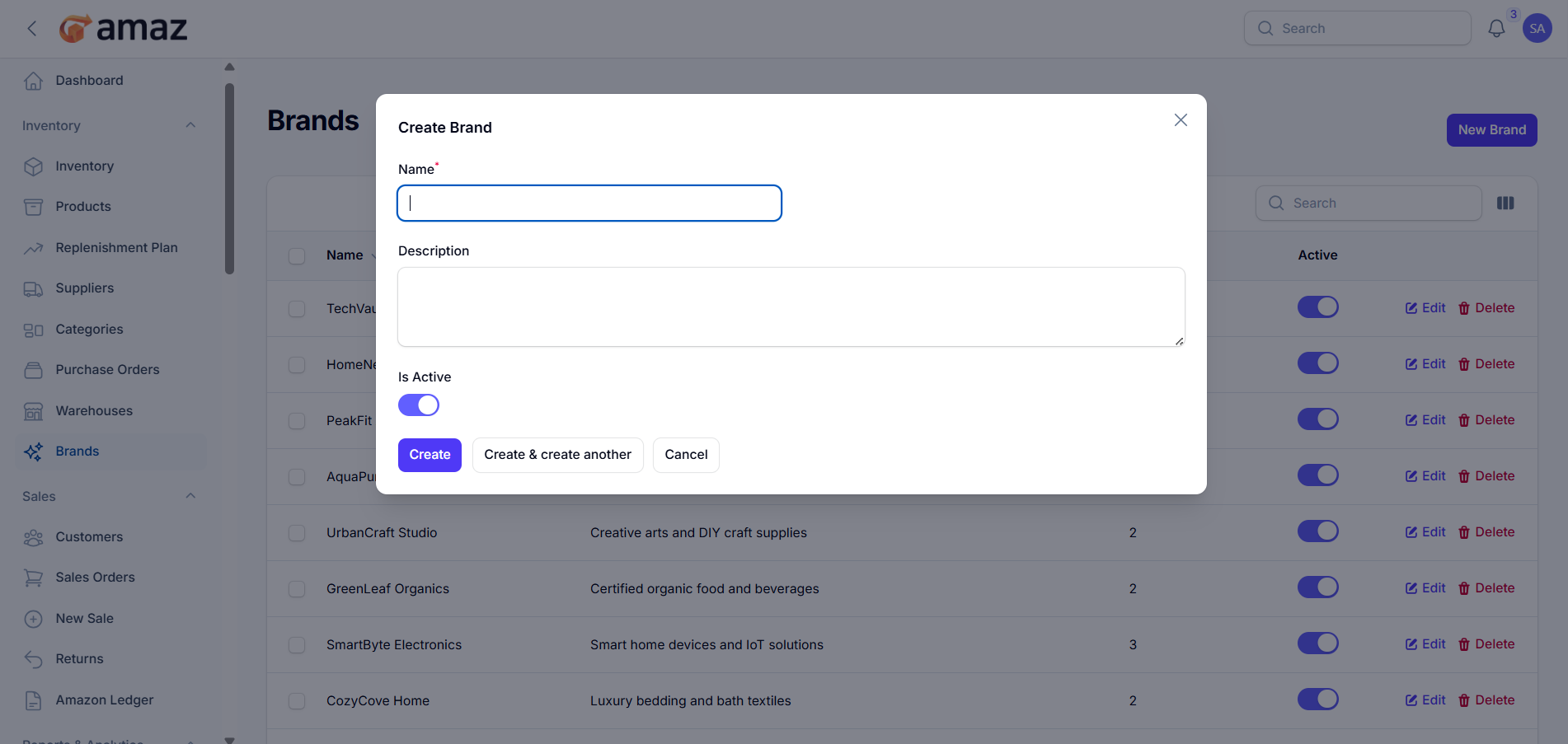
1. Click New Brand
2. Enter the Name (required)
3. Add a Description (optional)
4. Toggle Active status
5. Click Create
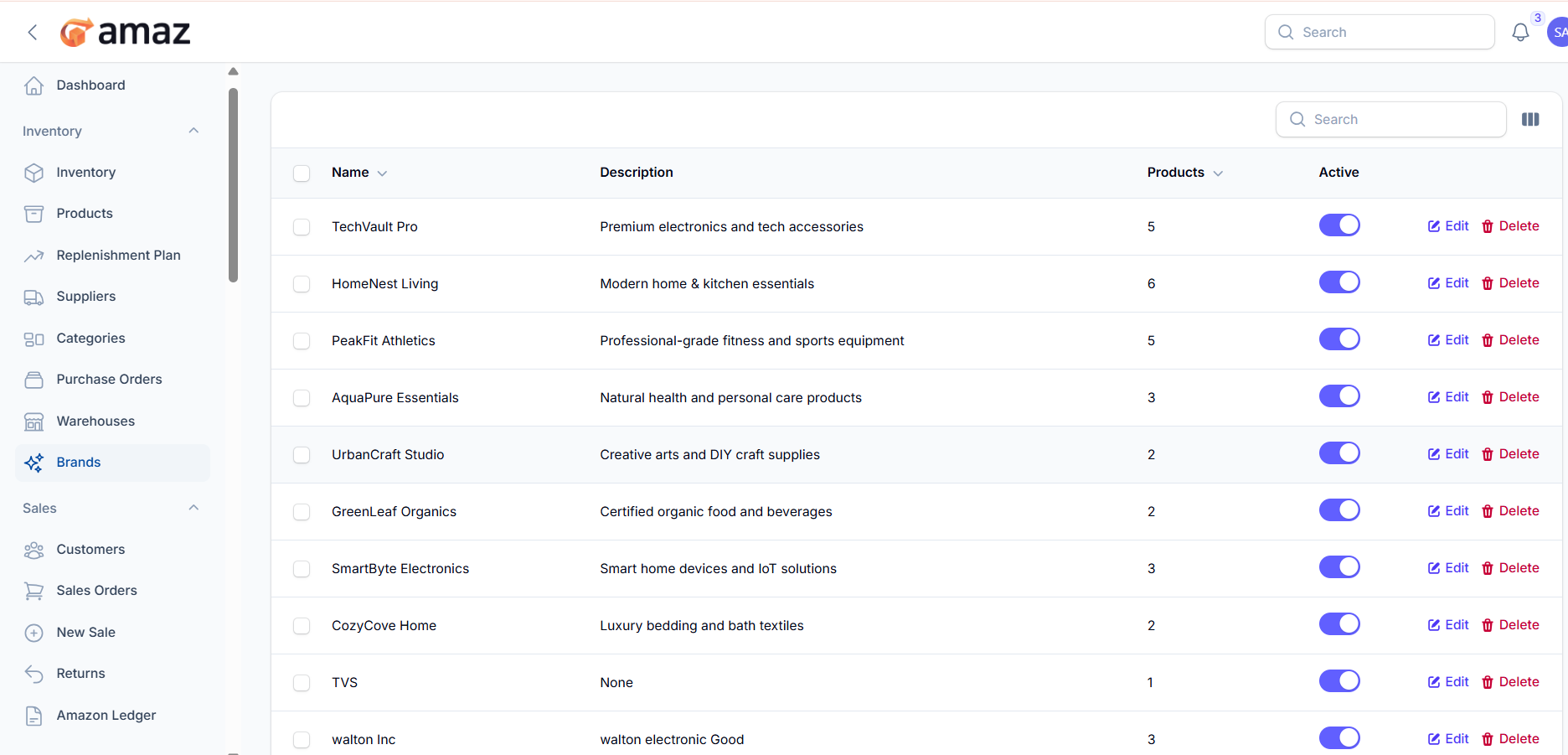
From here you can see the brand list with information. Such as:
Name – Name of the brand.
Description – Brief details about the brand.
Products – Number of products associated with the brand.
Status – Current status of the brand (e.g., Active/Inactive).
Managing Brands
Edit: Modify brand details.
Delete: Remove unused brands.
Toggle Active: Enable/disable brands.