Creating a Financial Account
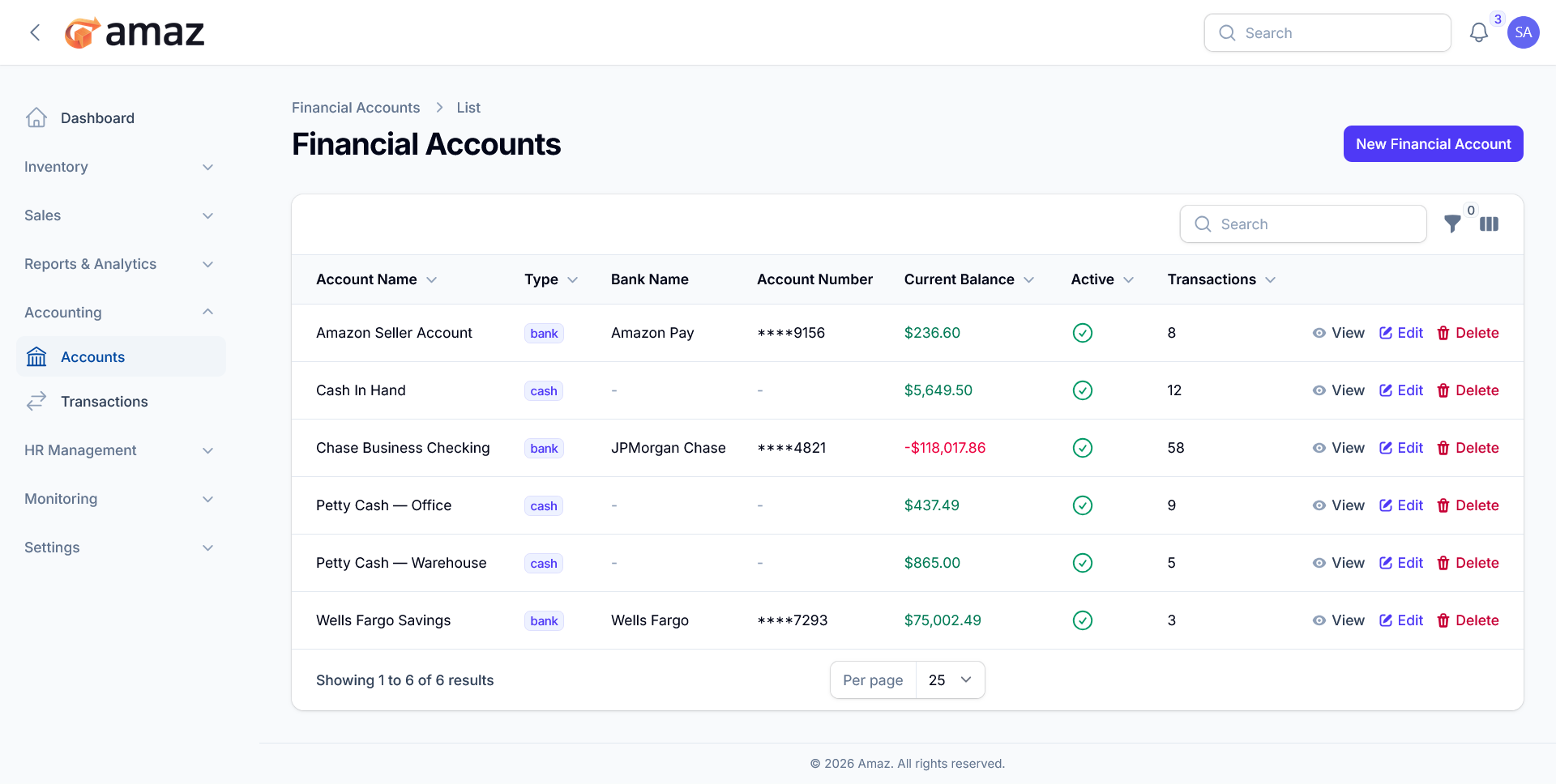
1. Click New Financial Account
2. Fill in details:
- Name — Account name (e.g., "Main Bank Account")
- Type — Cash or Bank
- Initial Balance — Starting balance
- Notes — Additional information
- Active — Enable/disable account
3. Click Save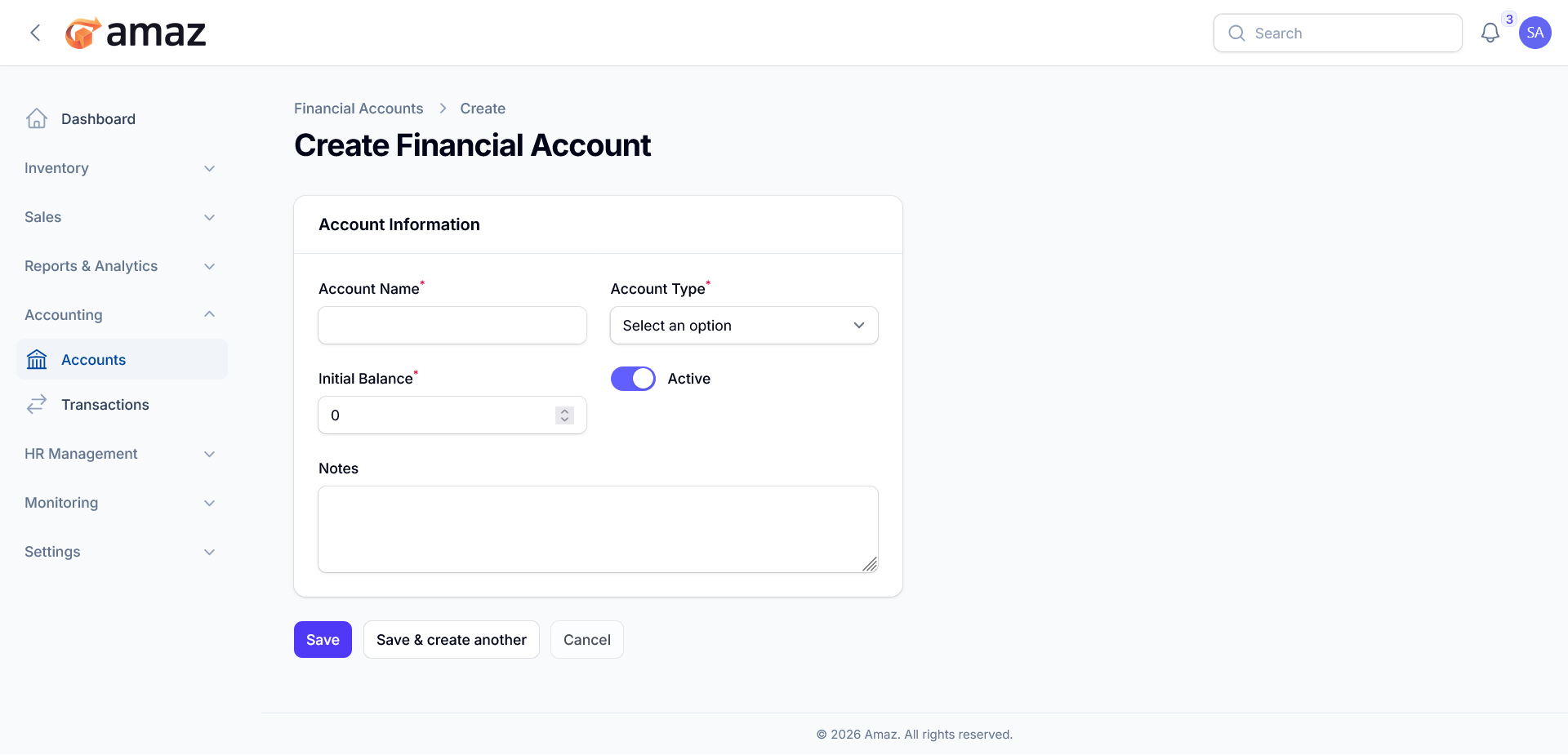
You can find any account's details by using the search functionality.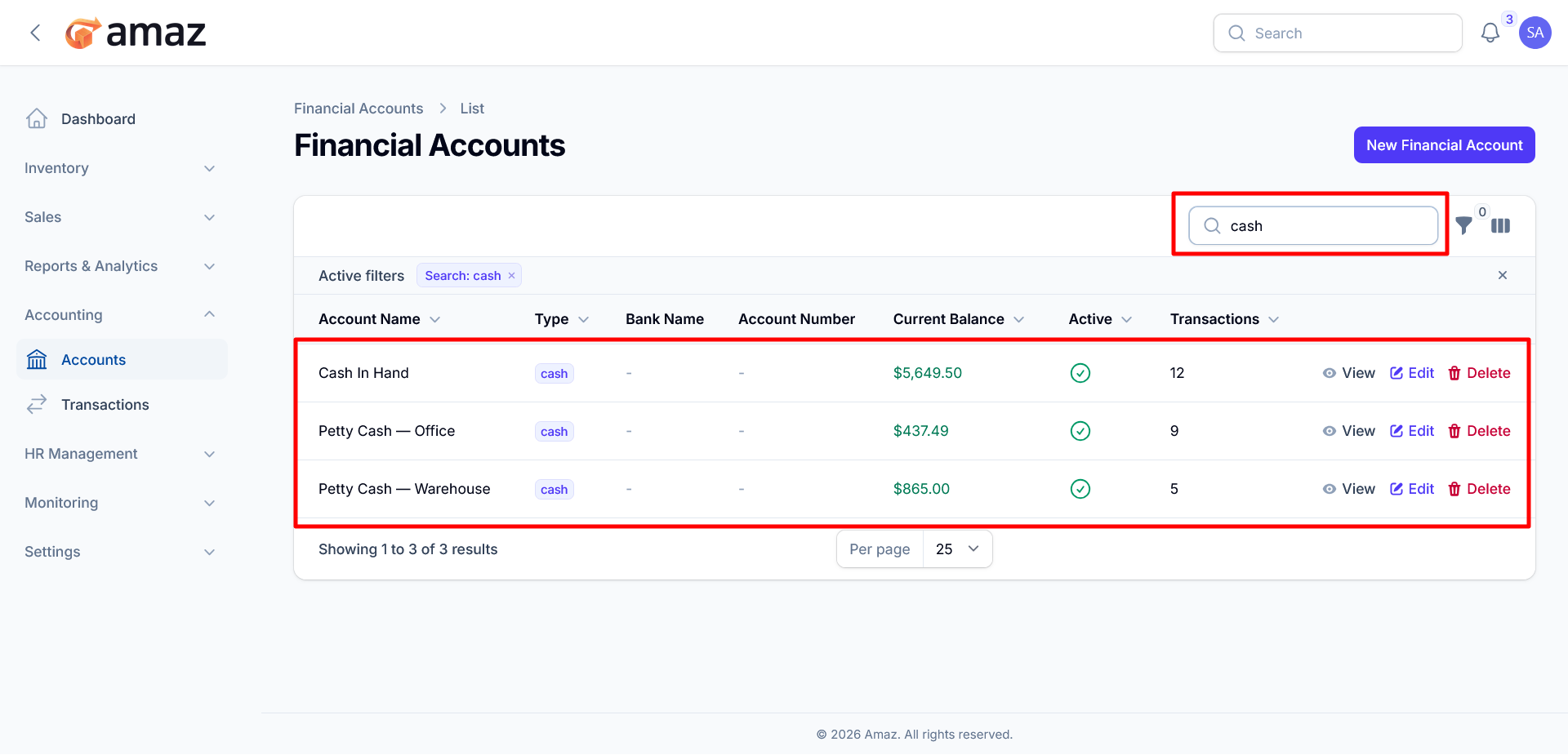
You can filter the data using the Type and Status options for more precise results. Additionally, you can reset all applied filters at any time by clicking the Reset button.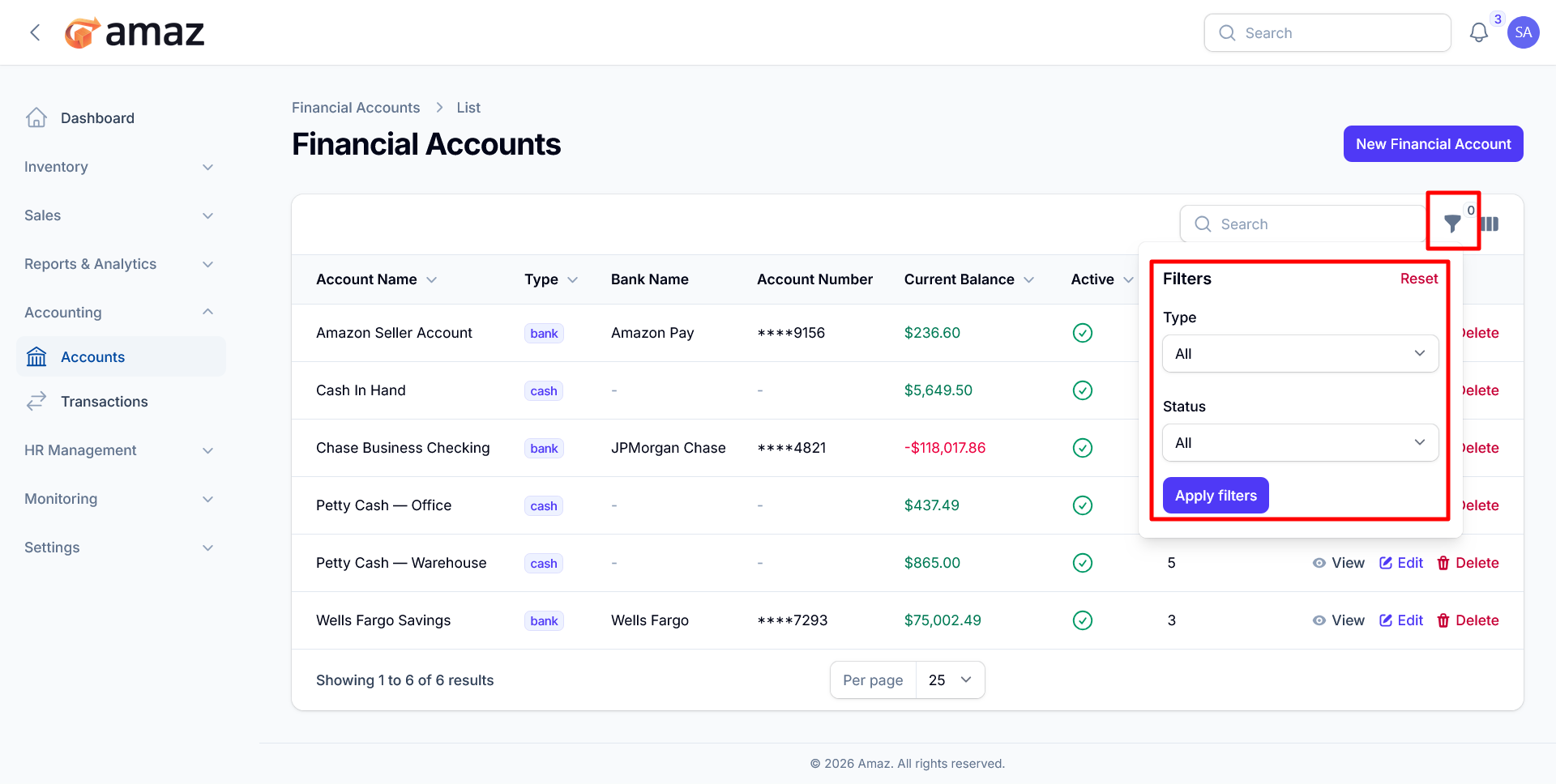
You can customize the visibility of columns by choosing to show or hide them as needed. Additionally, you can restore the default column settings at any time by clicking the Reset button.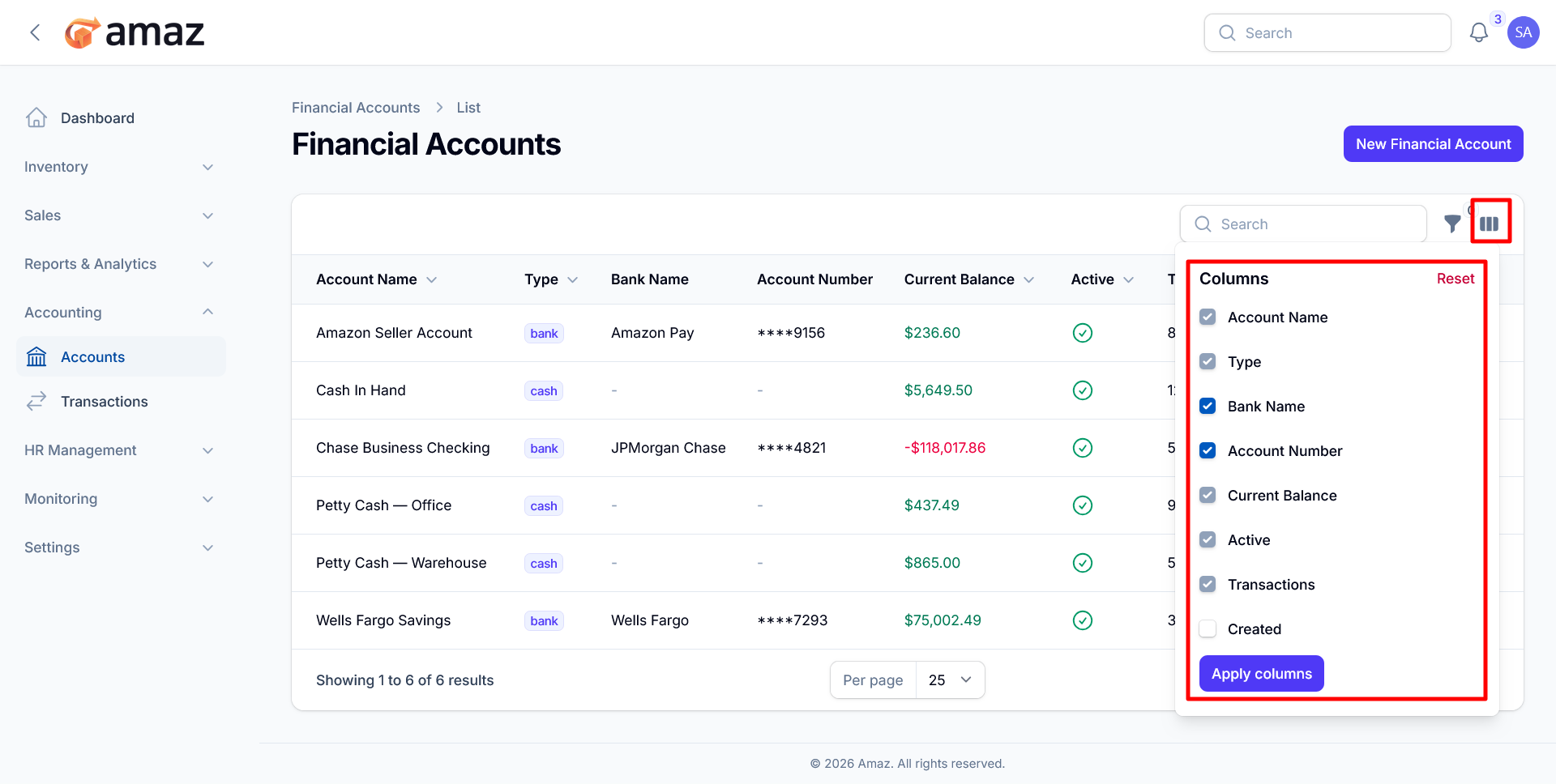
Managing Accounts
You can View, Edit and Delete specific account from the list.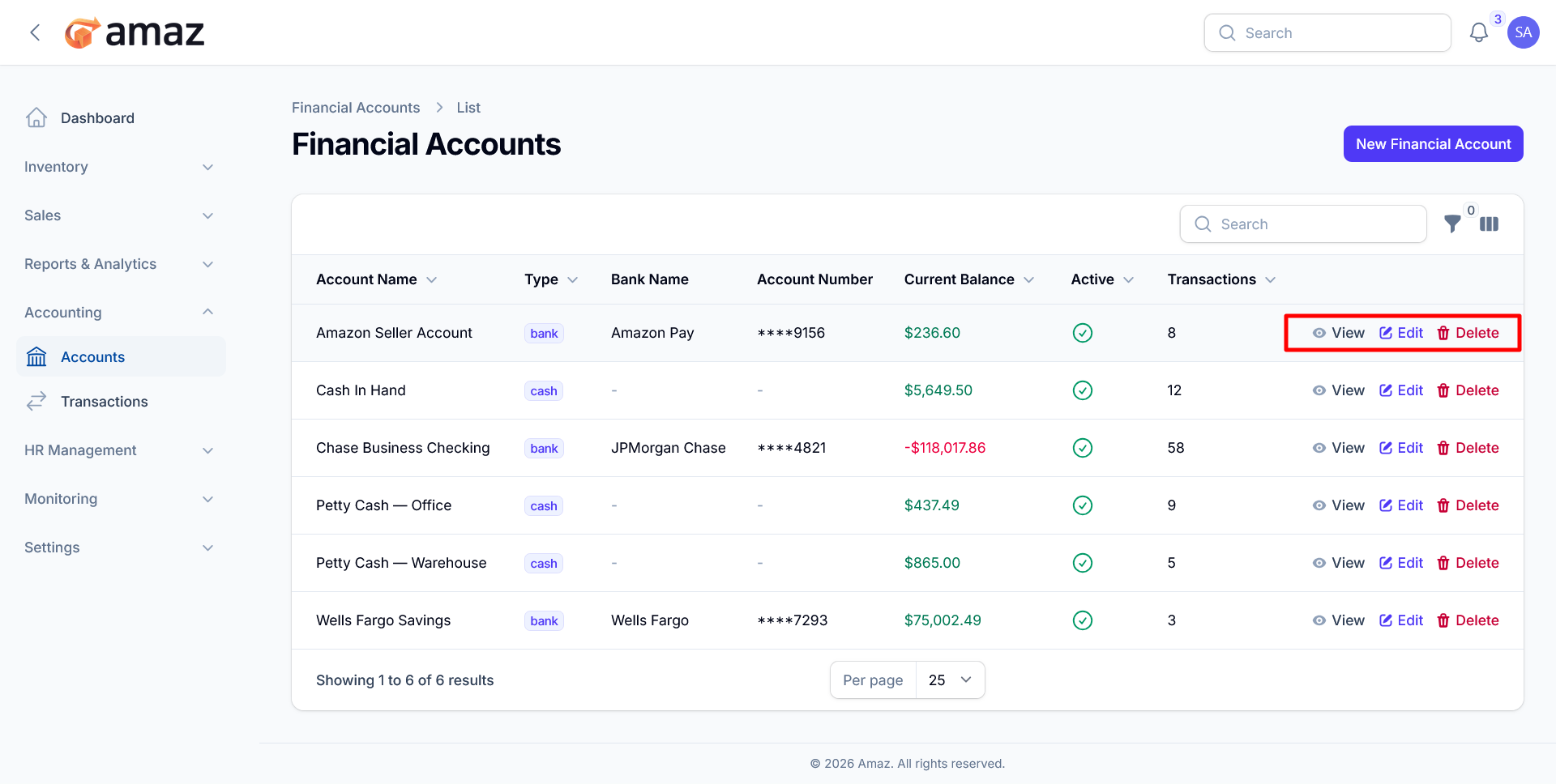
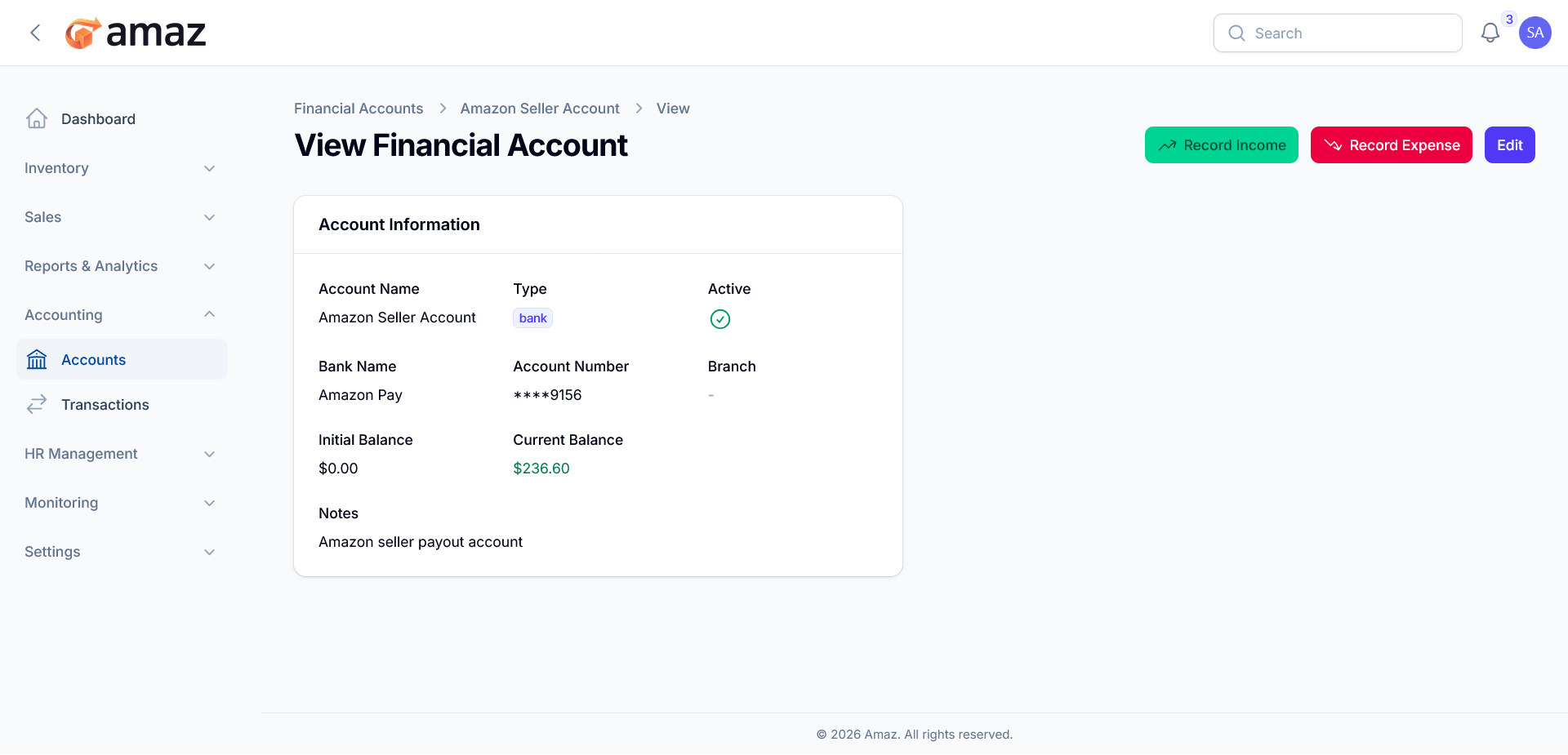
1. Click on an account to view details
2. See current balance and initial balance
3. Record income or expenses directly
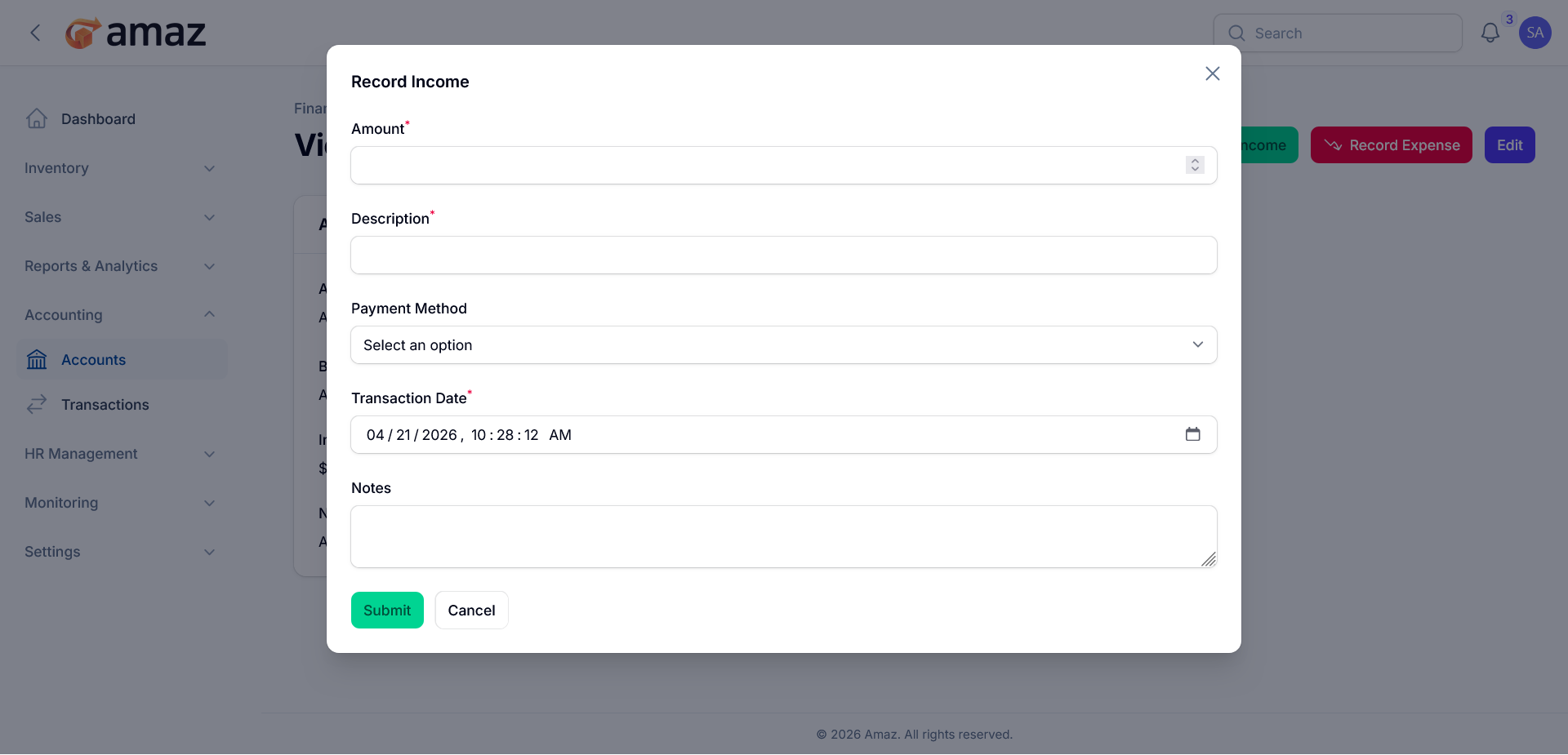
Recording Income
1. Open a Financial Account
2. Click Record Income
3. Fill in:
- Amount
- Description — What the income is for
- Payment Method — Cash, Bank Transfer, Credit Card, etc.
- Transaction Date
- Notes (optional)
4. Click Submit
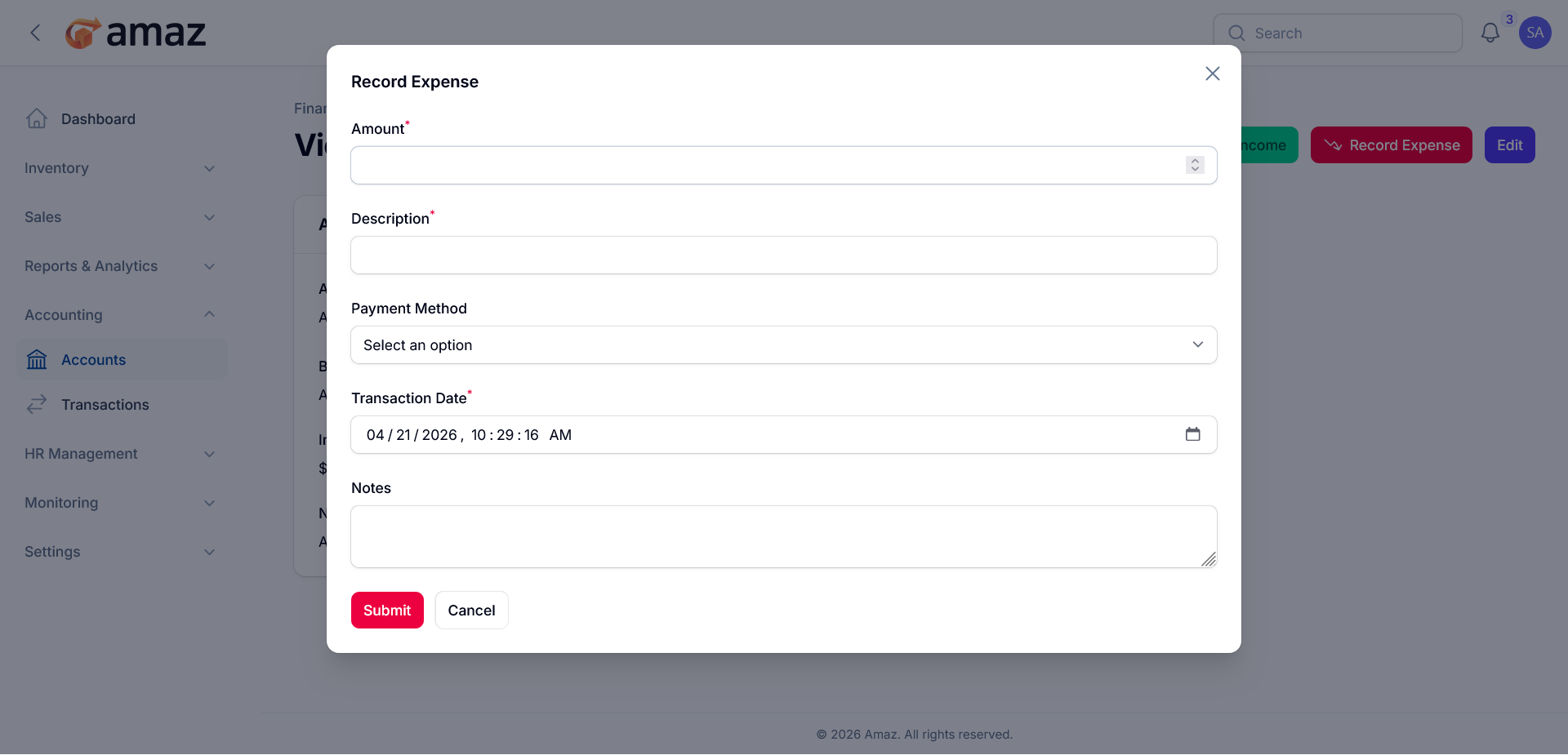
Recording Expense
1. Open a Financial Account
2. Click Record Expense
3. Fill in:
- Amount
- Description — What the expense is for
- Payment Method
- Transaction Date
- Notes (optional)
4. Click Submit
You can update specific account by clicking the Edit button.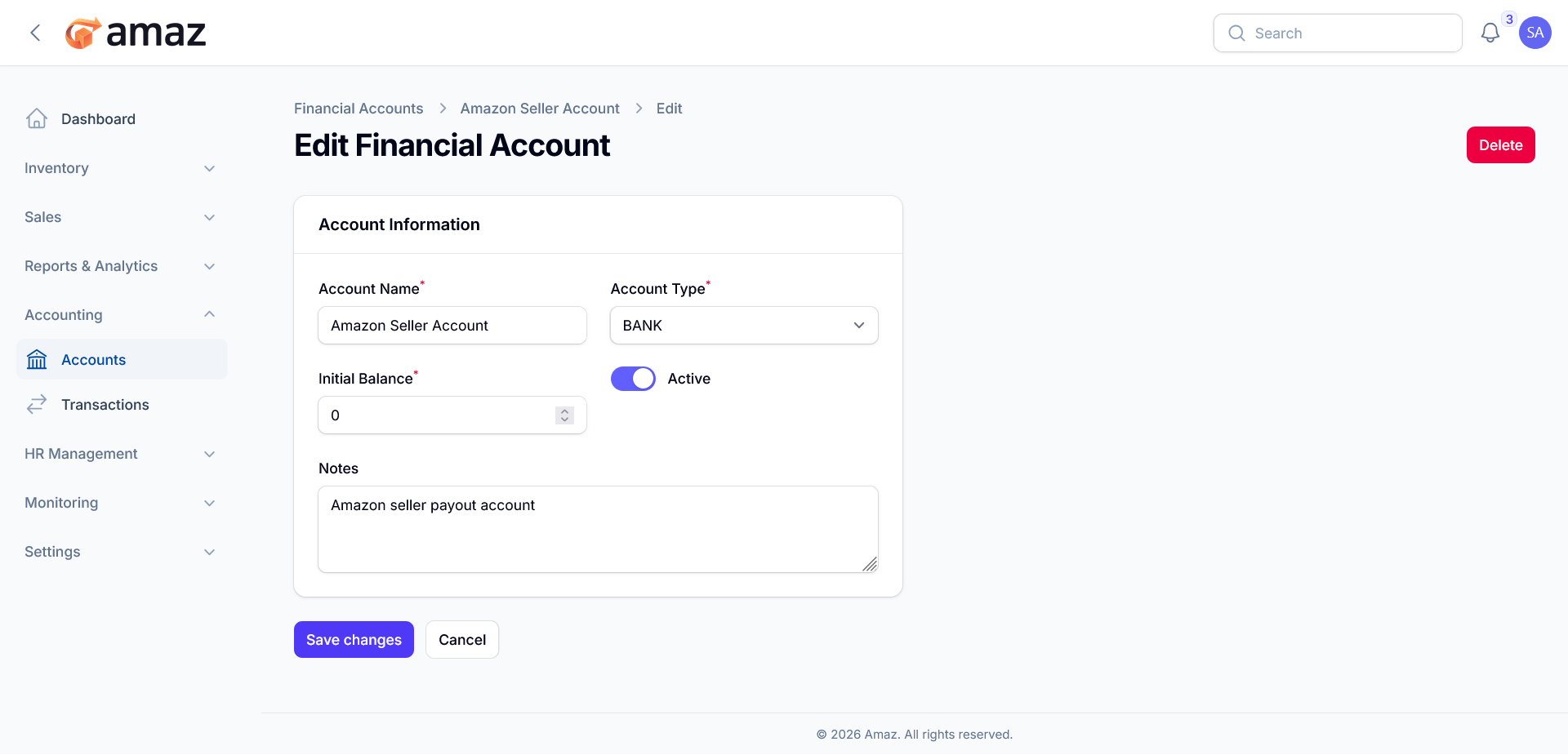
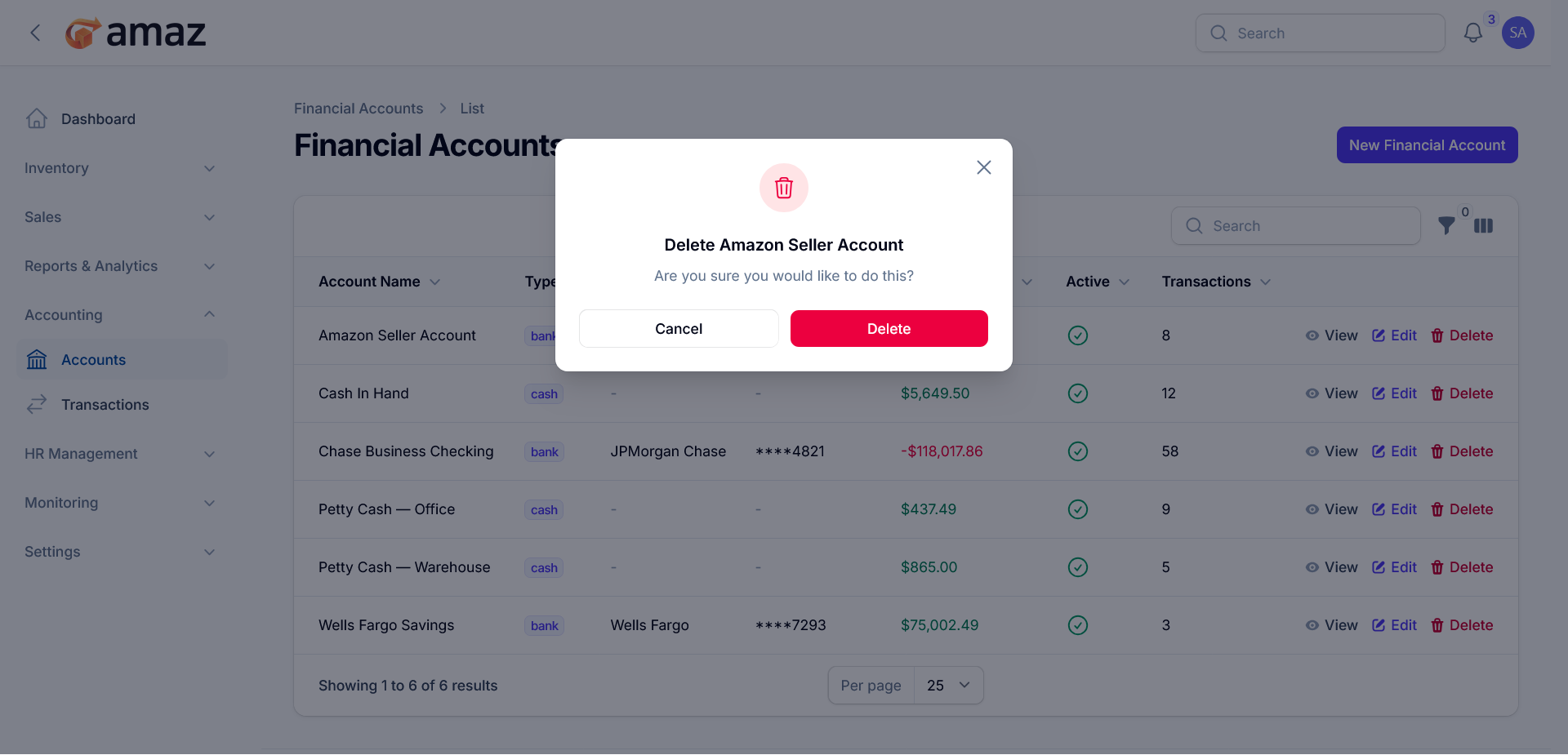
You can also delete an account by clicking the Delete button.