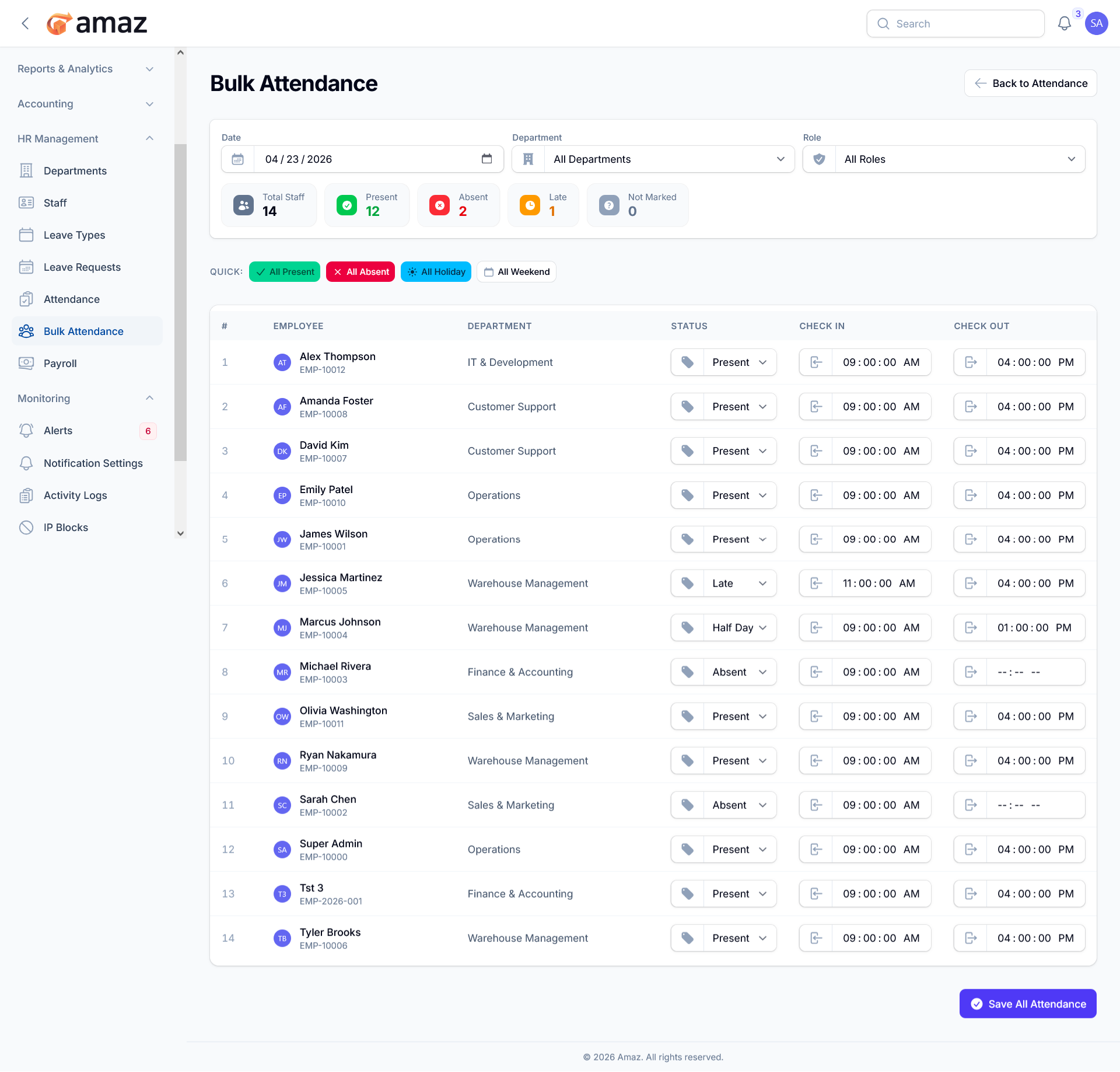
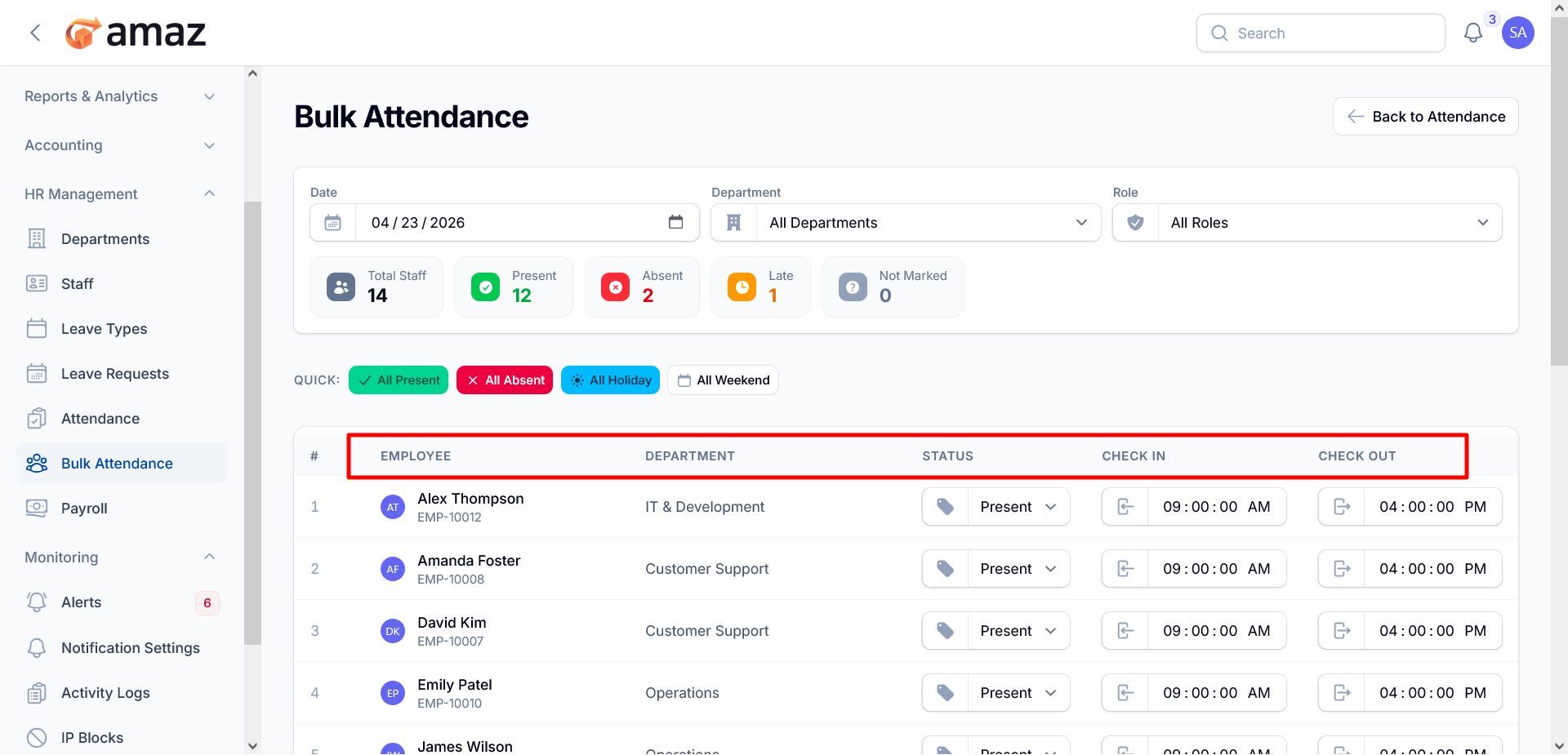
The Bulk Attendance module provides an efficient interface for managing and recording attendance for multiple employees in a single view. It is designed to streamline daily attendance operations, reduce manual effort, and ensure consistency across departments.
Date and Filter Controls
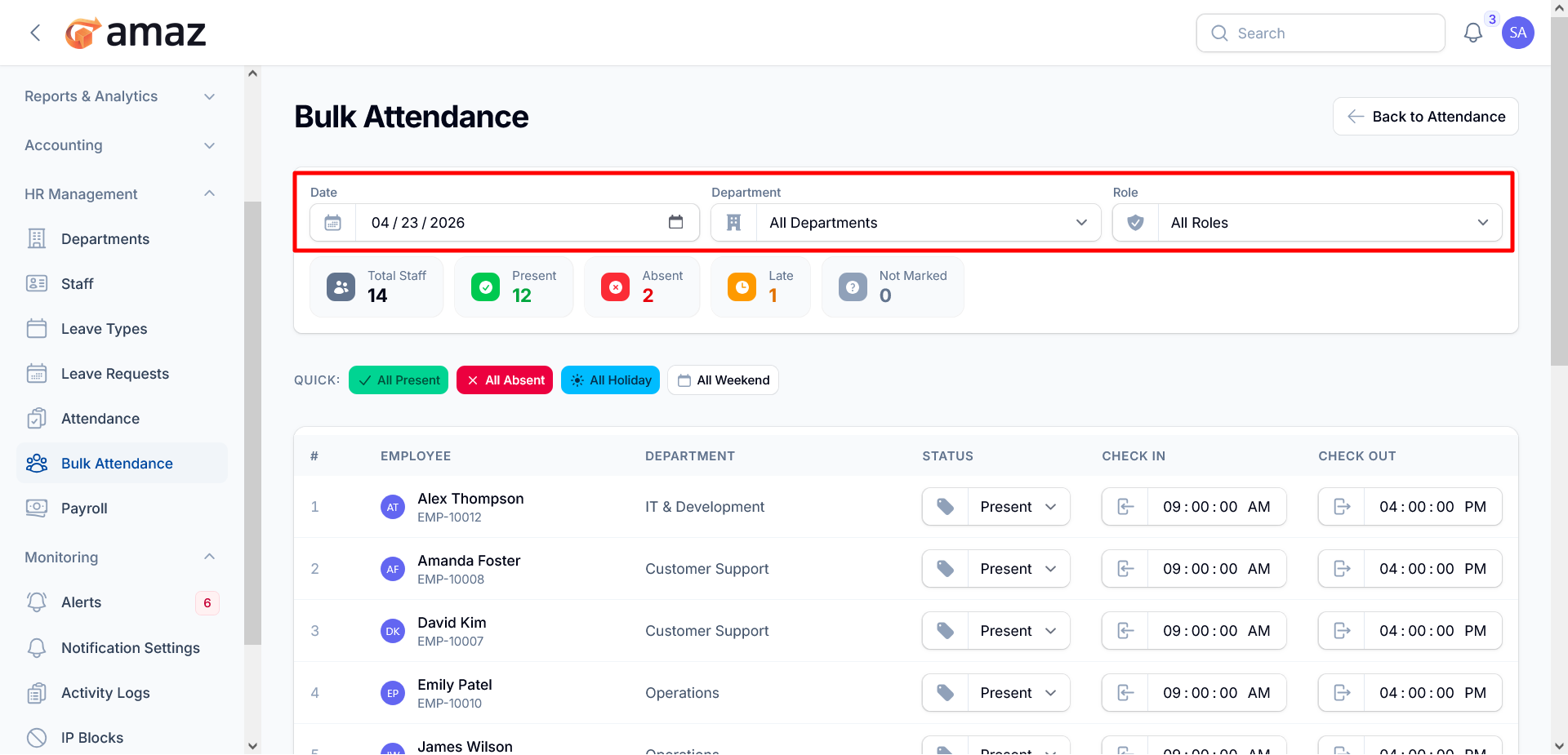
At the top of the page, users can define the scope of attendance records.
Date Selector – Choose the specific date for attendance entry.
Department Filter – Narrow results by department or view all departments.
Role Filter – Filter employees based on their assigned roles.
Attendance Summary Dashboard
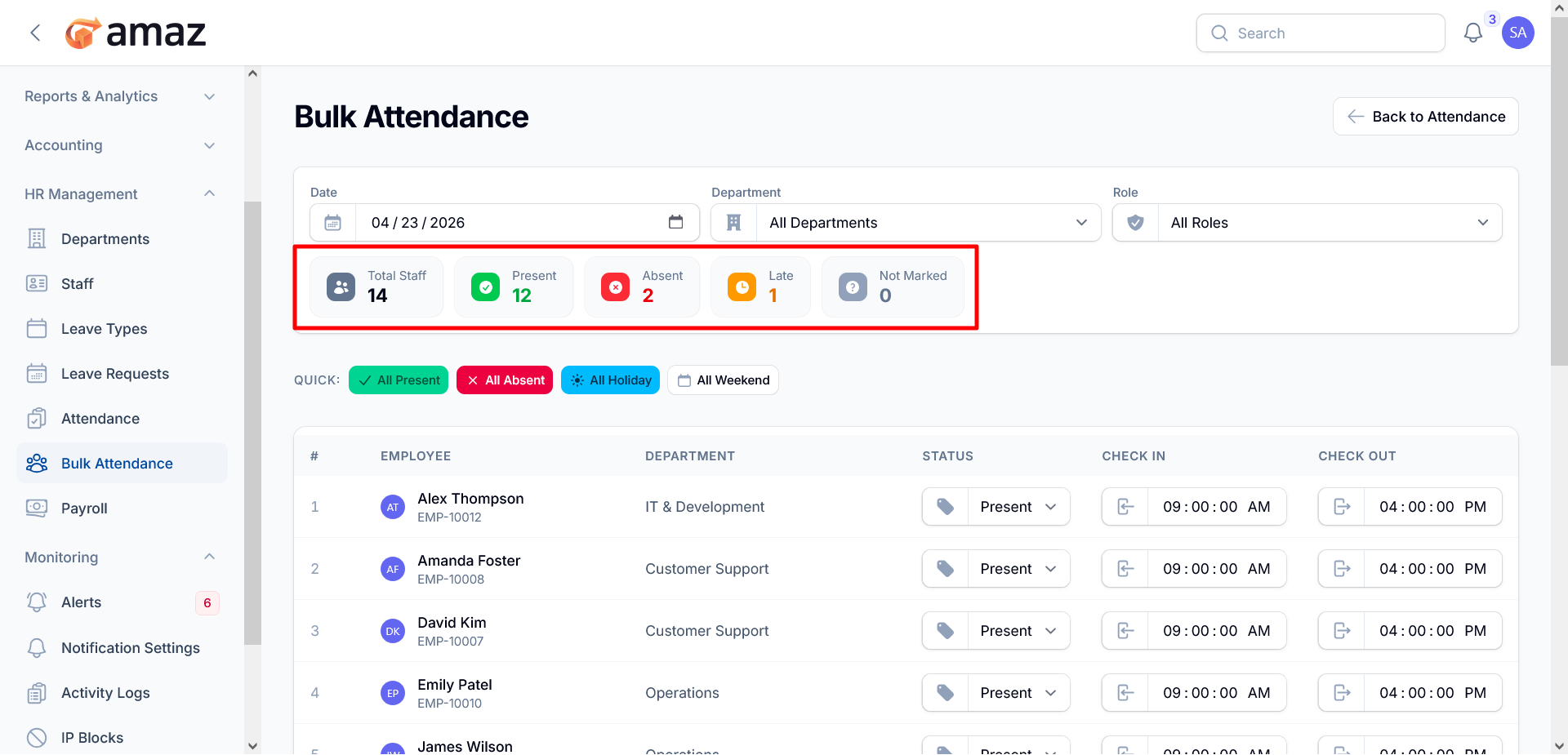
A real-time summary provides a quick overview of attendance status:
Total Staff – Total number of employees listed.
Present – Count of employees marked present.
Absent – Count of employees marked absent.
Late – Employees marked as late.
Not Marked – Employees whose attendance has not yet been recorded.
Quick Actions
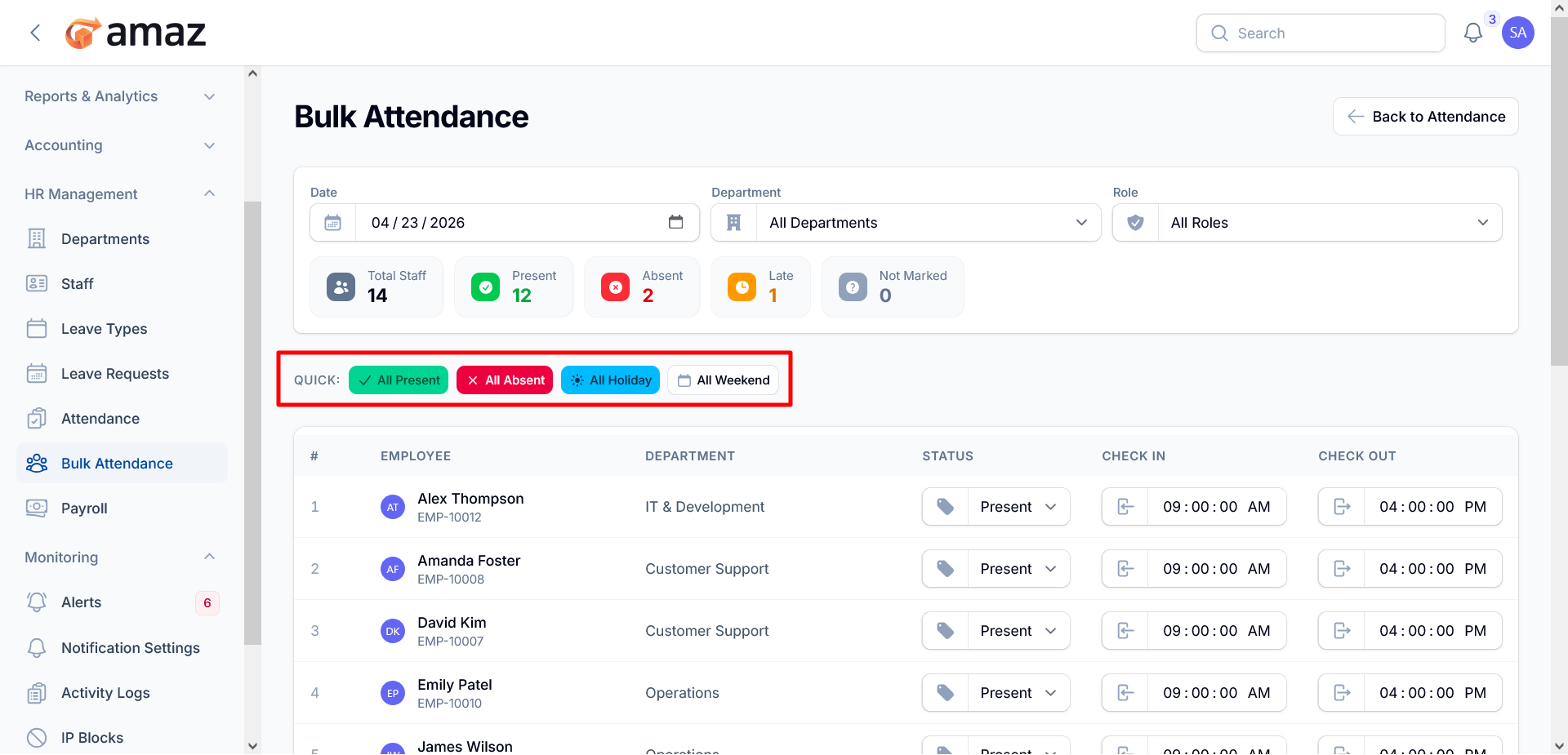
To accelerate bulk updates, the system includes one-click options:
All Present – Mark all employees as present.
All Absent – Mark all employees as absent.
All Holiday – Mark the day as a holiday for all employees.
All Weekend – Apply weekend status across the list.
Employee Attendance Table
The main table displays employee details and allows inline editing:
Employee Information – Name and unique employee ID.
Department – Assigned department for each employee.
Status Dropdown – Select attendance status (e.g., Present, Absent).
Check-In Time – Record or edit clock-in time.
Check-Out Time – Record or edit clock-out time.
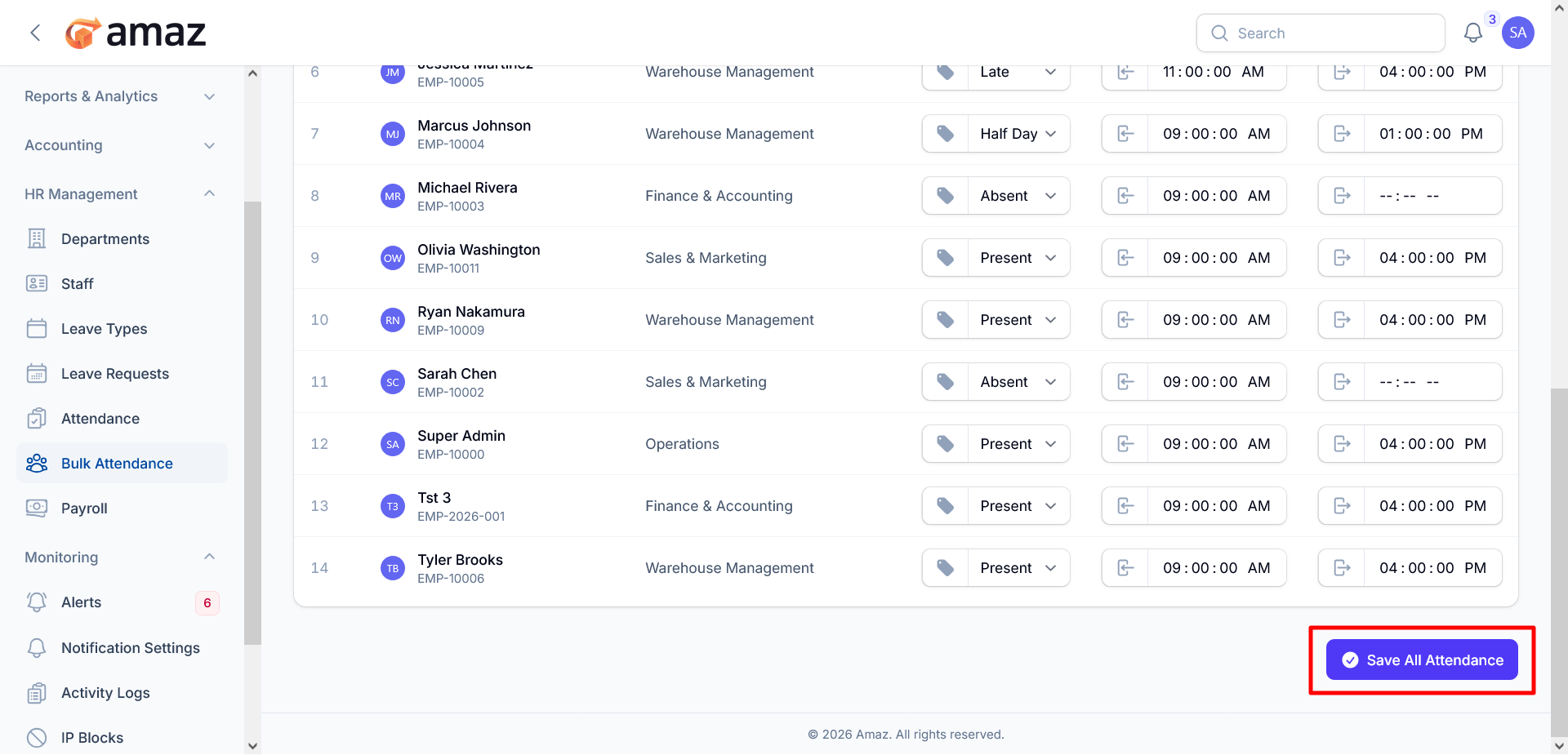
Each row is independently editable, allowing precise control over individual records.
Save Functionality
Once all updates are complete, users can commit changes by clicking:
Save All Attendance – Saves all modified attendance records in a single action.