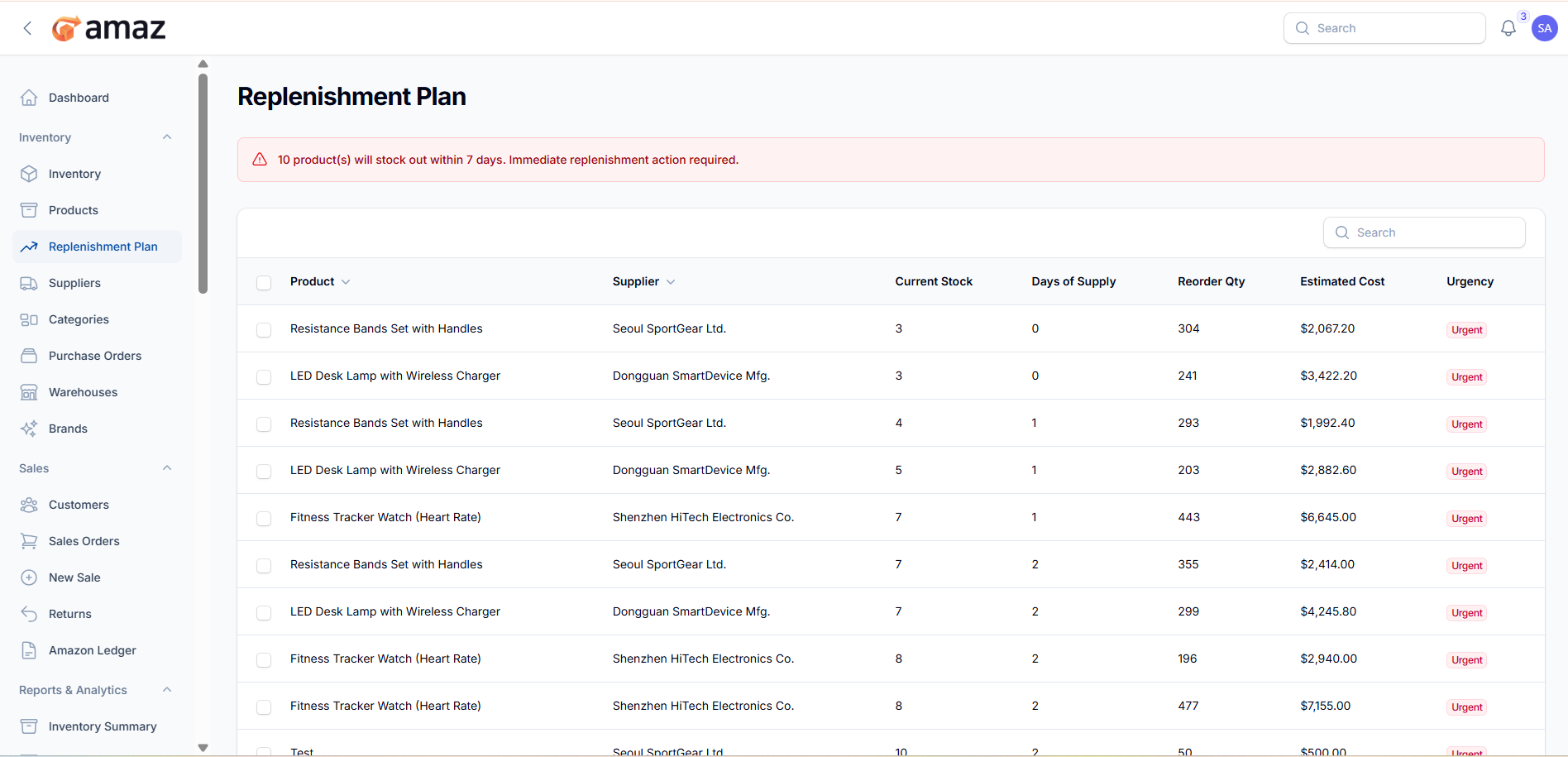
Replenishment Planning
Automatically identify products that need reordering.
Location: Sidebar → Inventory → Replenishment Plan
Using the Replenishment Plan
1. The page displays products that need reordering based on:
- Current stock level vs. reorder point
- Sales velocity and lead times
- Days of supply remaining
2. Each product shows:
- Current stock quantity
- Days of supply remaining
- Recommended reorder quantity
- Estimated cost
- Urgency level (color-coded)
3. Urgency Levels:
- Urgent — Immediate reorder needed
- Warning — Reorder soon
- Normal — Plan to reorder