Supplier Profiles
Maintain information about your vendors.
Location: Sidebar → Inventory → Suppliers
Creating a Supplier
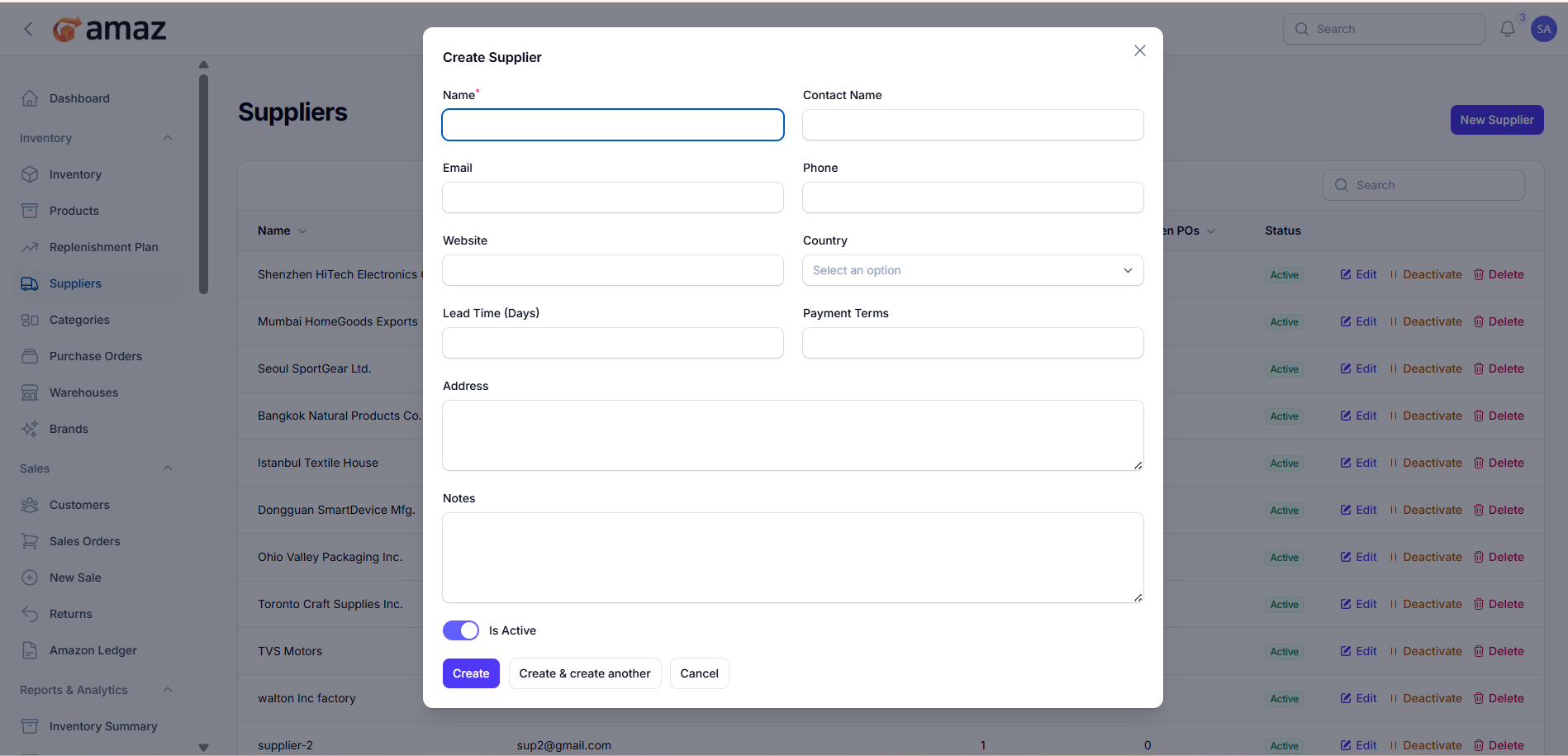
1. Click New Supplier
2. Fill in the details:
Field | Description | Required
Name | Company name | Yes
Contact Name | Primary contact name | No
Phone | Contact phone | No
Website | Company website | No
City/State/Country | Location | No
Lead Time (days) | Average delivery time | No
Payment Terms | e.g., Net 30, Net 60 | No
Address | Business address | No
Notes | Additional information | No
Active | Enable/disable supplier | Yes
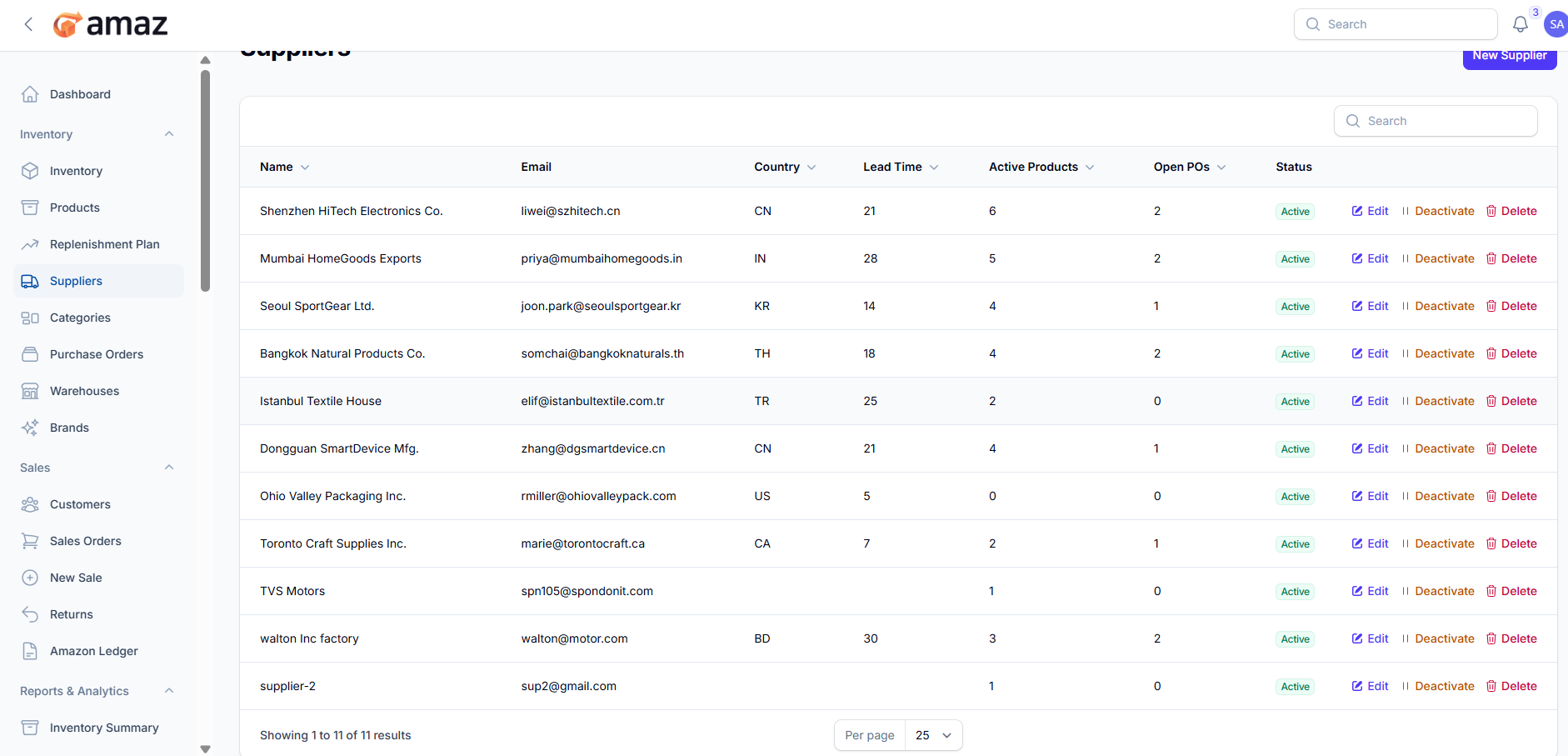
Supplier List:
From here you can view the list of suppliers along with their detailed information.
Field – Description
Name – Name of the supplier.
Email – Contact email of the supplier.
Country – Country where the supplier is located.
Lead Time – Average time taken by the supplier to deliver orders.
Active Products – Number of active products associated with the supplier.
Open POs – Number of purchase orders currently open with the supplier.
Status – Current status of the supplier (e.g., Active/Inactive).
3. Click Create
Managing Suppliers:
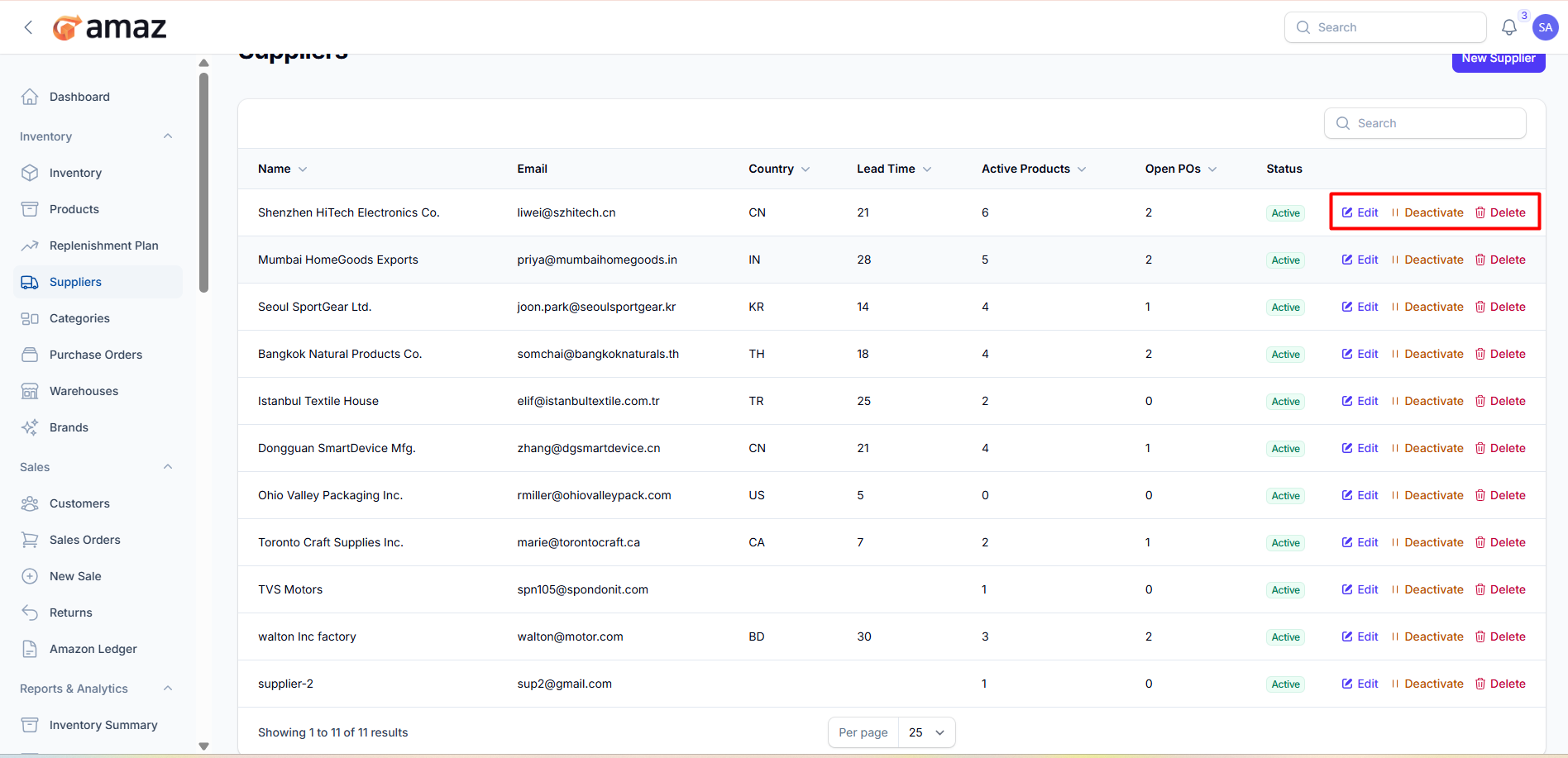
- Edit: Update supplier information.
- Toggle Active: Enable/disable suppliers.
- View: See complete profile with purchase order history.
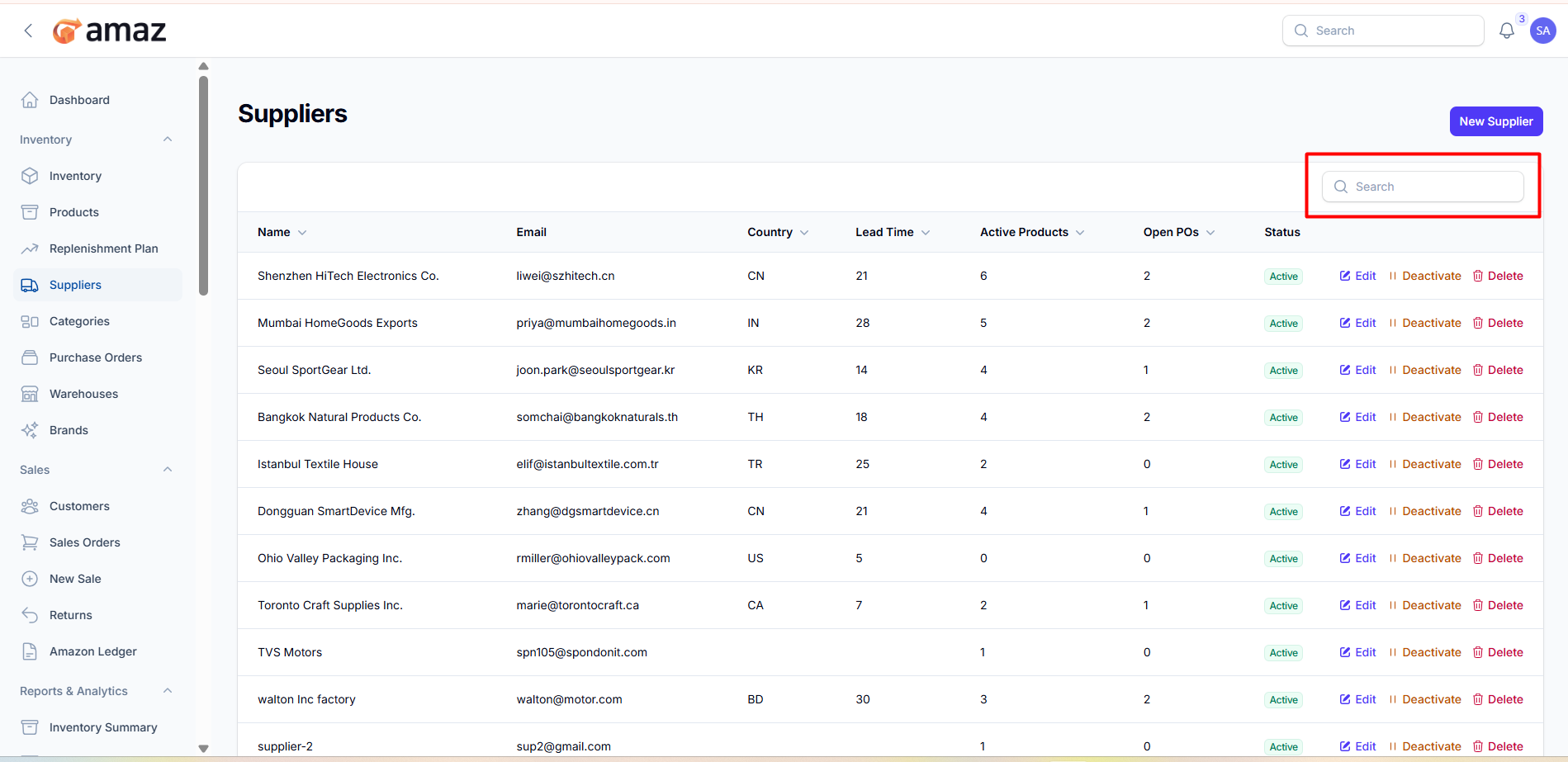
You can find out any specific supplier from the list using search.