Shipping Rate
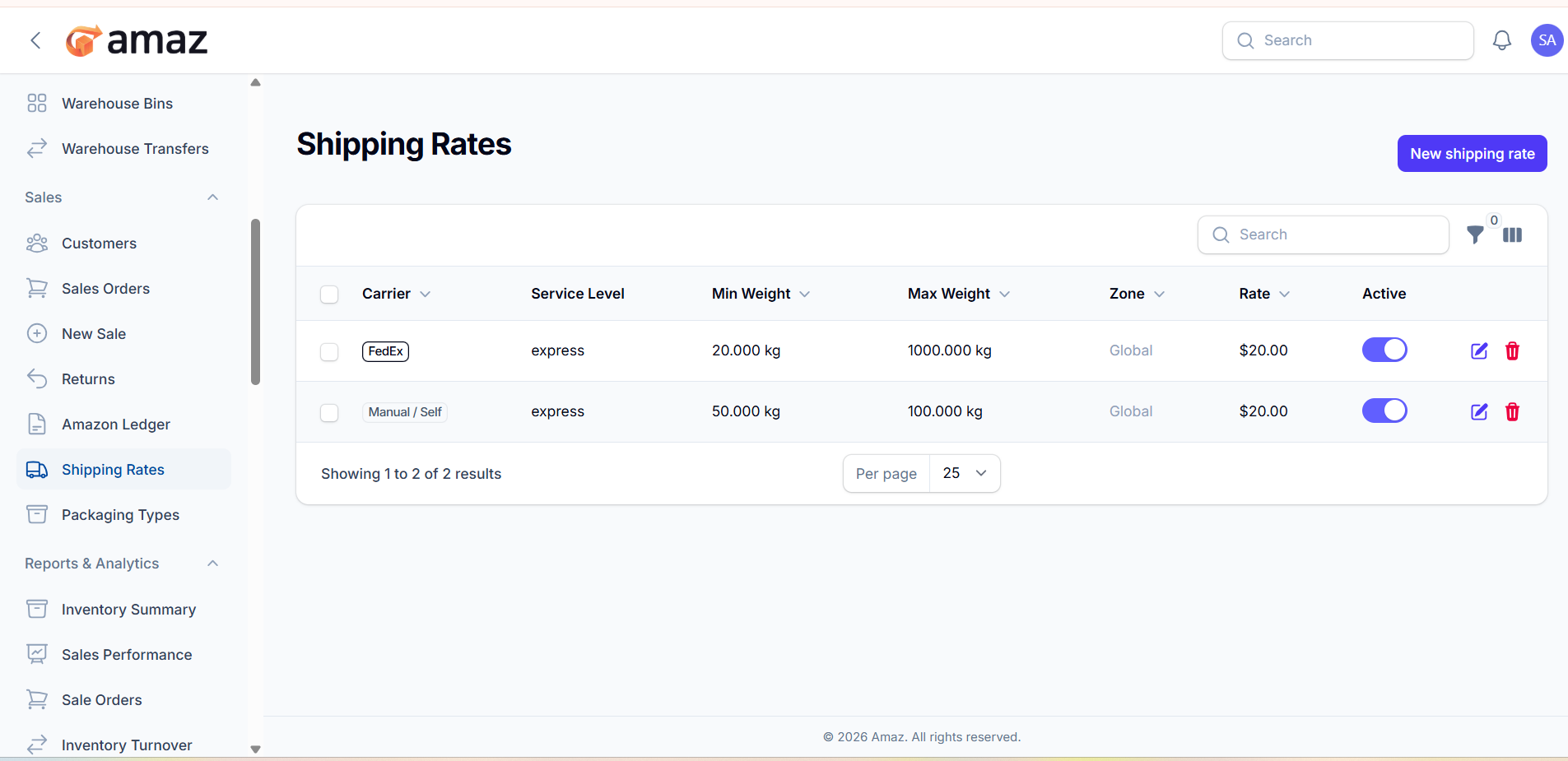
The Shipping Rates module allows you to define and manage delivery charges based on carrier, weight range, and service level. These rates are used to calculate shipping costs automatically during order processing (especially for FBM orders).
Location: Sidebar → Sales → Shipping Rate
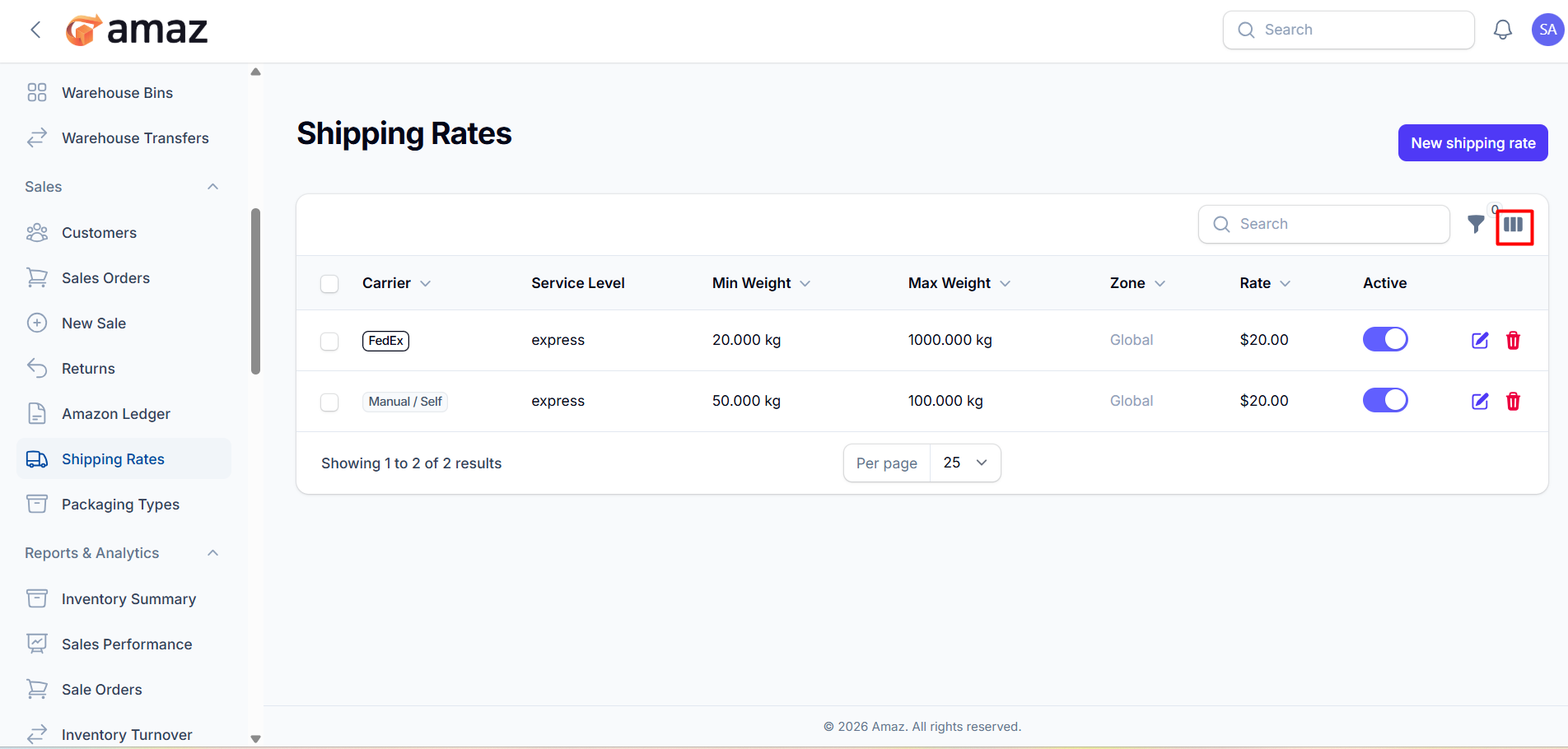
From here, you can view all configured shipping rates along with their detailed information. The following fields are displayed for each shipping rate:
Carrier Name – The delivery provider (e.g., FedEx, Manual/Self).
Service Level – Type of service (e.g., express, standard).
Min Weight – Minimum weight required for the rate to apply.
Max Weight – Maximum weight limit for the rate.
Zone – Delivery region where the rate is applicable.
Rate – Shipping cost for the defined range.
Active – Indicates whether the shipping rate is enabled or disabled.
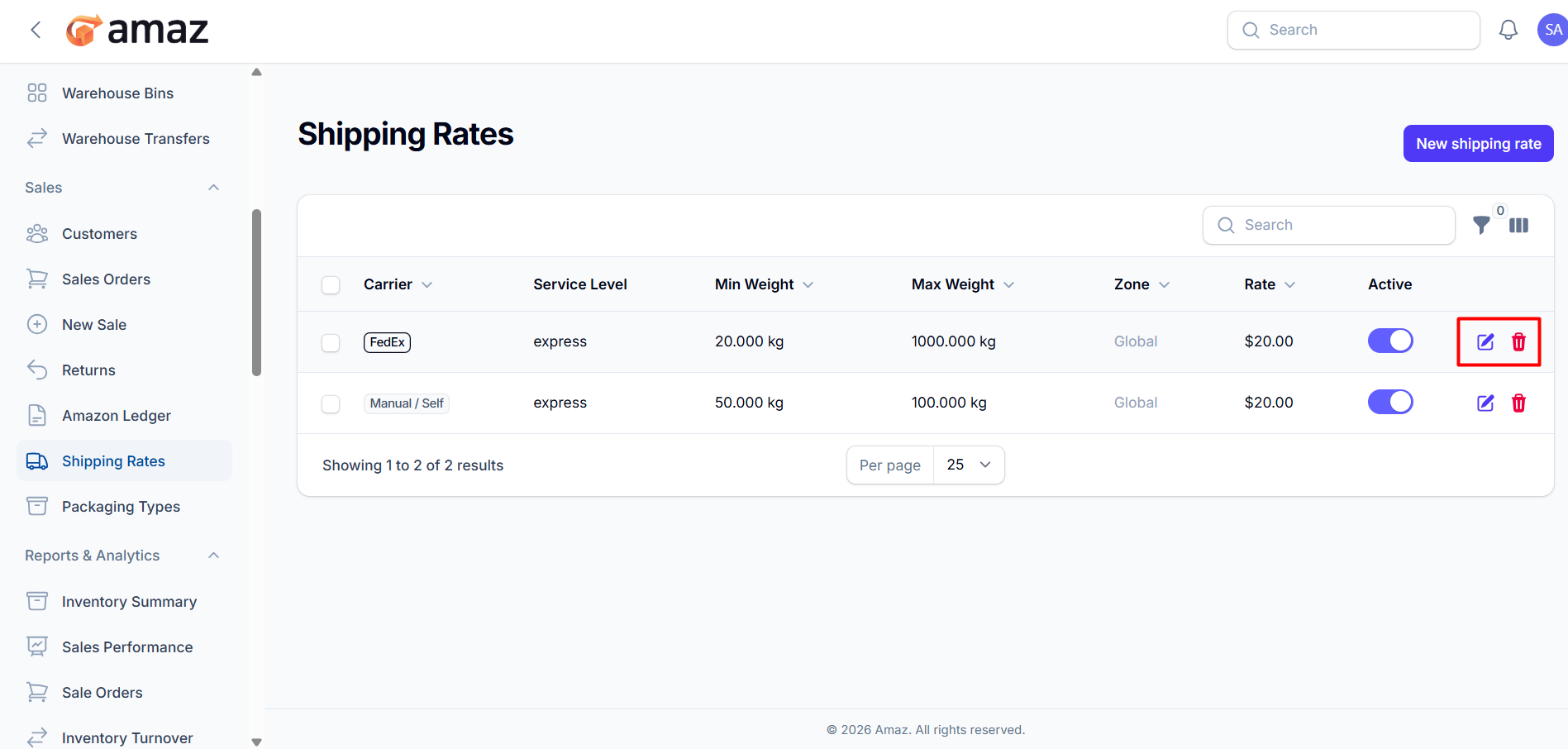
Edit – Allows you to update the shipping rate details.
Delete – Removes the shipping rate from the system .
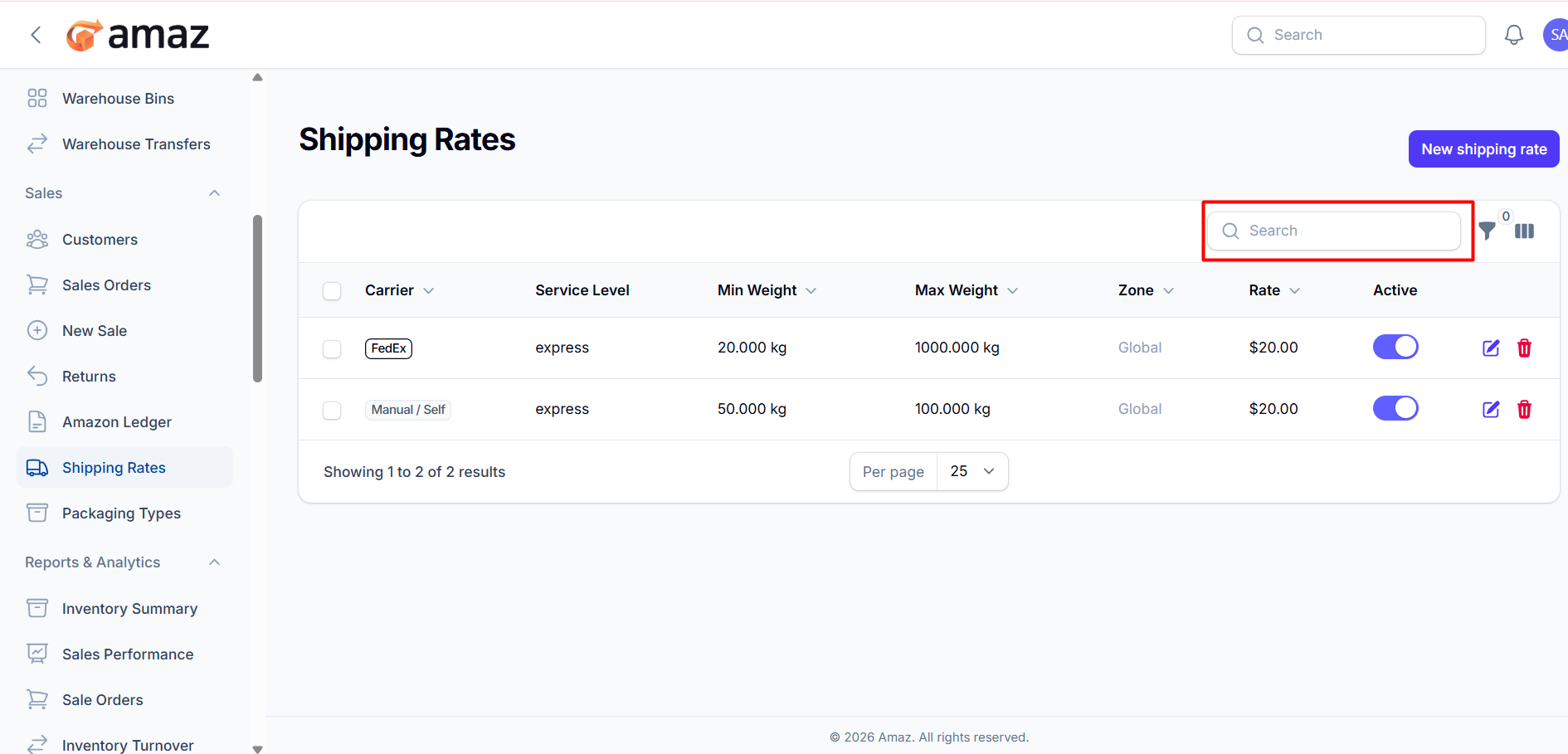
Allows you to quickly find specific shipping rates using keywords.
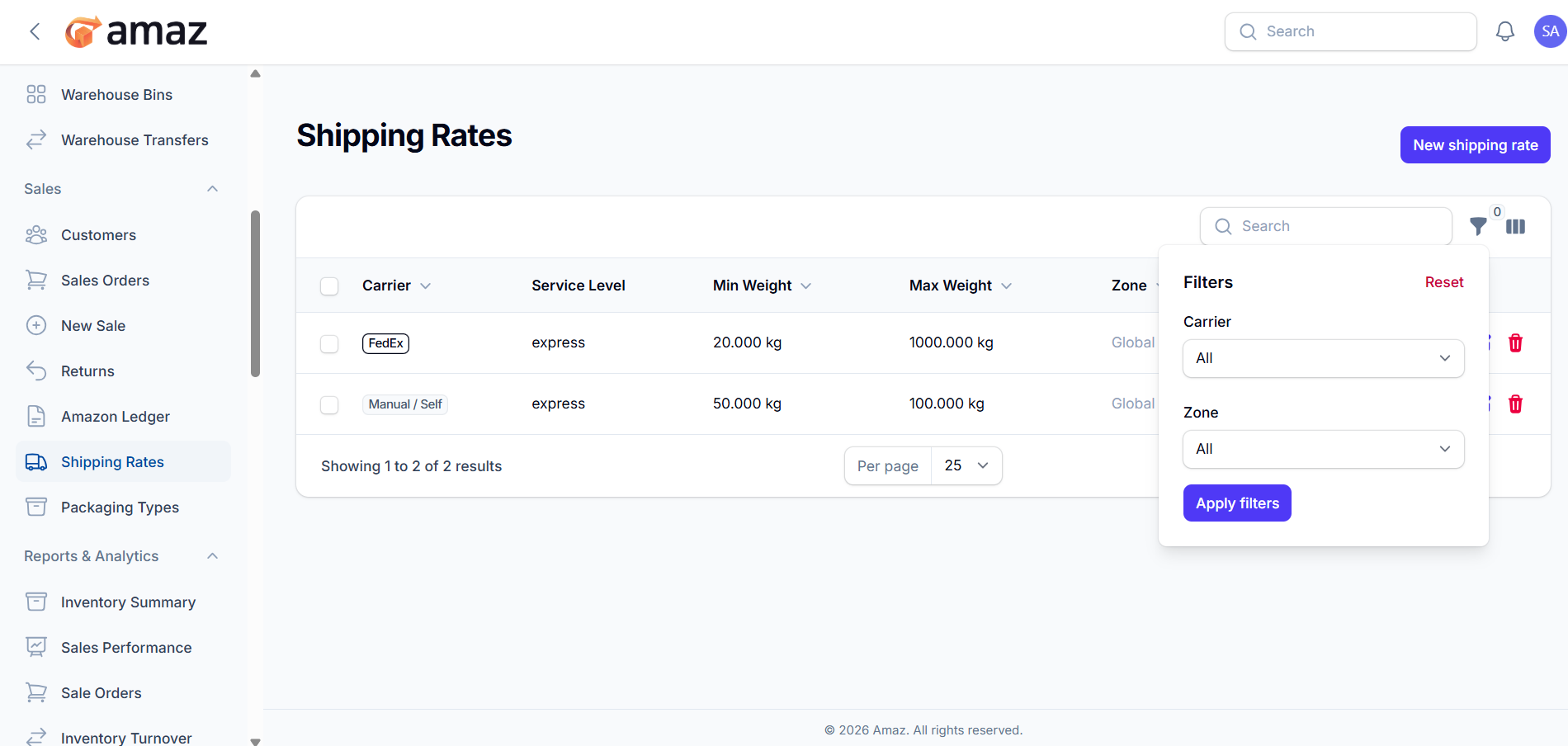
You can filter shipping rates based on the following criteria:
Carrier – Filter by shipping provider.
Zone – Filter by delivery region.
Apply Filter – Apply selected filter criteria.
Reset – Clear all applied filters.
Allows you to show or hide table columns based on your preference.
Helps in personalizing the view for better usability.
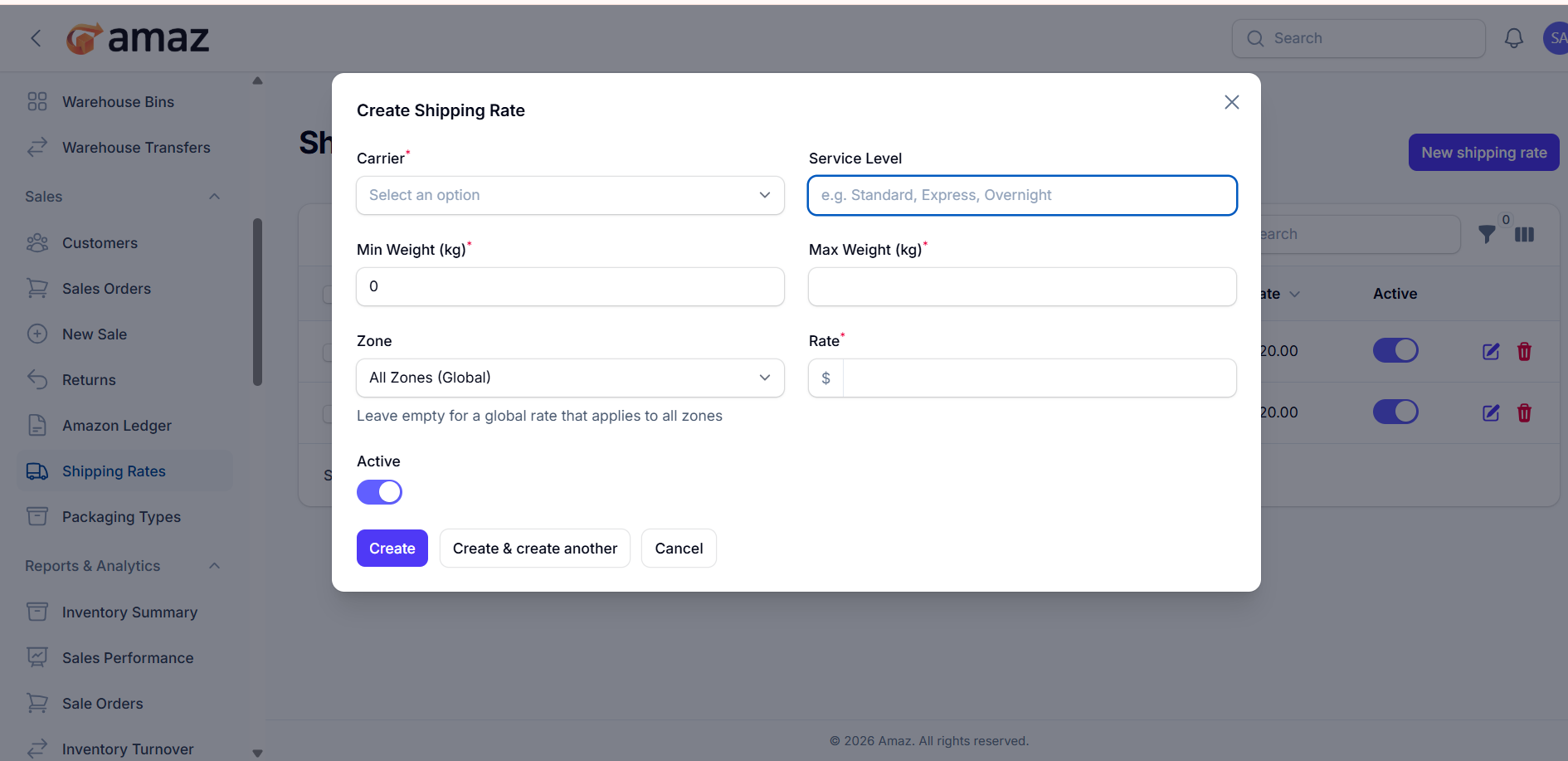
This form allows you to create a new shipping rate by defining carrier, weight range, and pricing.
Carrier*
Select the shipping provider (e.g., FedEx, Manual/Self).
Service Level
Enter the type of delivery service (e.g., Standard, Express, Overnight).
Min Weight (kg)*
Define the minimum weight for which this rate will apply.
Max Weight (kg)*
Define the maximum weight limit for this shipping rate.
Zone
Select the delivery region.
Default: All Zones (Global)
If left unchanged, the rate applies globally.
Rate*
Enter the shipping cost for the defined weight range.
Active
Toggle to enable or disable the shipping rate.
ON → Rate is active
OFF → Rate is inactive
Create
Saves the shipping rate and closes the form.
Create & create another
Saves the current rate and opens a new form to add another.
Cancel
Closes the form without saving.
Fields marked with (*) are required
Ensure:
Min Weight < Max Weight
No overlapping weight ranges for the same carrier & zone
Rate should be a positive value