14th Mar, 2025
Unit Type
A unit type is how a product is measured, like pieces, kg, liters, or meters. It helps in counting and selling products properly.
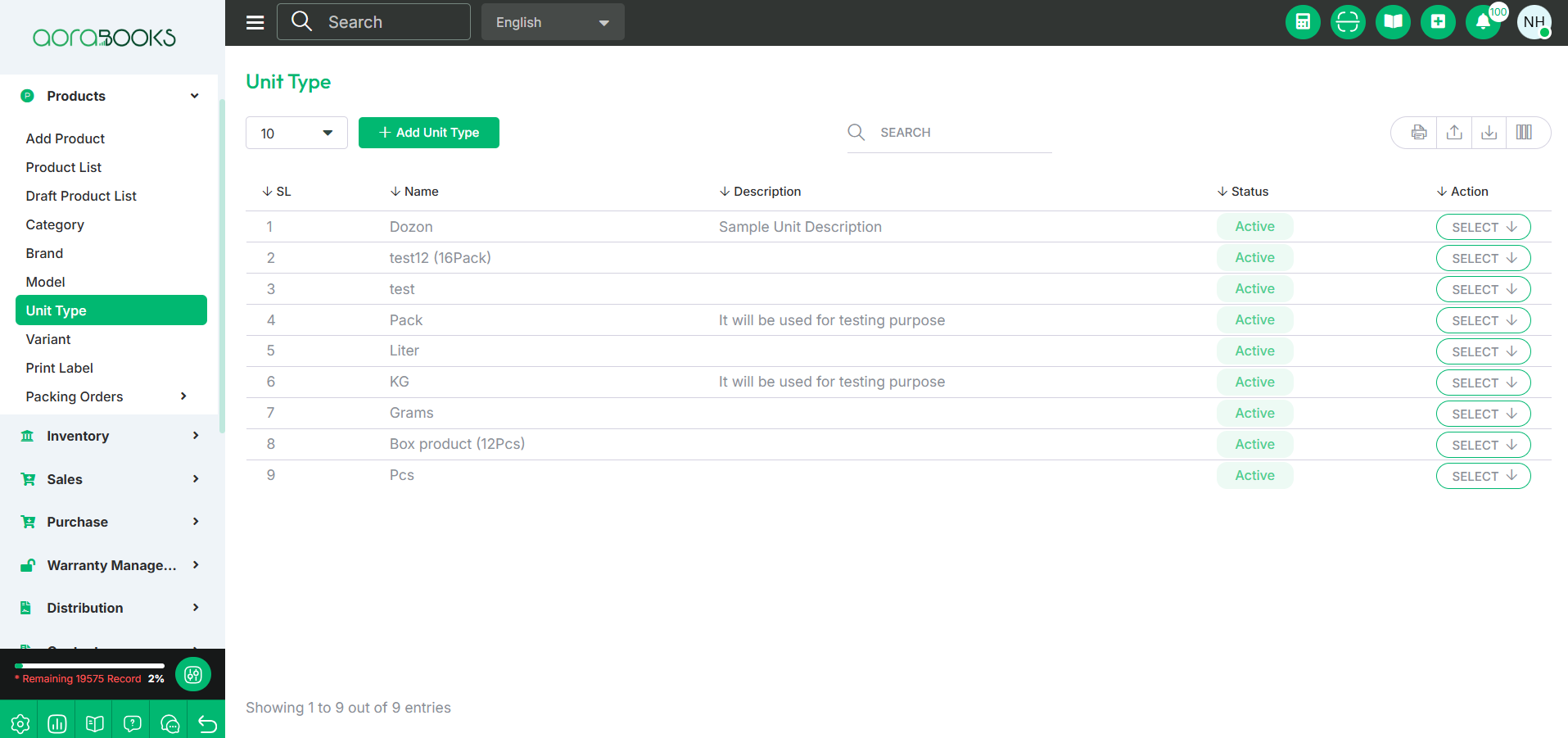
From here, you can view the complete list of unit type along with their details, including:
Unit Type Name: The name of the unit type.
Description: A description of the unit type.
Status: Indicates whether the unit type is active or inactive.
Action: By clicking this you can perform multiple actions.
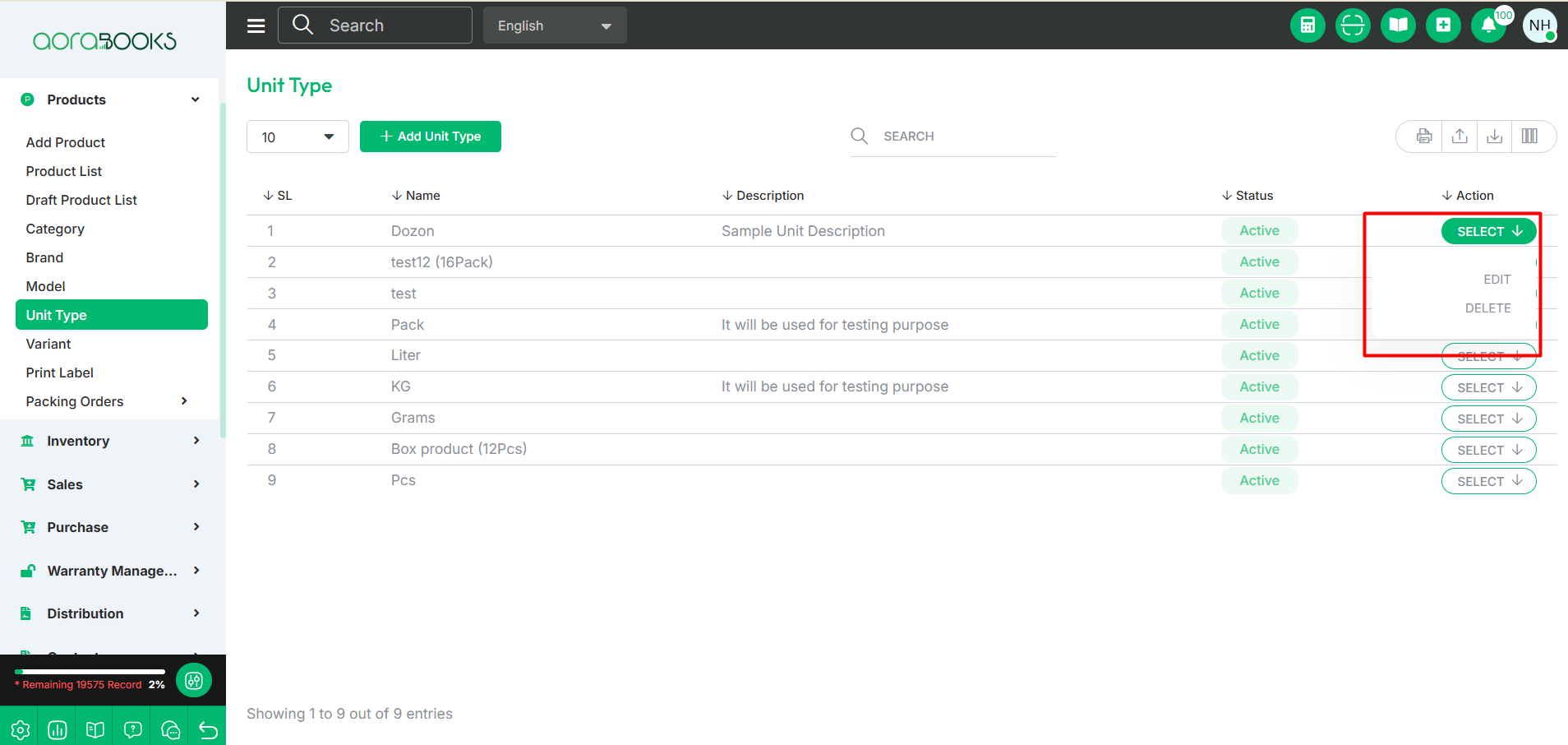
By clicking the Select button, you can perform multiple actions, such as:
Edit: Modify the unit type details.
Delete: Remove the unit type from the list.
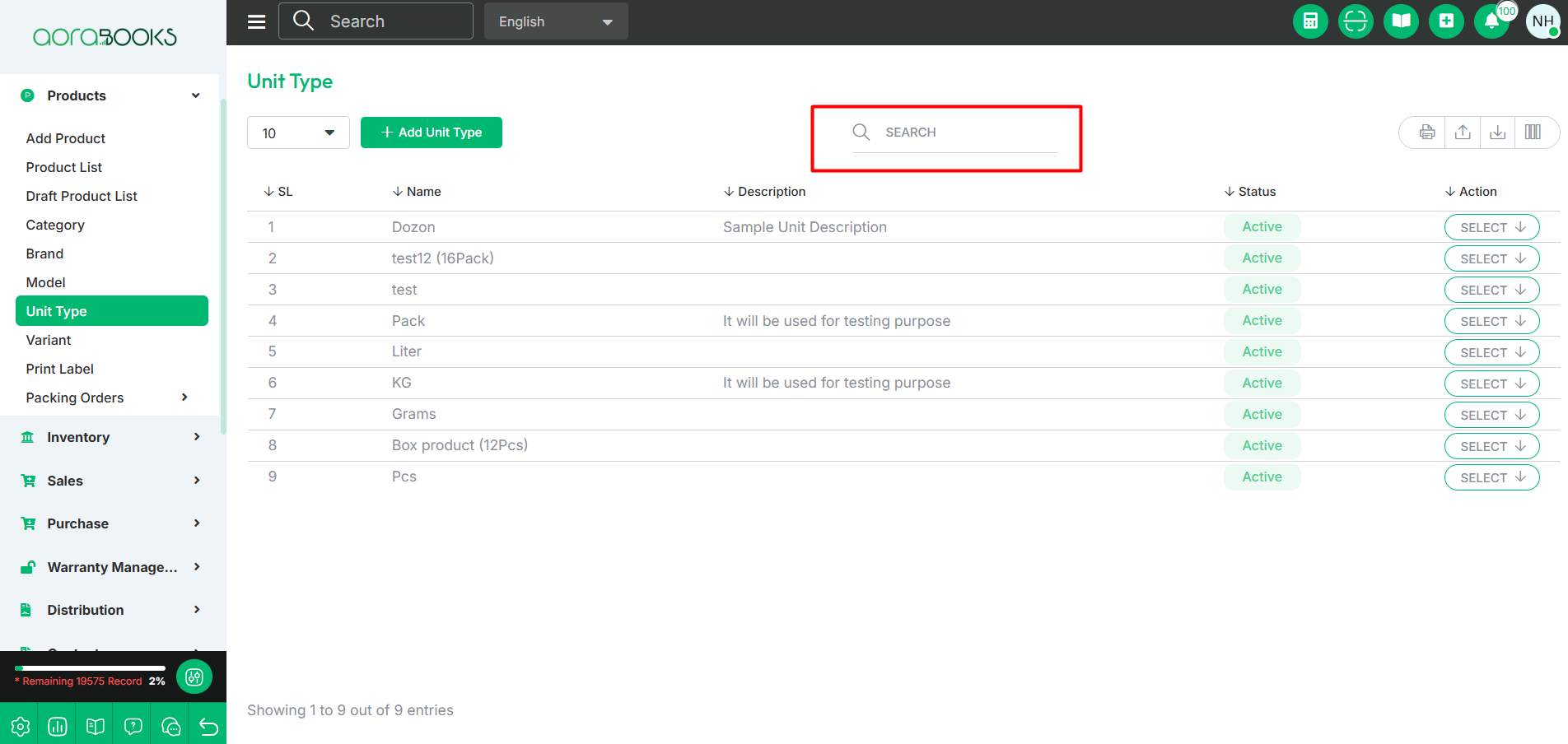
Search: You can find out any specific unit type from the list by using the search functionality.
Export Data: By clicking this you can export the data table.
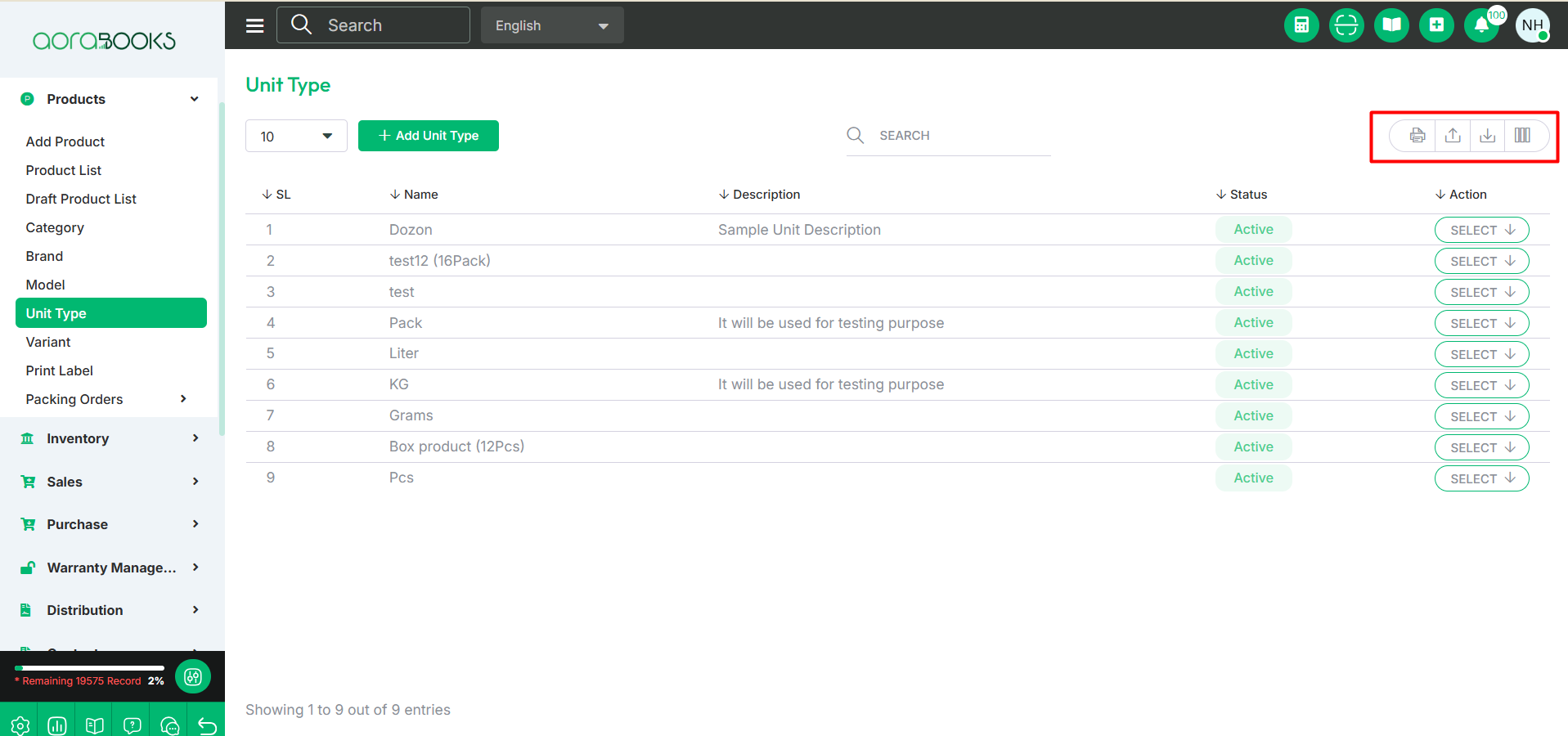
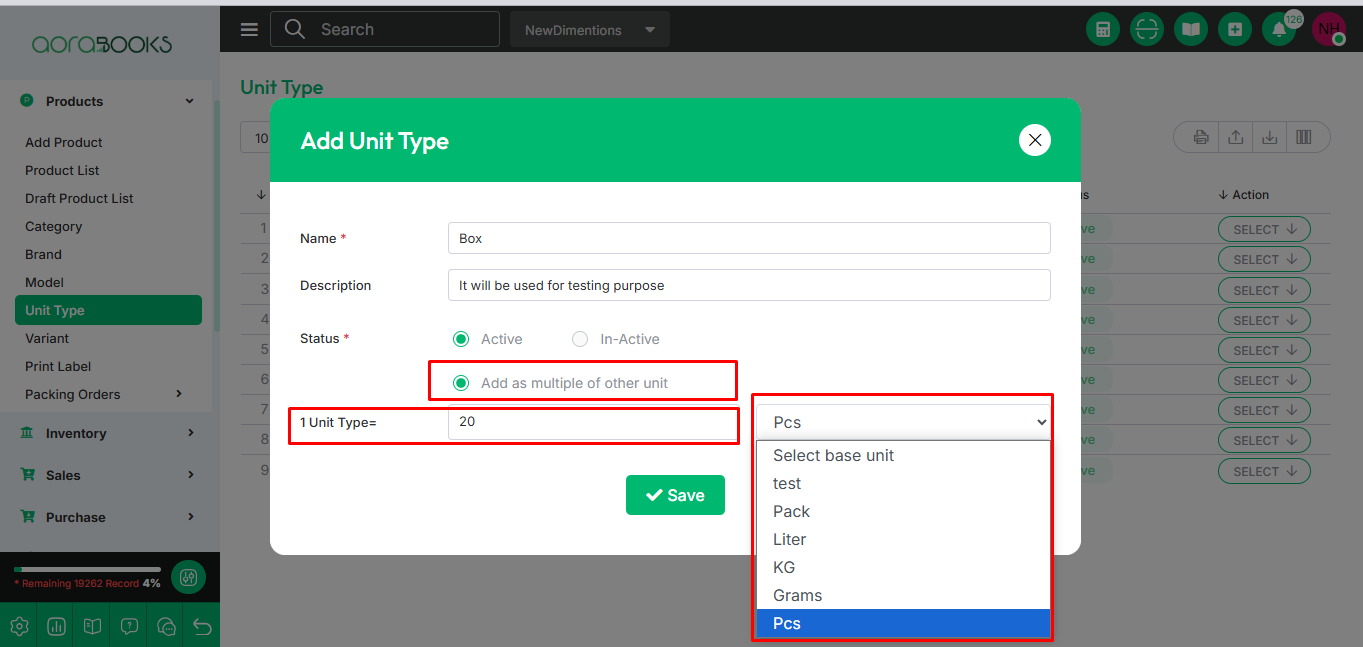
Add Unit Type: Click the button to add a new unit type. Follow these steps:
Name: Enter the unit type.
Description: Give the description about the unit type
Status: Choose whether the unit type is active or inactive.
Save: Click the "Save" button to add the unit type.
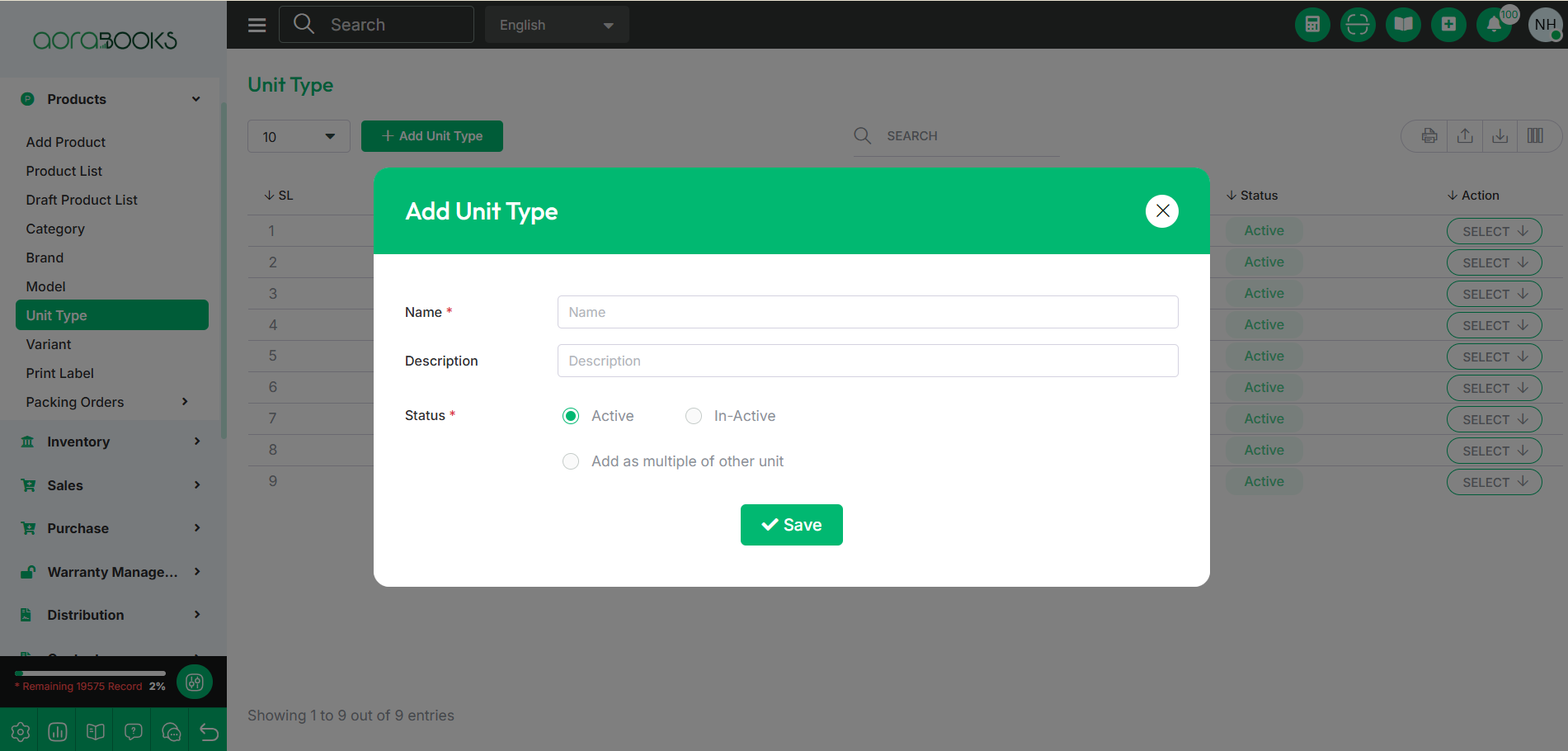
You can create multiple units by toggling the button "Add as multiple of other unit." For example, a box has 20 products; you can add them through it. Here, a box is a unit, and it contains 20 products each box.