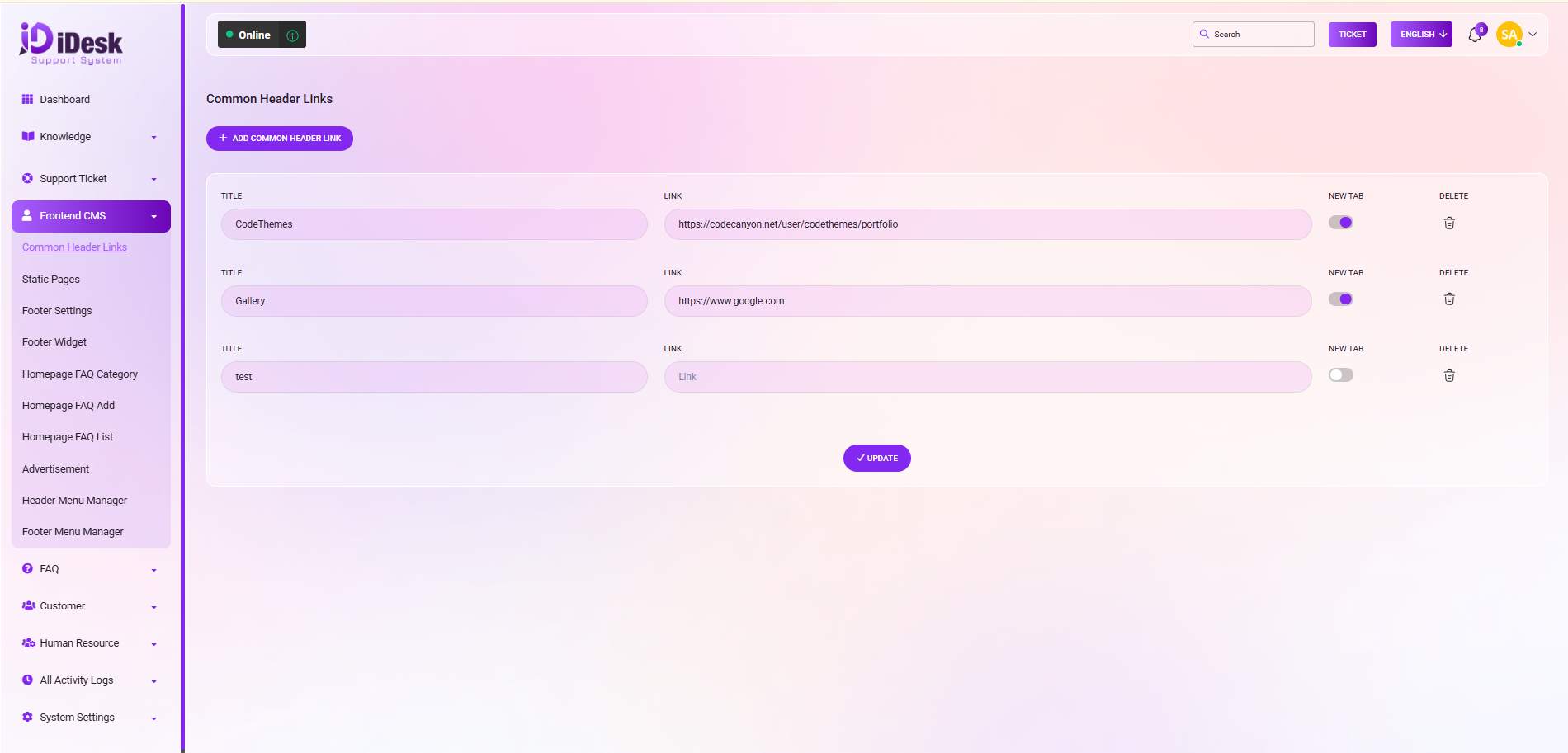
Common Header Link
Common header links are navigation links placed at the top of a website or application that give users quick access to key sections such as Home, About, Services, Contact, Profile, or Help. They improve usability by making important pages easily accessible from anywhere on the site.
From here you can set the common header link. To add new common header links just click on “Add Common Header Link” and follow the below steps:
Title: Set the title of the common header link.
Link: Set the link of the title.
New Tab: If you enable the new tab toggle button then, the new link will be open in a new tab.
Delete: If you want to remove the header link just click on delete icon.
Update: Click the button to update the common header.