Static Page
A static page is a web page with fixed content that does not change based on user interaction or data. It displays the same information to all users and is typically used for content like About Us, Contact, or policy pages.
From here you can add a new static page. To add the static page just follow the below steps:
Title : Set the title of the page.
Slug: Set the slug of the page.
Description: Set the description for the page.
Save: Click the button and your page will be added successfully.
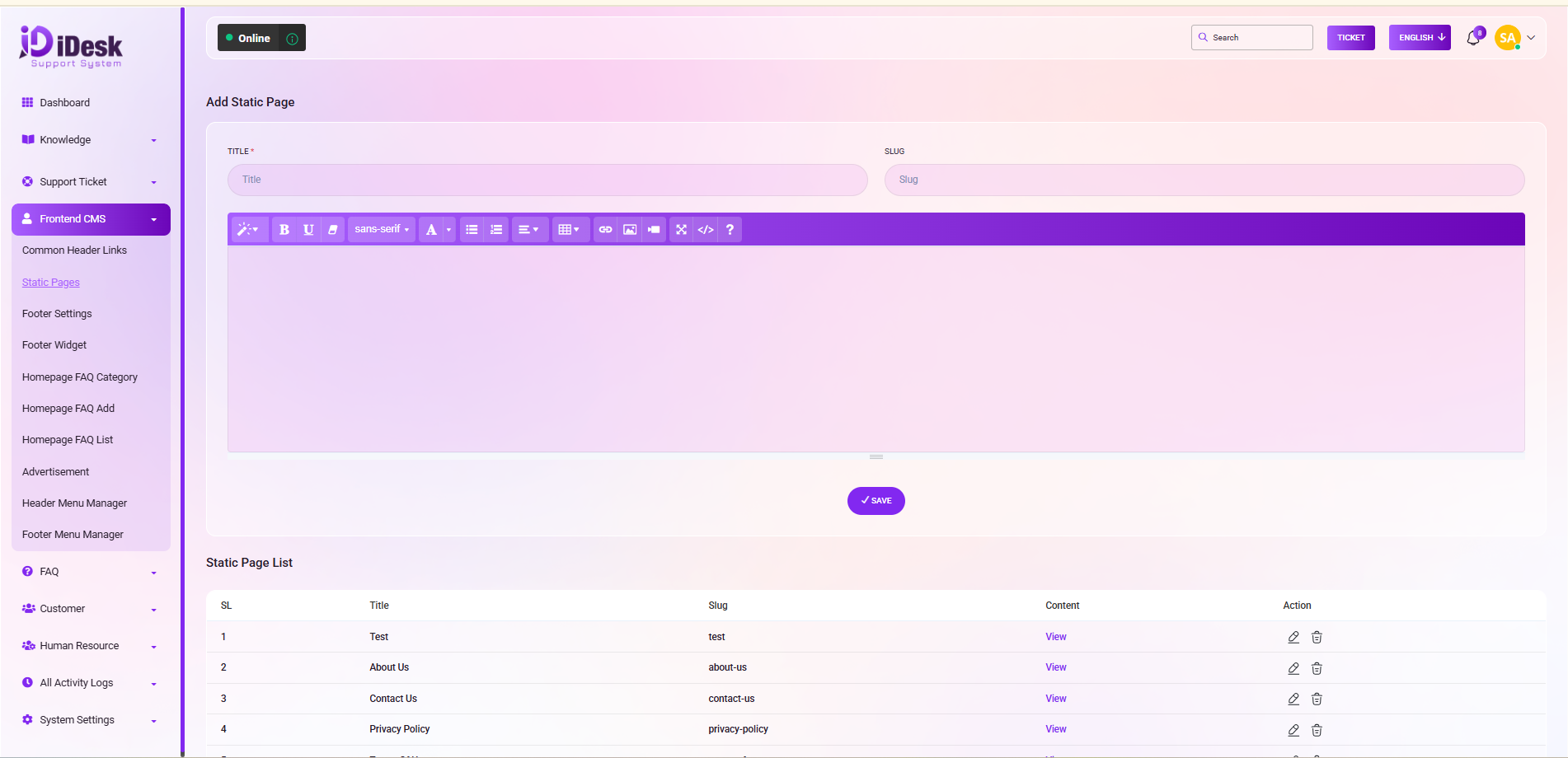
From here you can see the static page list with details. Such as:
SL: You can see the serial number of the page.
Title: You can see the title of the page.
Slug: You can see the slug of the page.
Content: In this column you can see the view button just click on the button to view the page.
Action: In this column you can see two icons. If you click on the edit icon you can modify the static page. And if you want to remove the icon just click on delete icon.


