Department
A specific functional unit or section within the organization that groups related tasks, roles, and responsibilities to manage work efficiently.
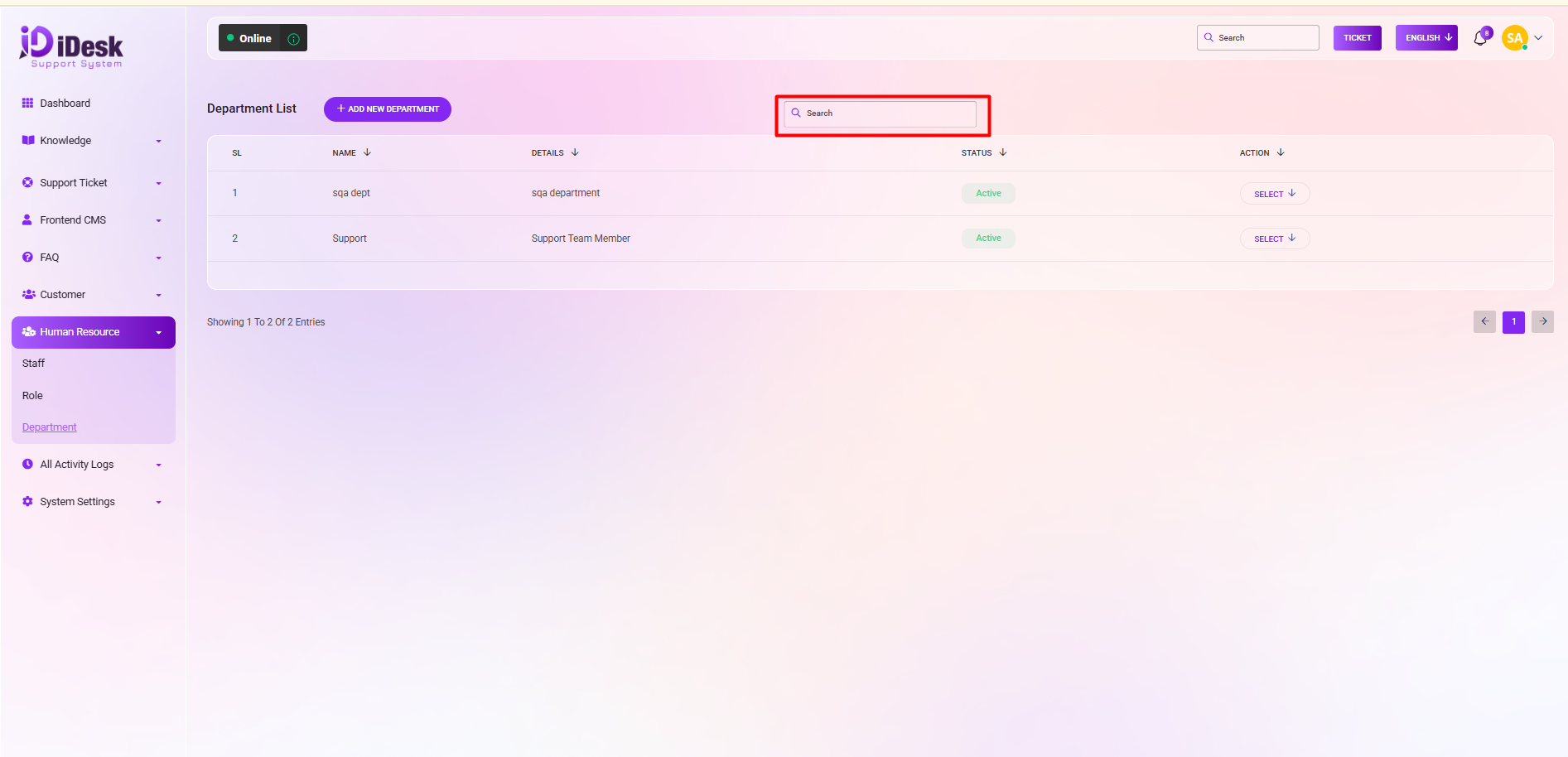
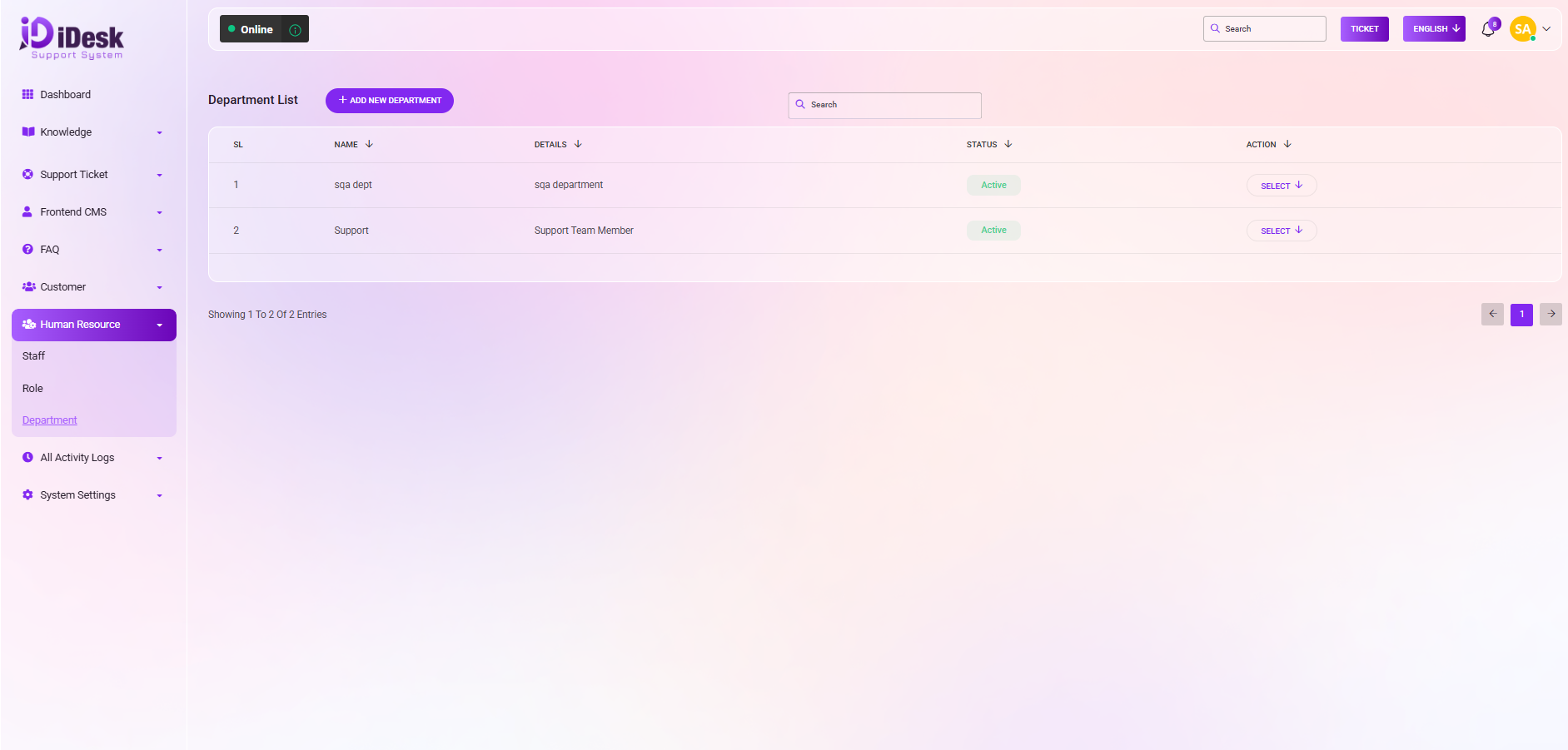
From here you can see all the department lists with details. Such as:
SL: You can see the serial number of the department.
Name: You can see the name of the department.
Details: You can see the details of the department.
Actions: By clicking the select button you can perform multiple actions.
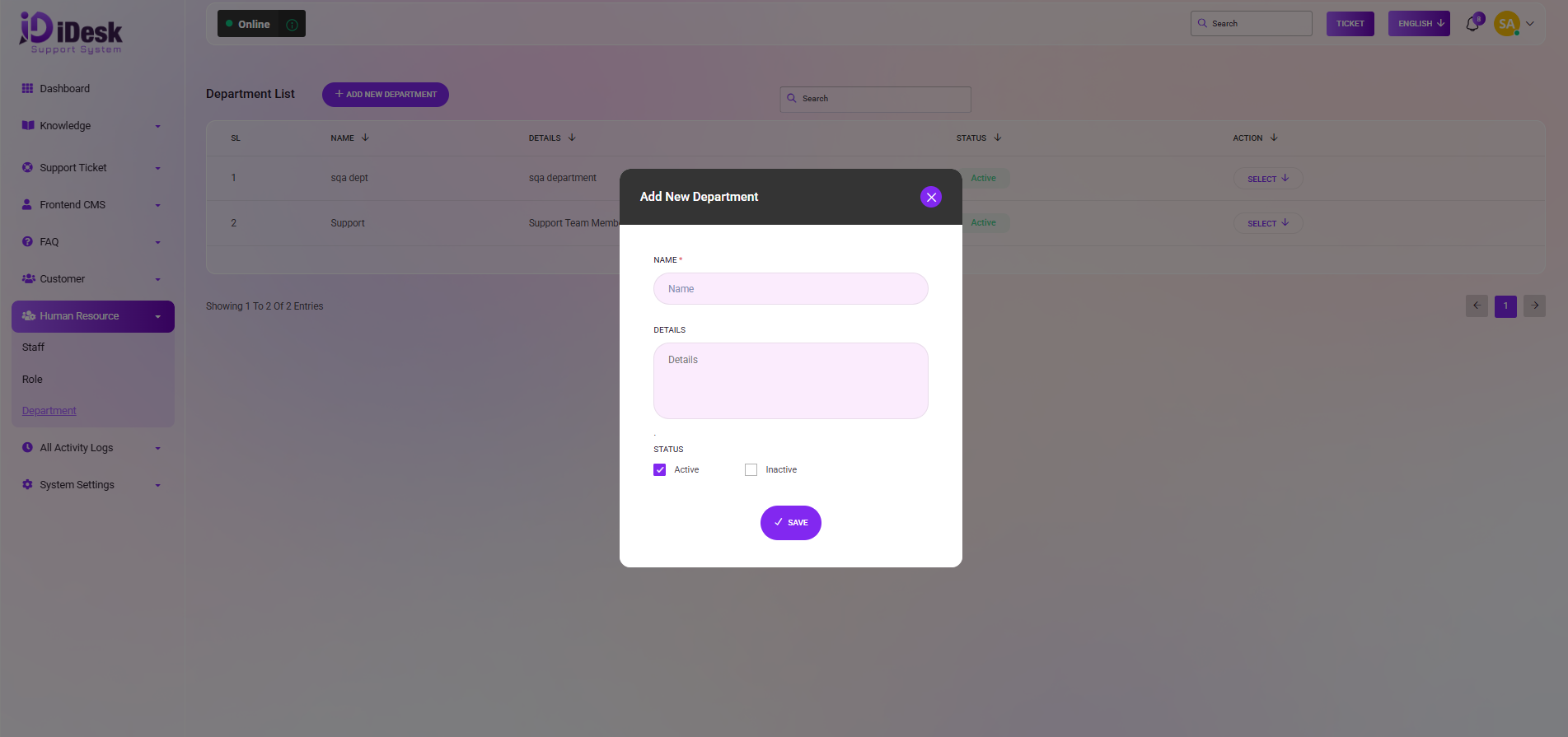
From here you can add a new department. To add a new department just click on add button and follow the below steps:
Name: Set the name of the department.
Details: Set the details of the department.
Status: Set the status of the department if it is active or not.
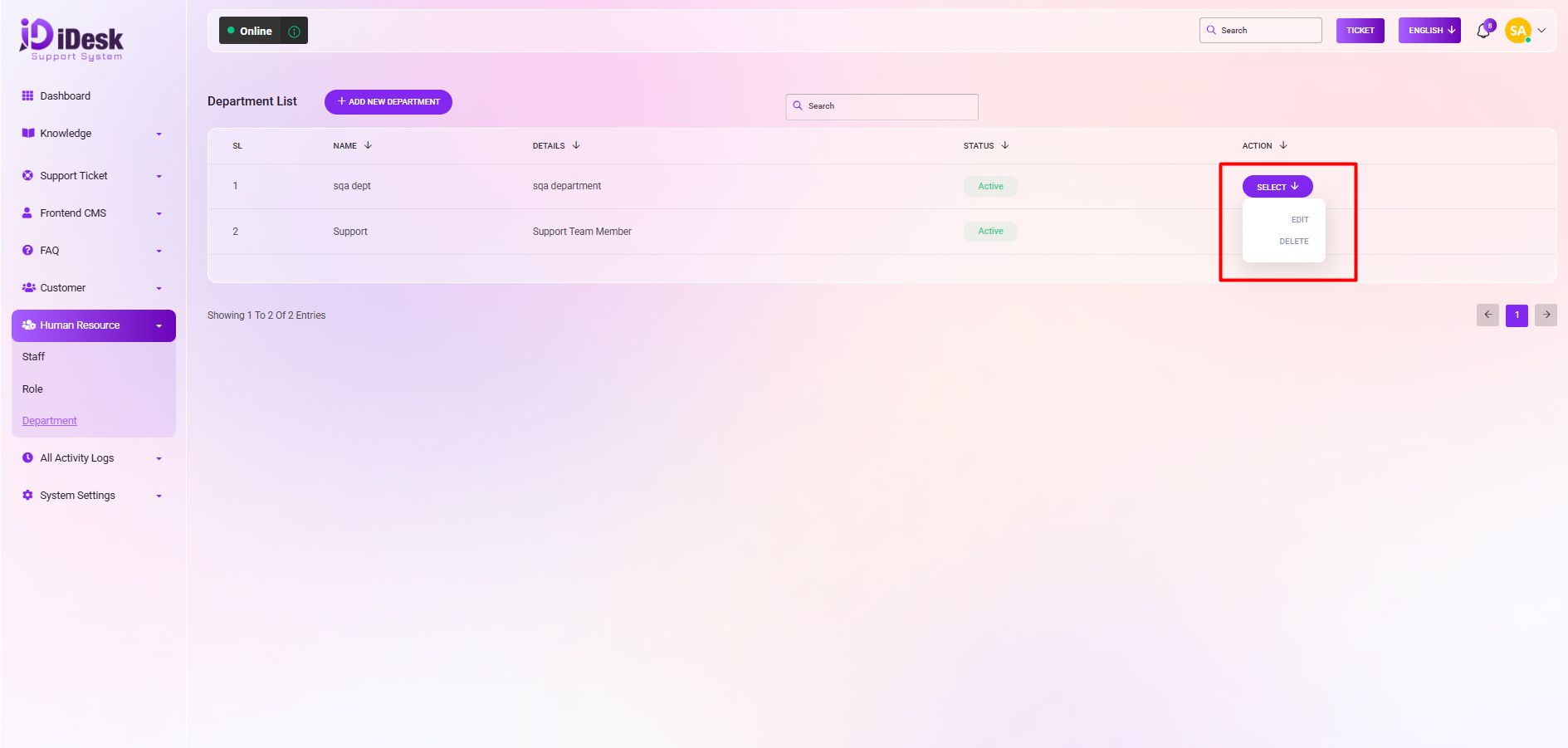
By clicking the select button you can perform multiple actions. Such as:
Edit: You can modify anything if you want by clicking this.
Delete: You can remove the department from the list by clicking the button.
Search: You can search anything from the list by using search functionality.