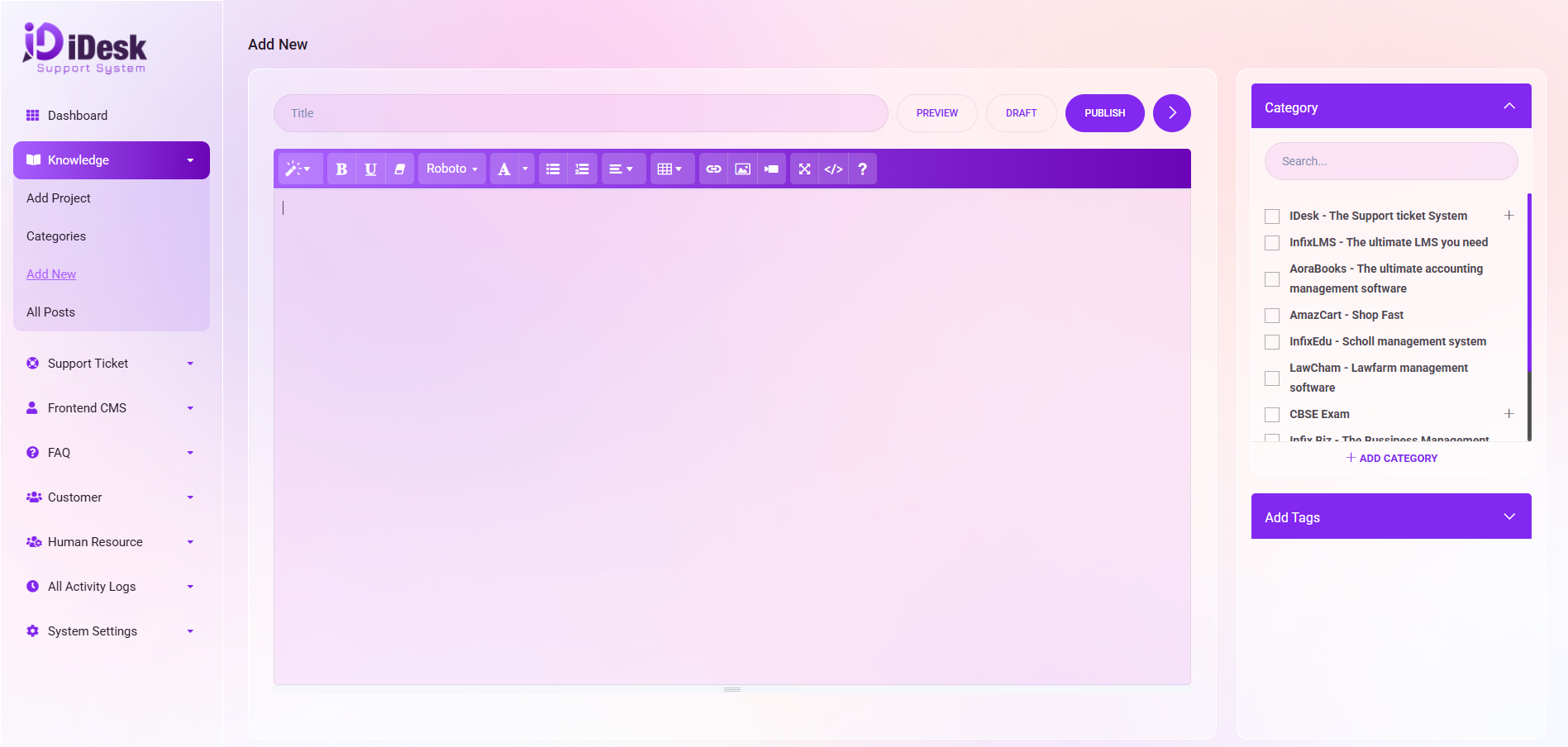
Add Post
When adding new knowledge, follow these steps for a polished and professional approach:
Title and Content Input:
Commence by entering the TITLE and providing detailed knowledge in the content box.
Content Refinement Tools:
Utilize the tools located at the top of the content box for fine-tuning your content.
Preview, Draft, and Publish:
On the right side of the title box, find buttons for Preview (to preview content), Draft (to save content as a draft), and Publish (to publish the content).
Category Selection:
Before publishing, ensure to check the box for the relevant CATEGORY name.
If adding a new category, click on the +ADD Category button below the category box.
Project and Category Details:
From the dropdown menu, select the PROJECT NAME*.
Input the CATEGORY NAME* in the designated box.
Optionally, choose the PARENT CATEGORY from the dropdown menu.
Module Direction:
Indicate whether it is a MODULE by selecting Yes or No.
Tags Addition:
To add tags, click the down arrow and input the desired tags.
Saving Data:
Click the "Save" button to preserve the entered data.