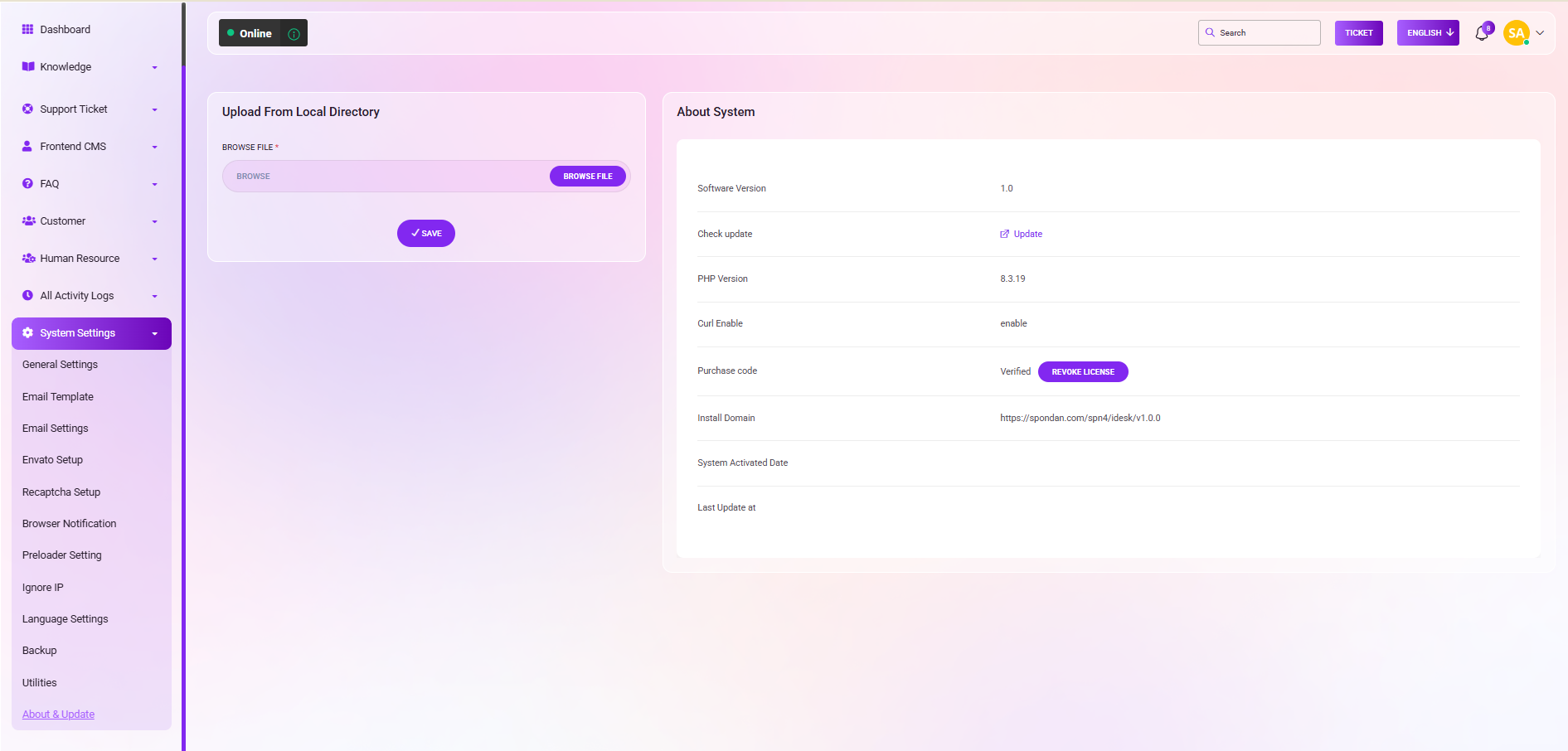
About & Update: The instructions for the "About & Update" section
Uploading from Local Directory:
To upload a file from your local directory, click the "BROWSE" button, select the file, and confirm the upload by clicking the "SAVE" button.
Checking for Updates:
On the right-hand side, under "Check Update", simply click the "UPDATE" button to check for and apply updates.
System Information:
On the right side, you can access essential system information, including:
Software Version
PHP Version
Curl Enable
Purchase Code
Install Domain (URL)
System Activation Date
Last Update Date
These features enable you to manage your system, stay updated, and access crucial system information.