Here's a more professionally phrased version of the instructions for Email Configuration:
Selecting Active Gateway:
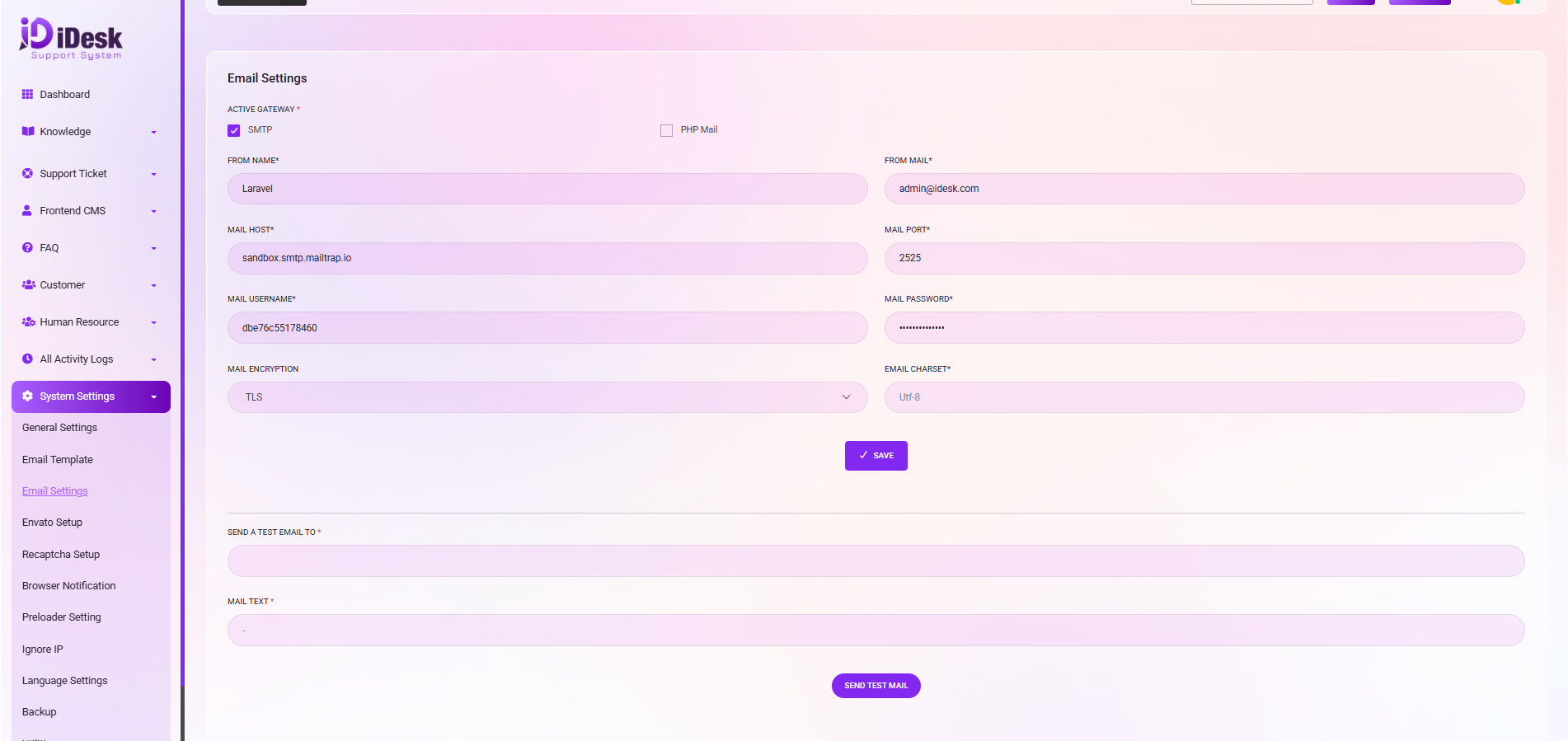
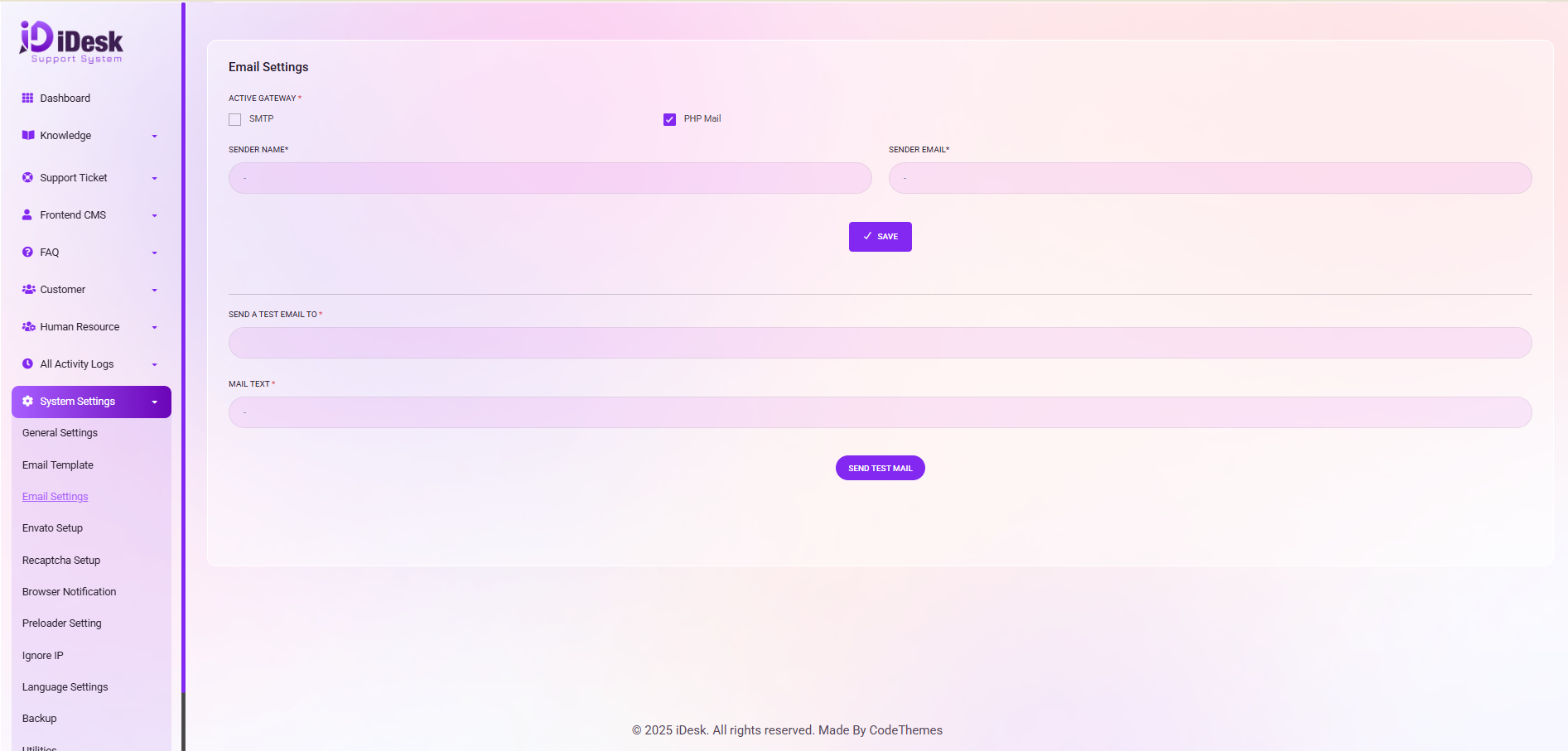
Under the “ACTIVE GATEWAY" section, you have the option to choose the email gateway type, either SMTP or PHP Mail, by selecting the checkbox.
Sender Information:
To configure the sender details, please follow the below instructions. For SMTP setup the “From Name” , “From Email”. Setup the “Mail Host”, set the “Mail Port”, set “Mail username”, set “Mail Password”, set “Mail Encryption Type", set “Mail Charset” and click the “Save” button to save the settings. For PHP Mail just set up the “Sender Name” and “Sender Email” and click on the “Save” button to save the settings.
Sending a Test Email:
If you wish to send a test email for verification, input the recipient email address in the "SEND A TEST EMAIL TO" field, and compose the email text in the "MAIL TEXT" section.
After composing the message, click the "SEND TEST MAIL" button to initiate the test email.
These steps will help you set up and verify your email configuration.