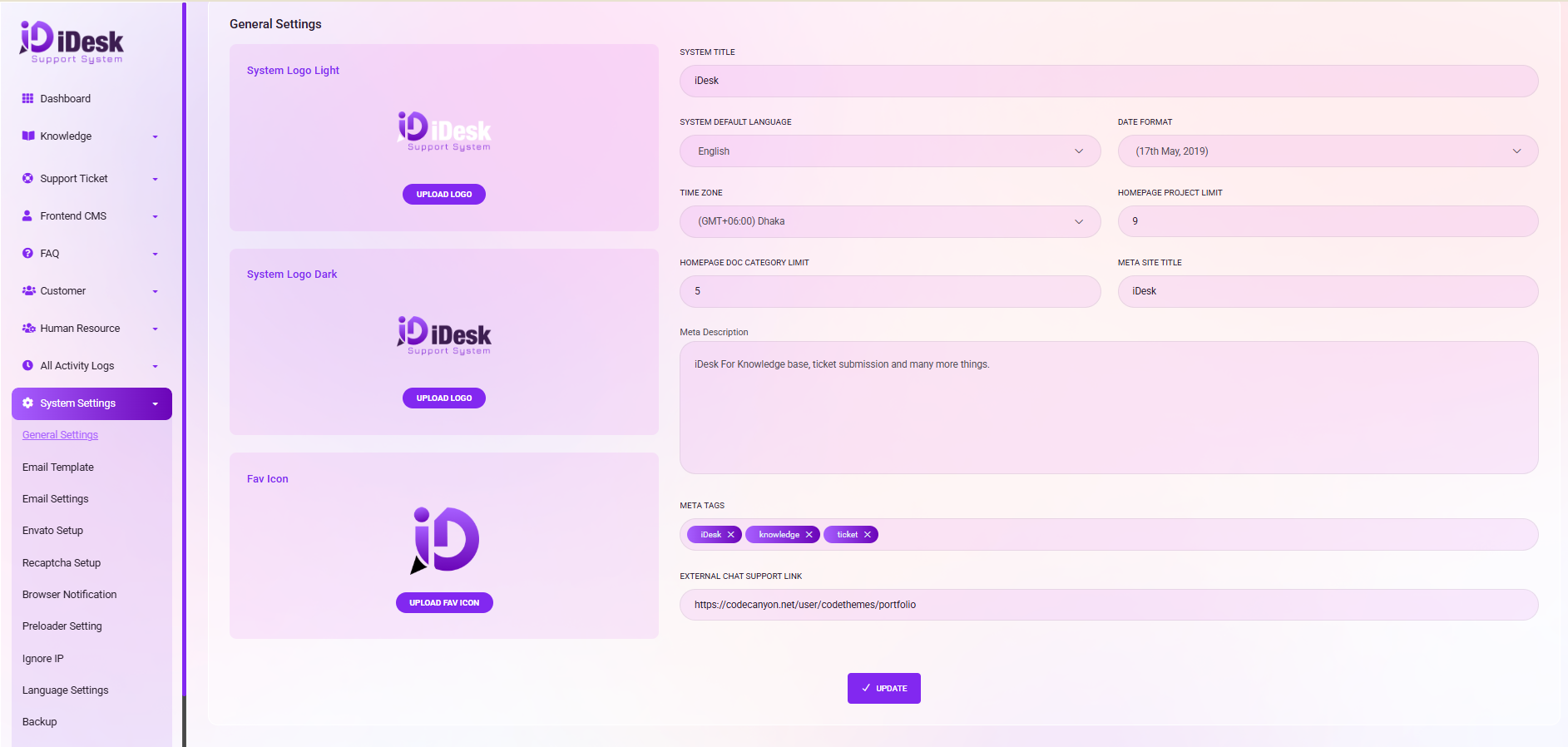
Logo Upload:
To upload your logo, click on the "UPLOAD LOGO" button. This will allow you to browse and select the logo you wish to upload. The same procedure applies if you want to upload a Favicon or any other image; simply click the relevant button and select your desired image for upload.
System Title:
Input your system title under the "SYSTEM TITLE" field.
System Defaults:
Utilize the dropdown menu to select your preferred system default language, date format, and time zone.
Homepage Project Limit:
Specify the number of projects to be displayed on the homepage by entering a numerical value.
Meta Site Information:
Provide data for the META SITE TITLE, Meta Description, and META TAGS fields.
Advertisement Display:
Use the checkbox labeled "ADDS LINK SHOW IN" to define whether advertisements should be displayed on the same page or in a new window. Under "ADDS LINK," input the URL for the advertisements.
Save Settings:
Finally, ensure that you save your settings by clicking the "UPDATE" button.
Please ensure you click "UPDATE" to save any changes you make.