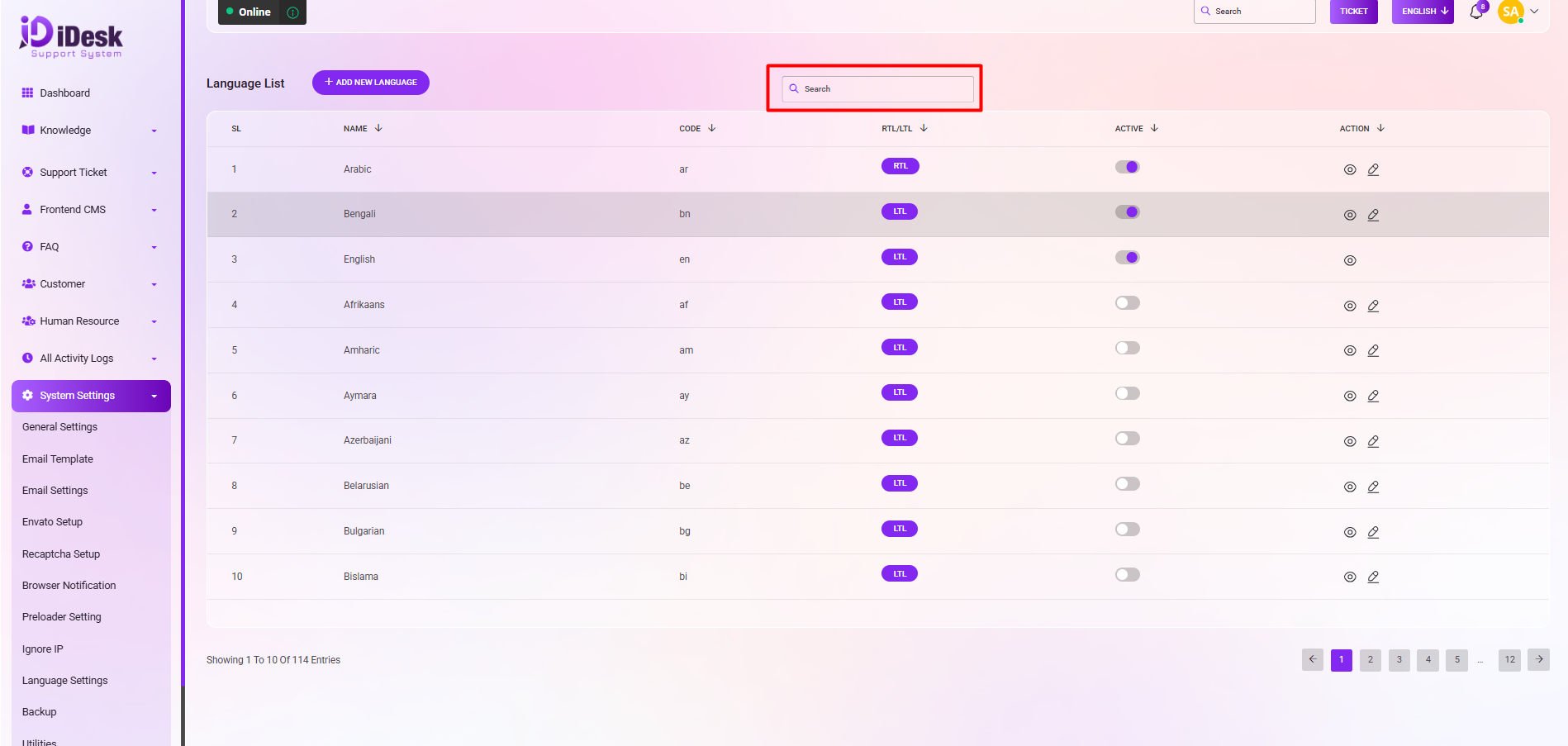
Language Setting: Here's a more professionally worded description of the language list and its associated details:
Language List Overview: The language list provides a comprehensive view of language entries. Such as:
SL: You can see the serial number of the language.
Name: You can see the name of the language .
Code: You can see the language code.
RTL/LTL: You can see if the language alignment is in RTL mode or in LTL mode.
Active: You can see the status of the language if it is active or not.
Action: In this column you can see two icons. If you click on the eye icon you can see the details of the language and if you click on the edit icon then you can modify the language.
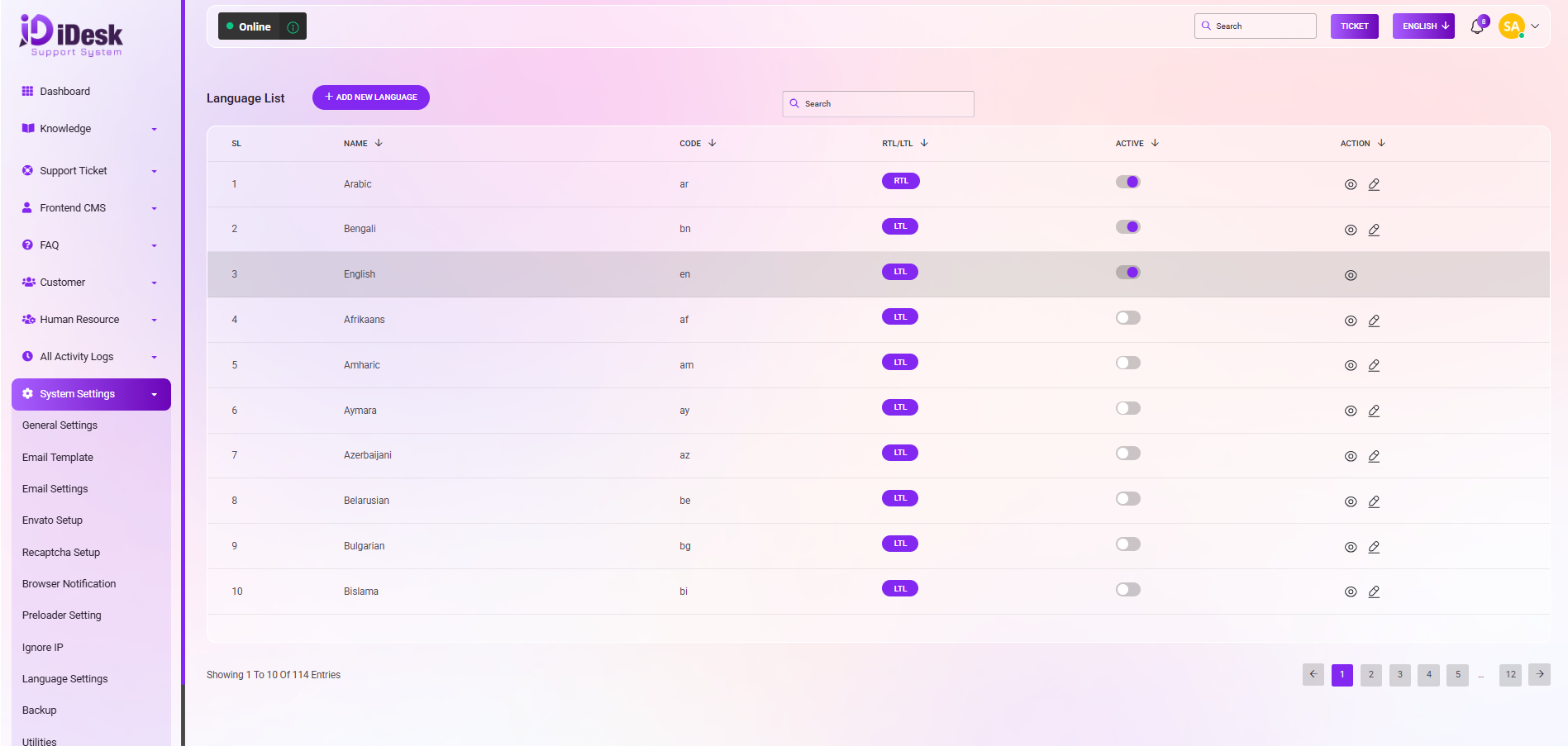
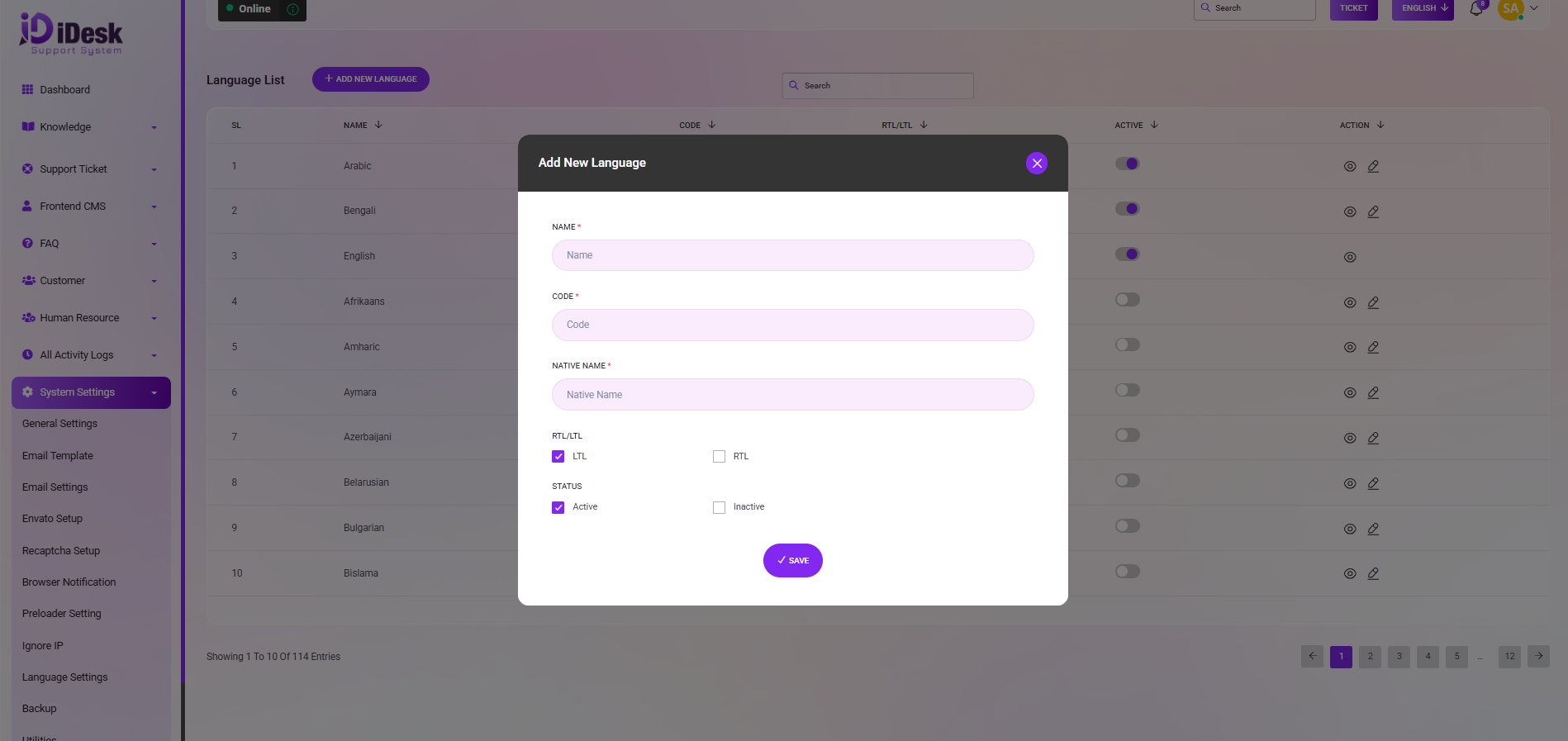
Add New Language: If you want to add a new language just click on “Add New Language” follow the below steps:
Name: Set the name of the language.
Code: Set the code for the language.
Native Name: Set the native name of the language.
RTL/LTL: Set if the language alignment is in RTL or in LTL.
Status: Set the status of the language if it is active or not.
Save: Click the button to save the language.
Search: If you want you can find out any specific language from the list using the search functionality.