From the course list, you can provide feedback for a specific course by selecting Students from the course’s action menu. 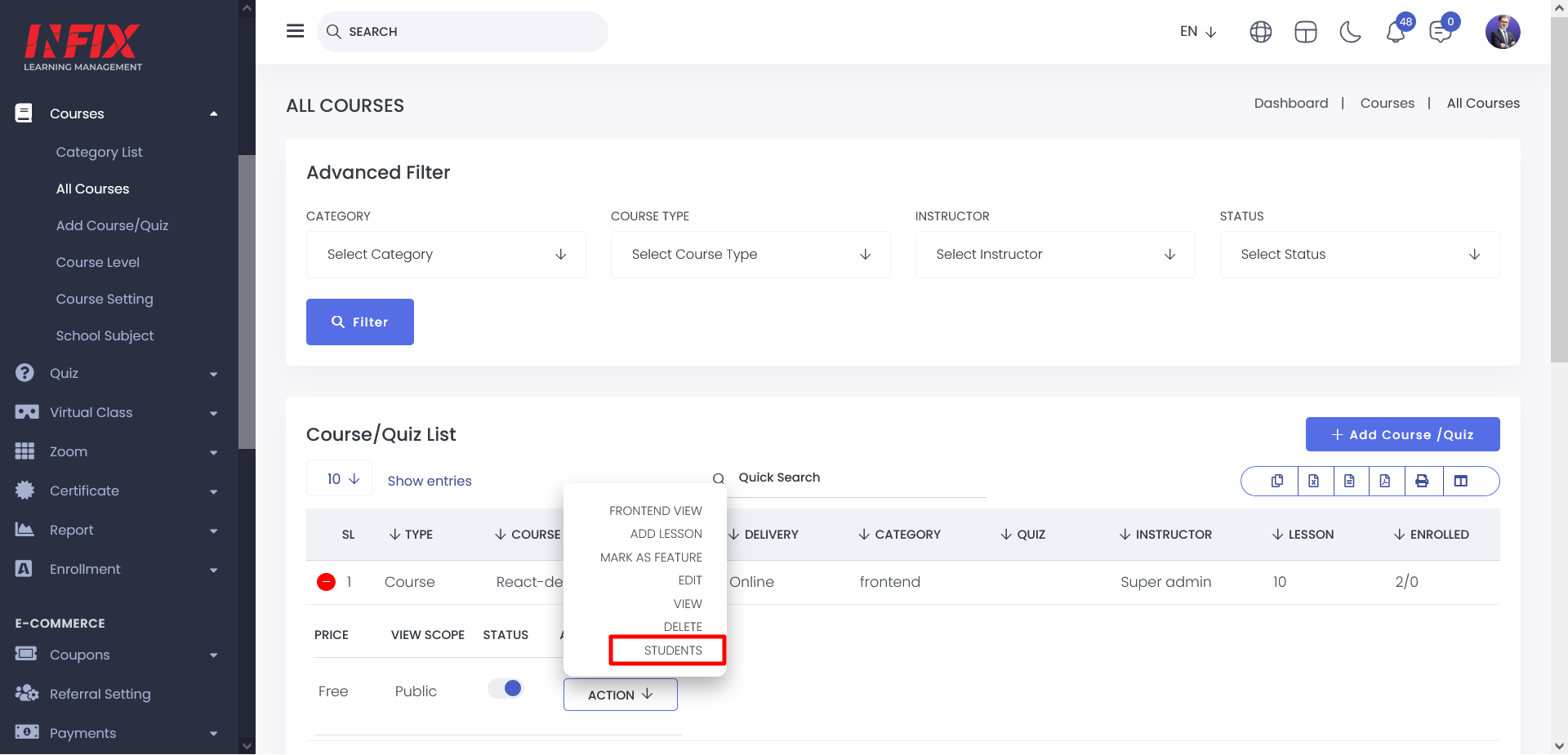
This will display a list of all enrolled students, allowing you to view how many students are currently taking that course and manage their feedback efficiently.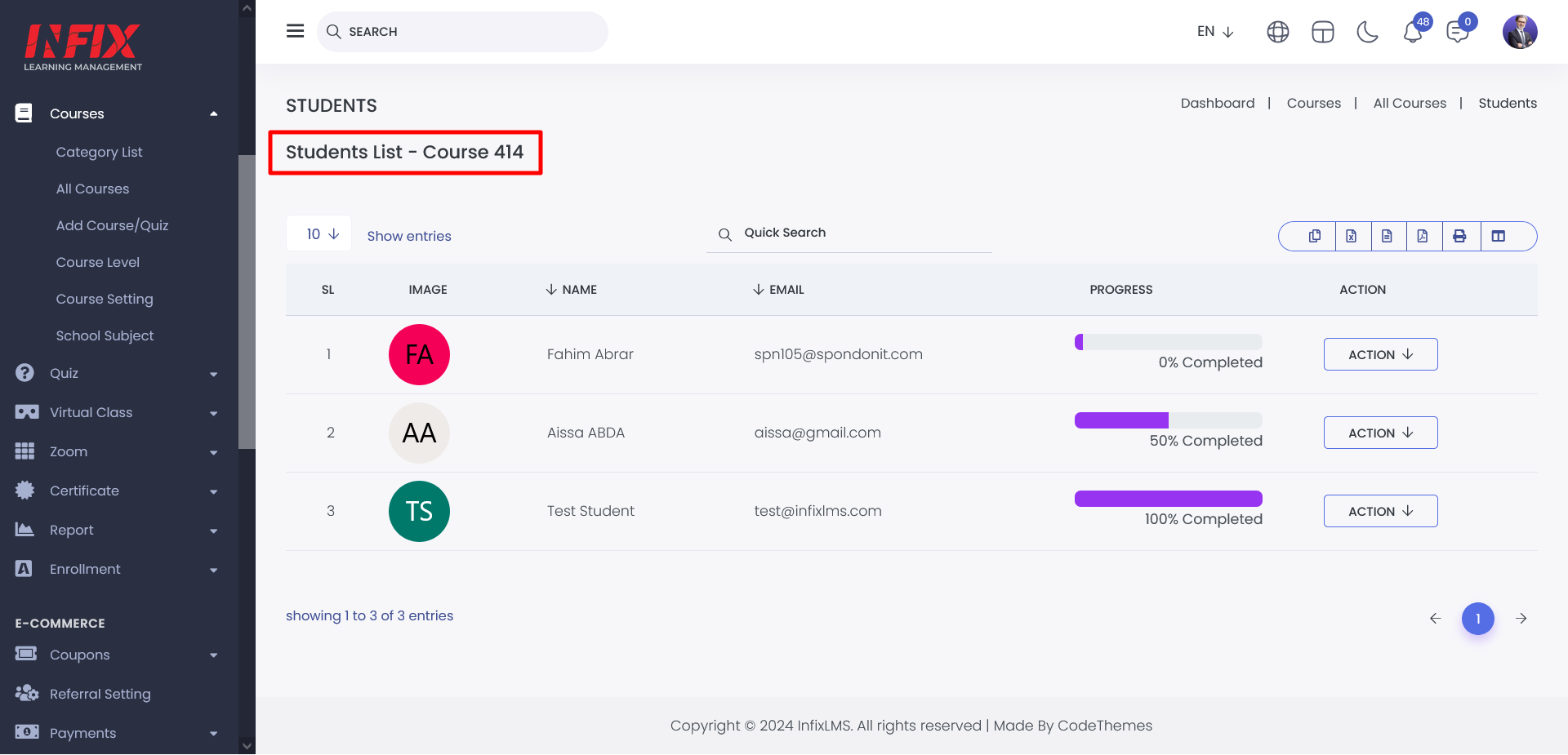
From the student list, you can access the action menu to manage course-related activities. This includes course status, sending notifications and providing feedback to students efficiently.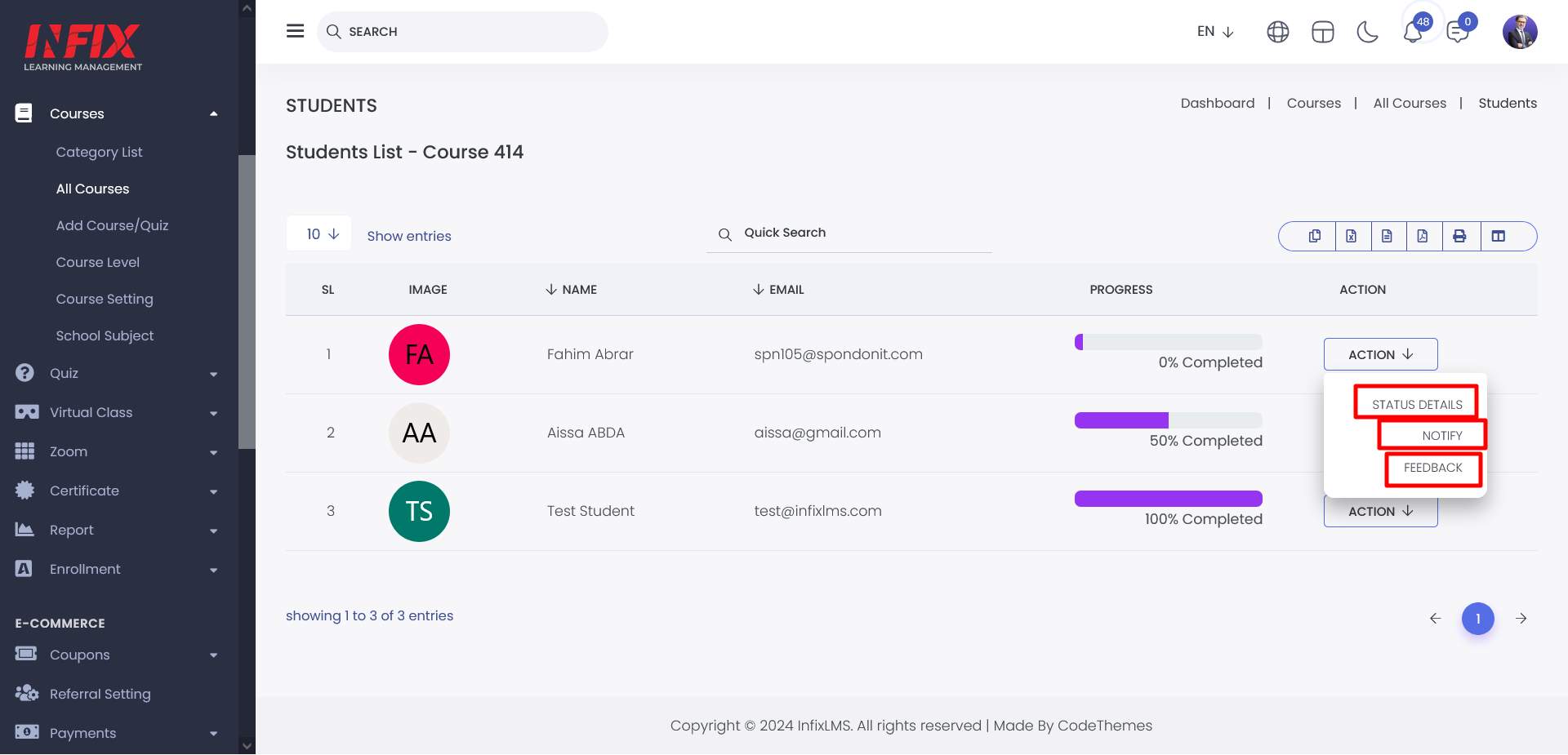
By clicking the Status Details button, you can view the progress of a specific student within a course. This includes detailed insights into the status of lessons and quizzes under that course, helping you track the student’s overall performance and completion progress effectively.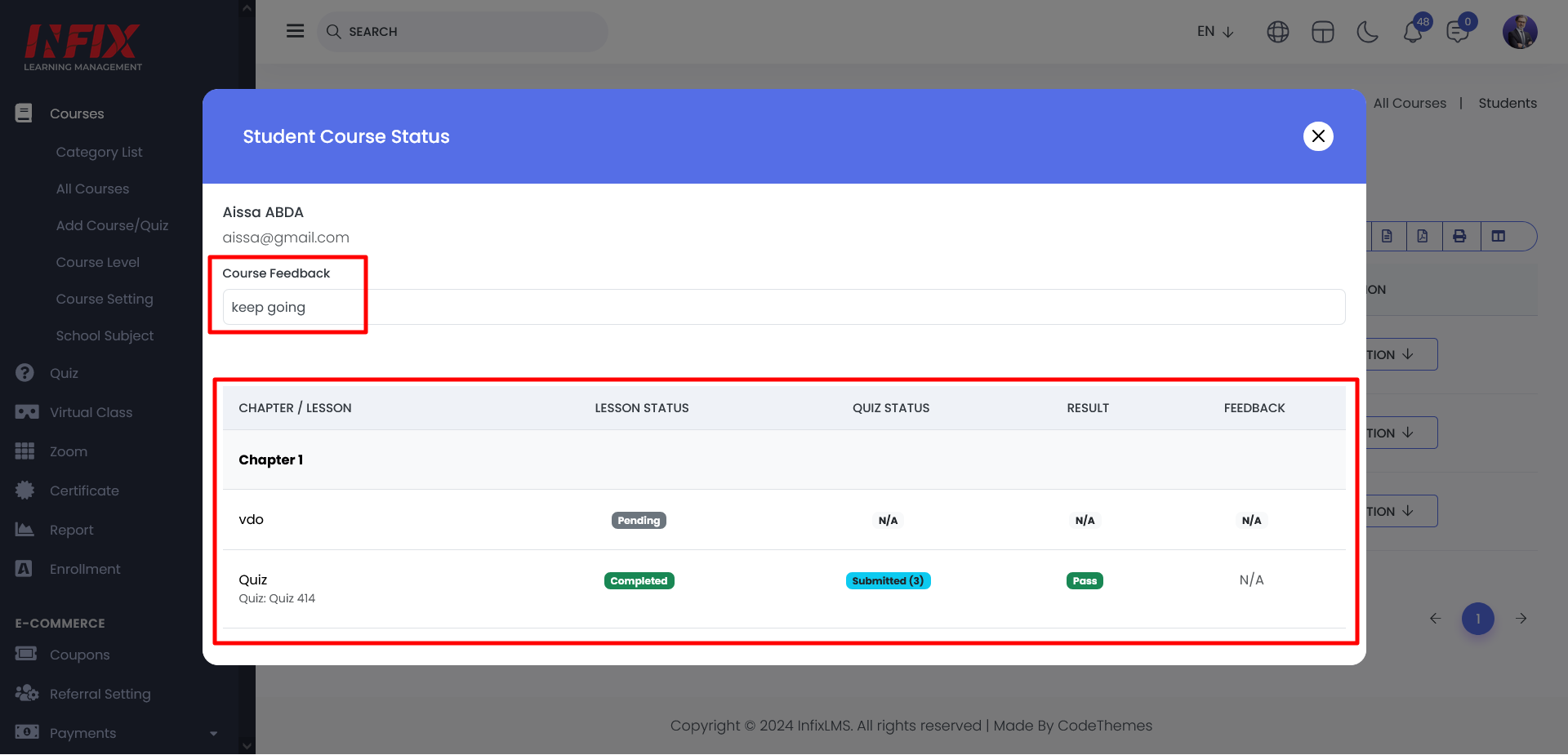
By clicking the Notify button, an email notification will be sent to the student’s registered email address, informing them that the course is incomplete and prompting them to take the necessary action.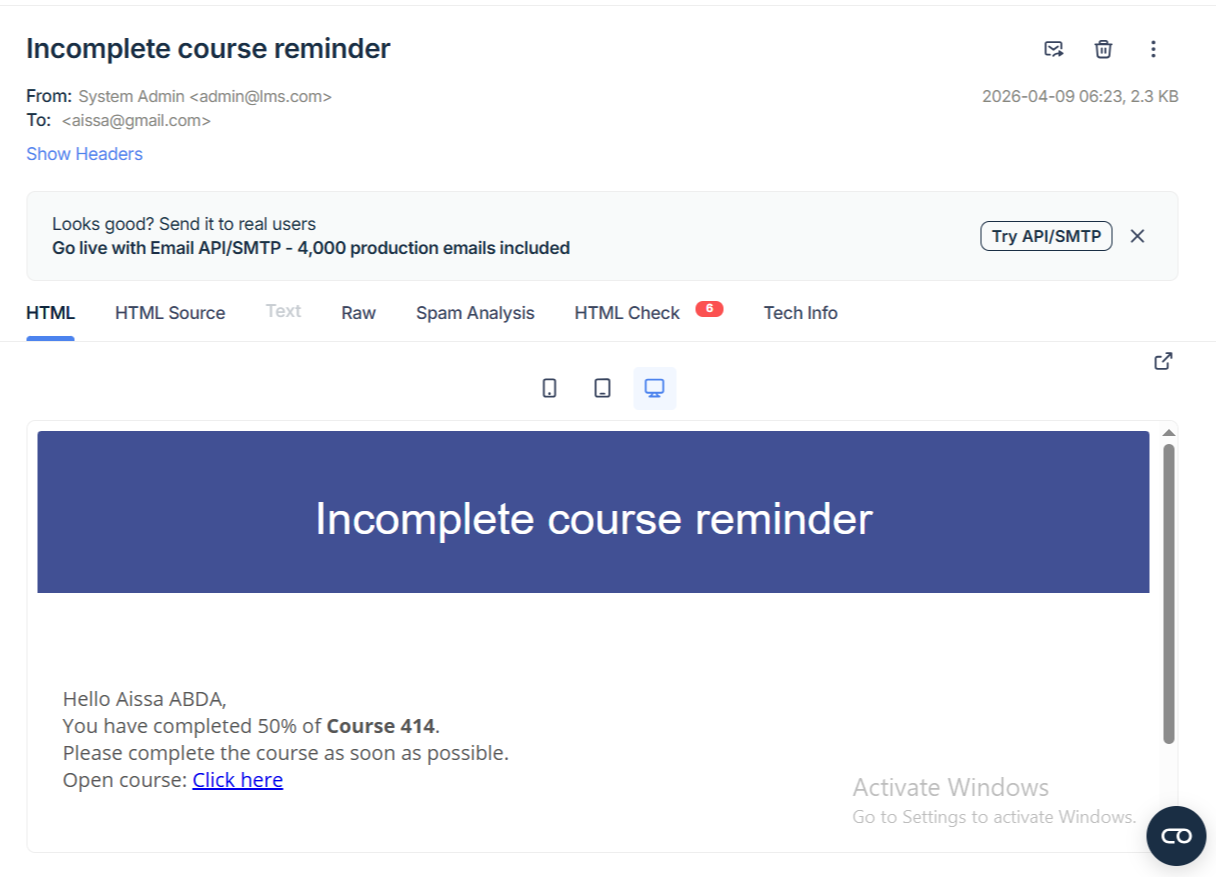
By clicking the Feedback button, you can provide personalized feedback to the student based on their course progress, helping guide their learning and improve their overall performance. 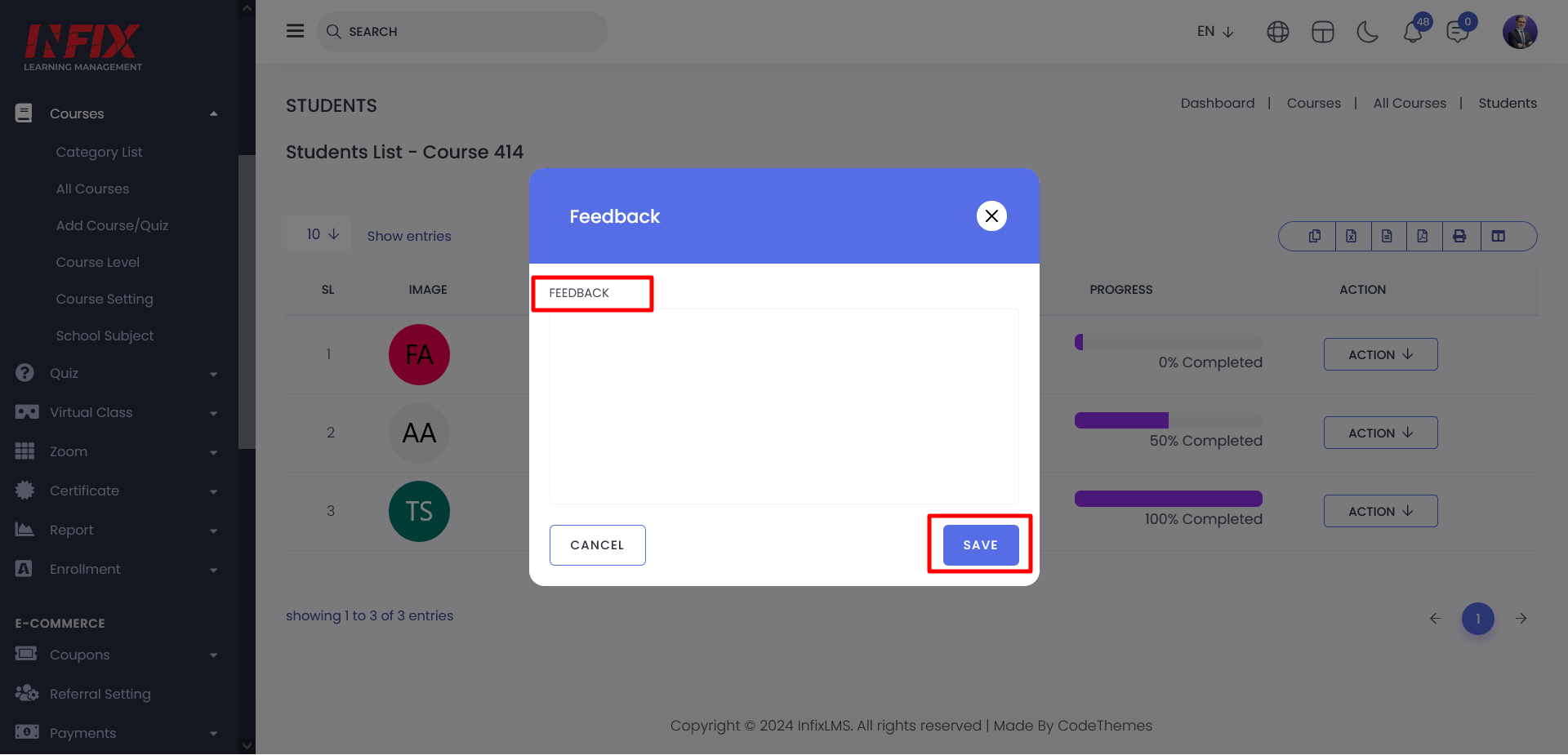
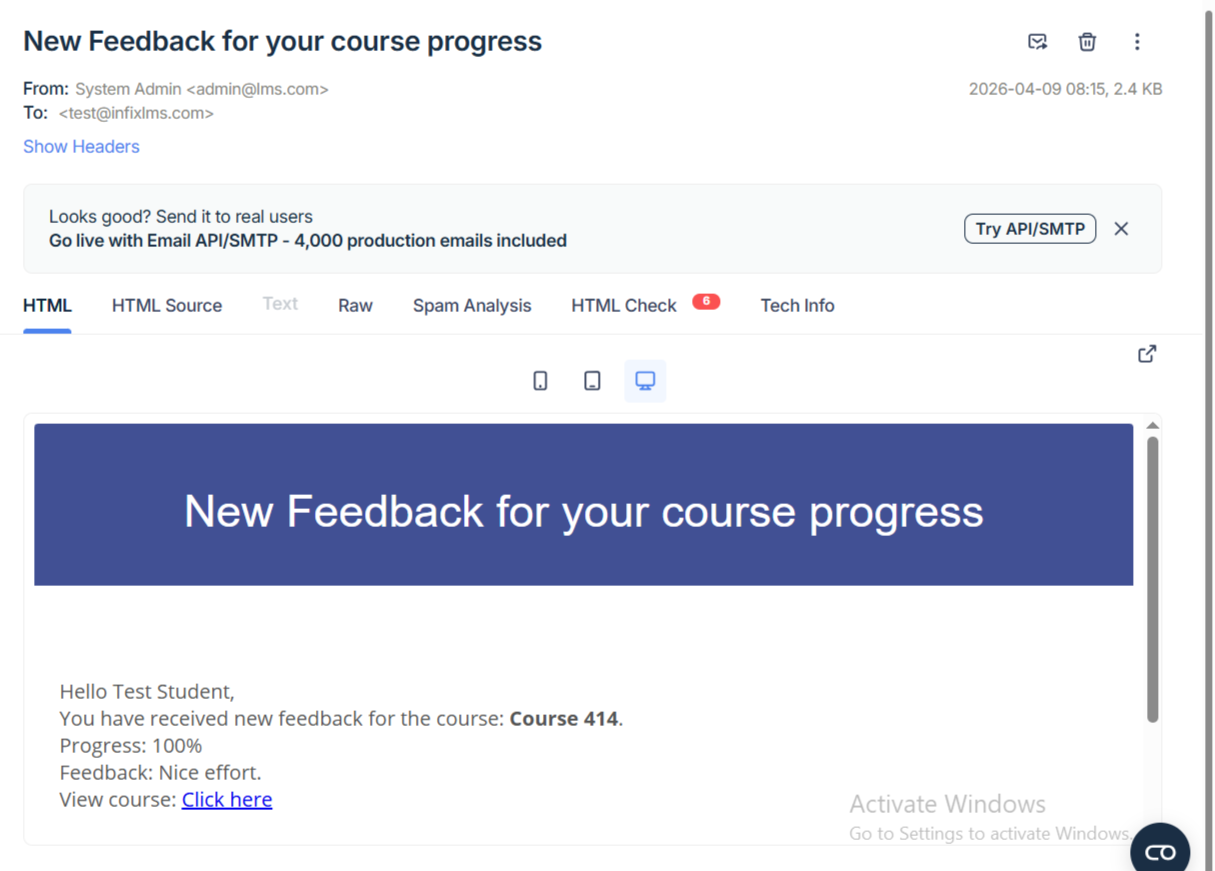
also, students get an email notification after submitting the feedback.