The quiz management has been enhanced to allow you to provide personalized feedback at the student level. This workflow integrates the marking process with qualitative commentary, ensuring students receive specific guidance on their performance.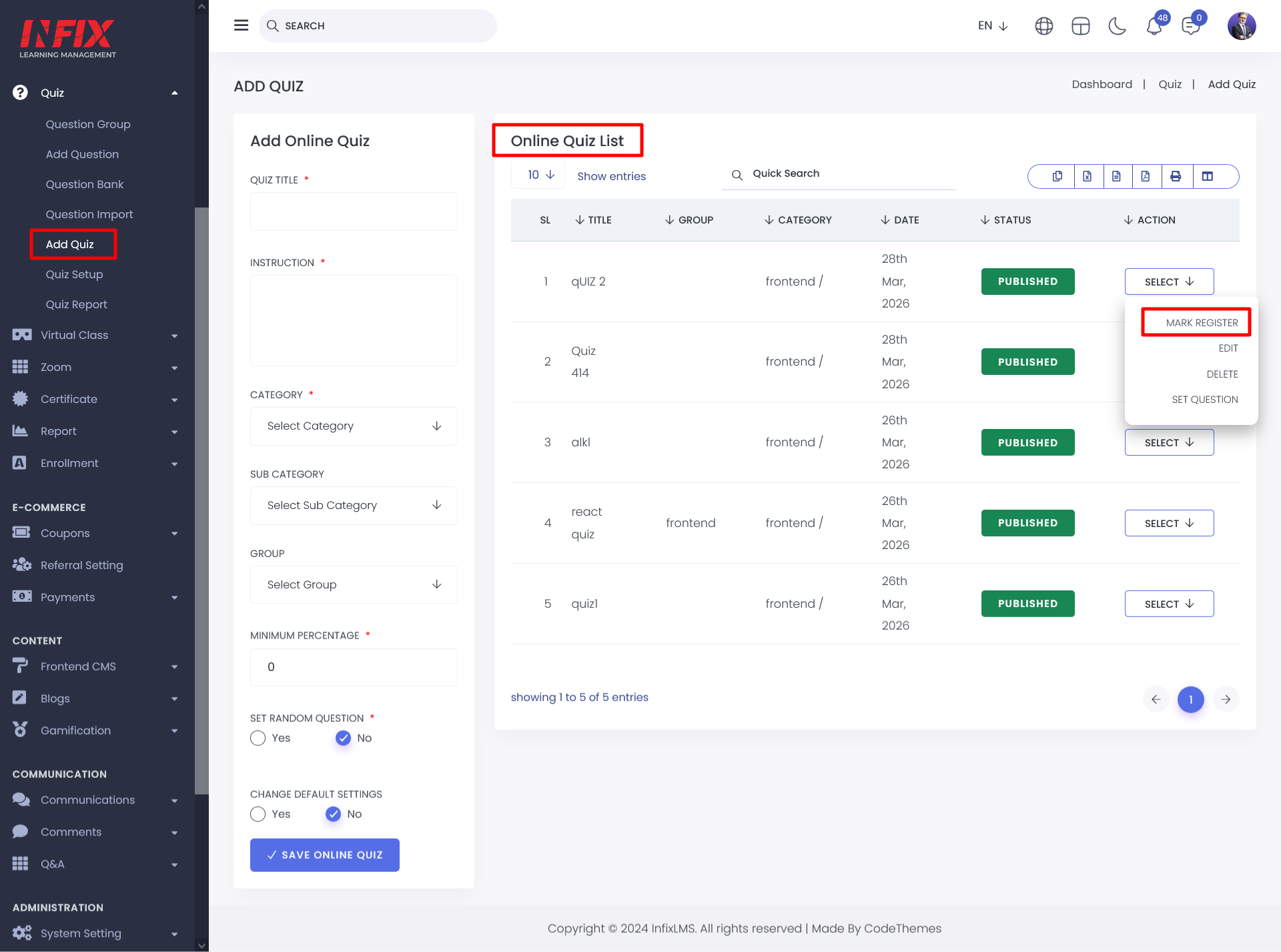
To initiate the feedback process, navigate to the Online Quiz List. From the Action Menu of a specific quiz, select the Register Marks button. This will redirect you to the result view list containing all student submissions for that assessment.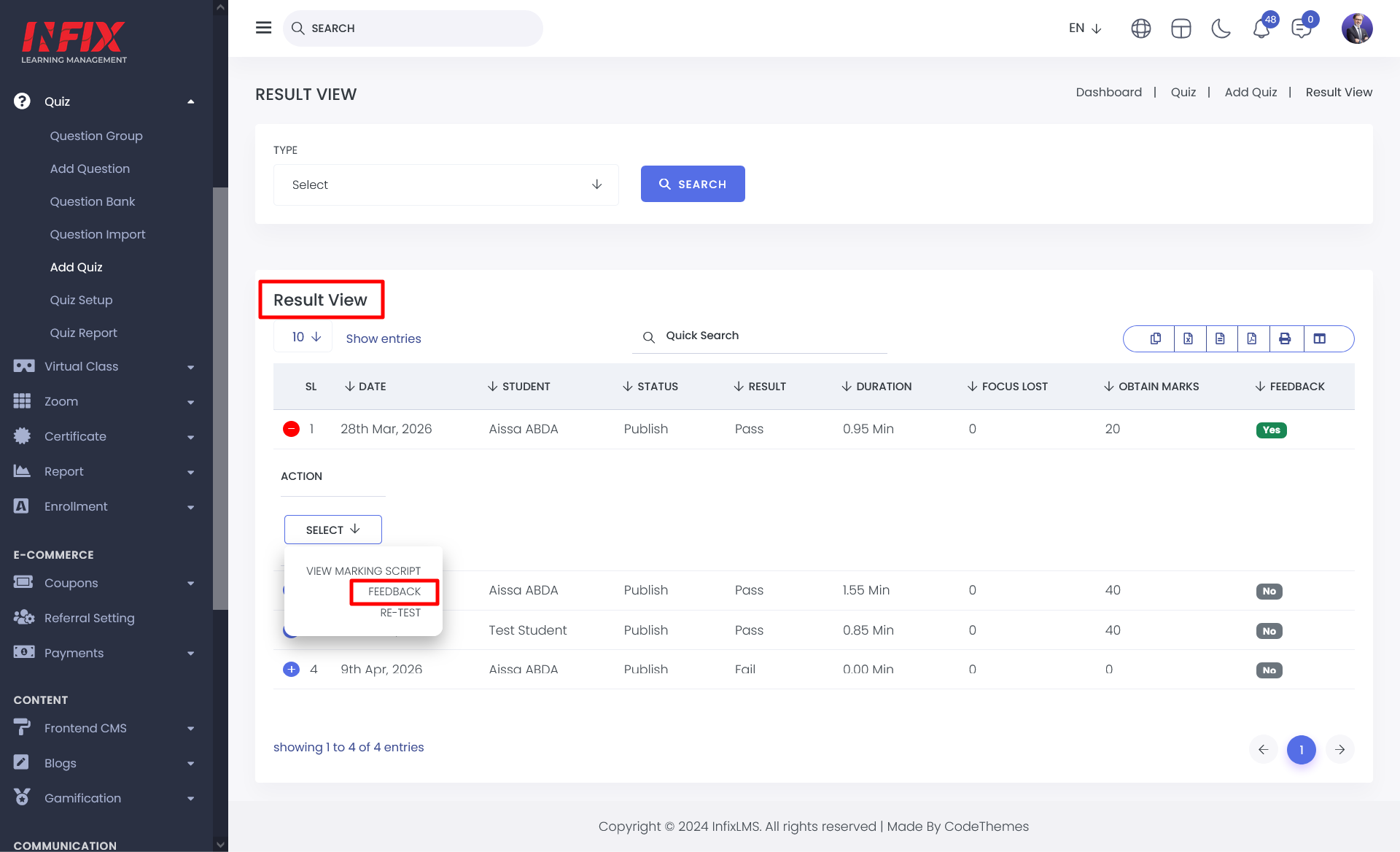
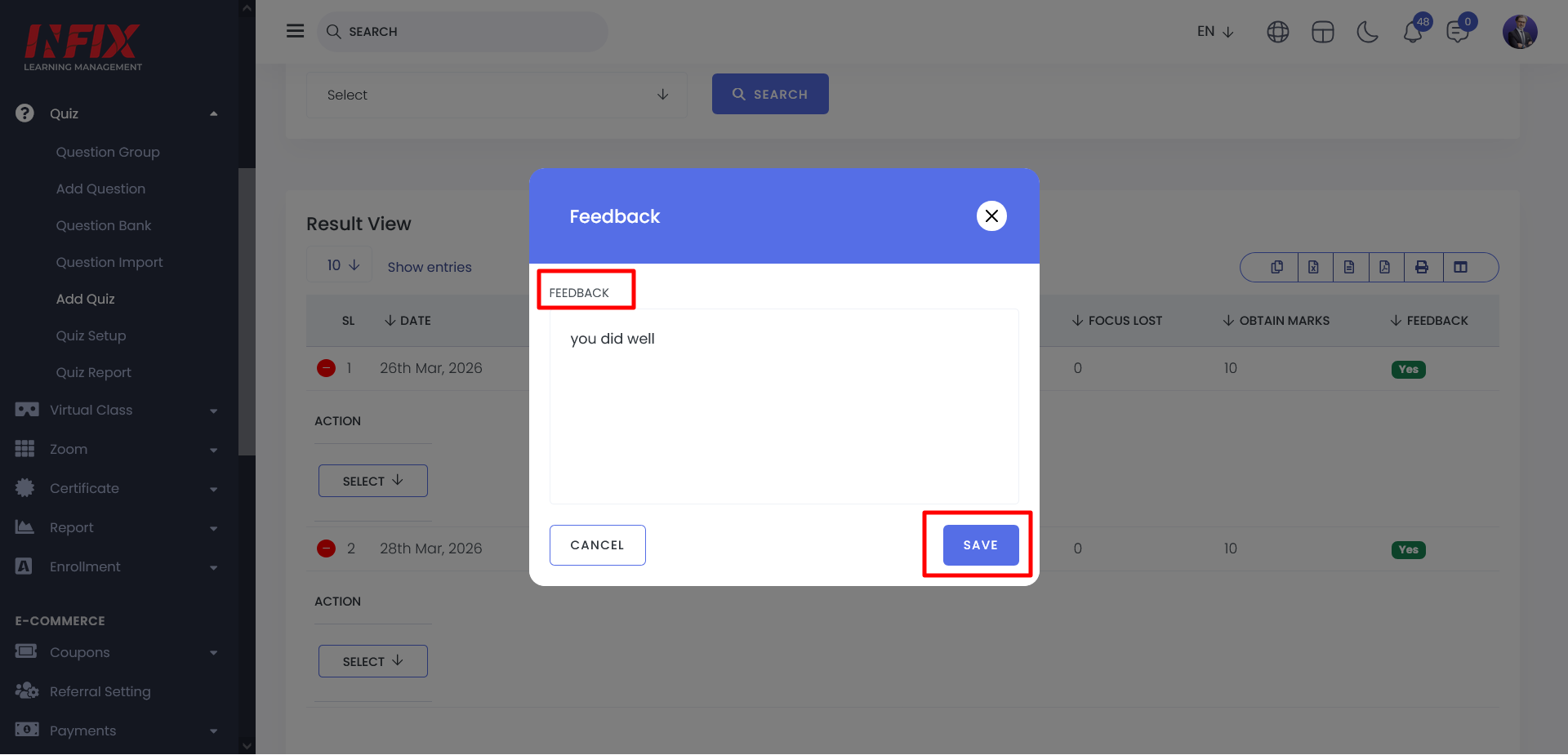
Within the student list, you can now input feedback for individual submissions:
Once marks and feedback are registered, the data is synchronized with the student portal. Students can view their Admin/instructor’s comments directly within the Quiz Details Preview page.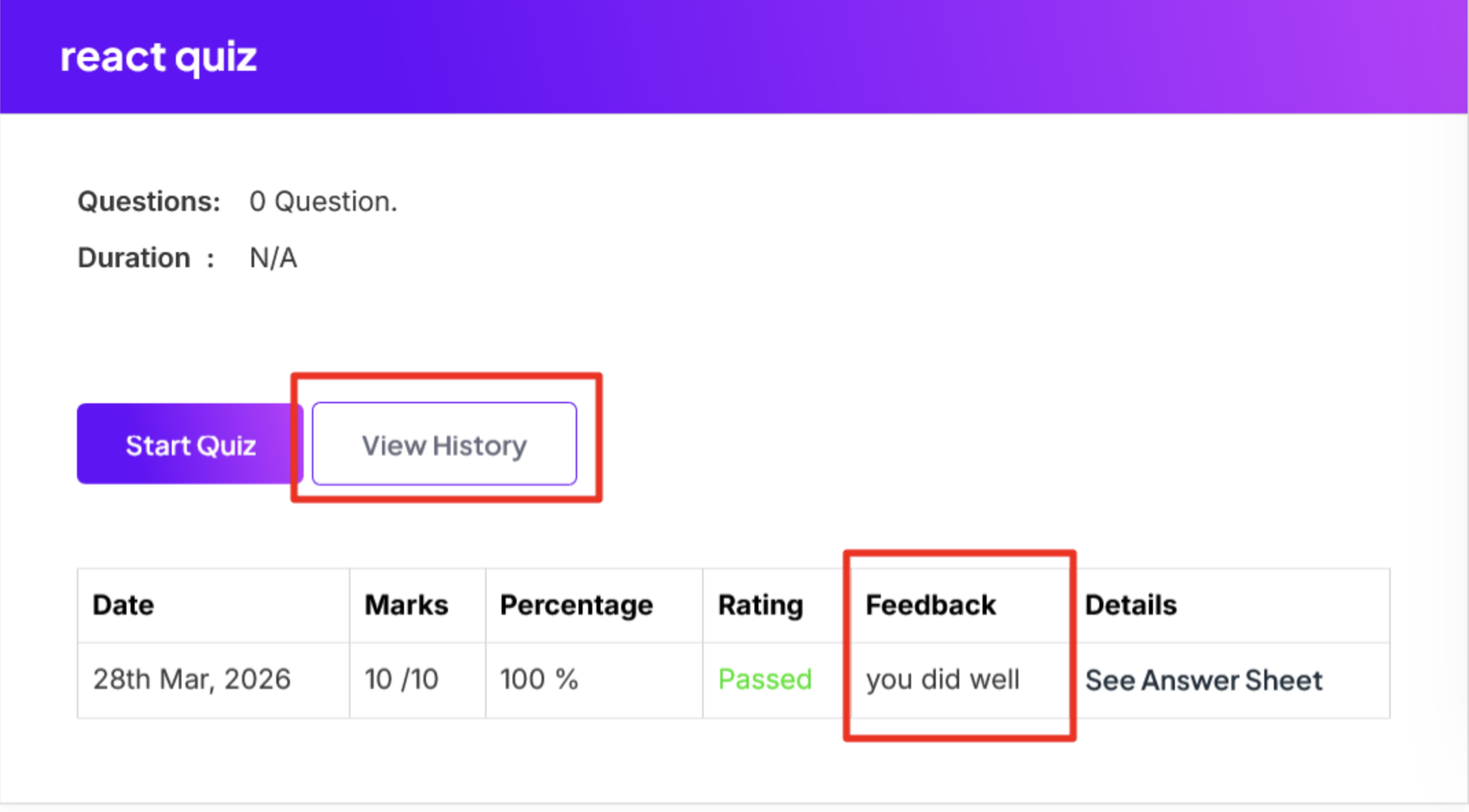
Student can also view the feedback in the answer sheet or Result summary section by clicking the See Answer Sheet button from quiz details.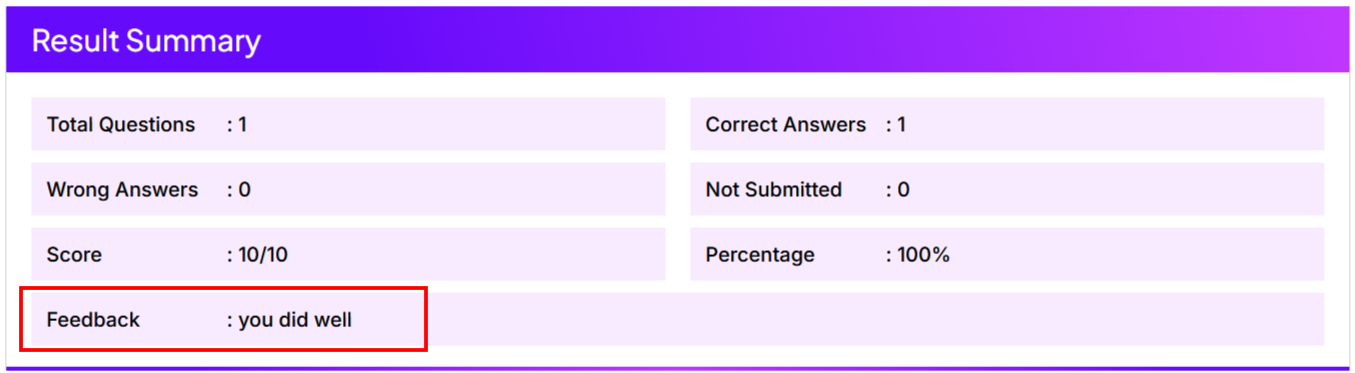
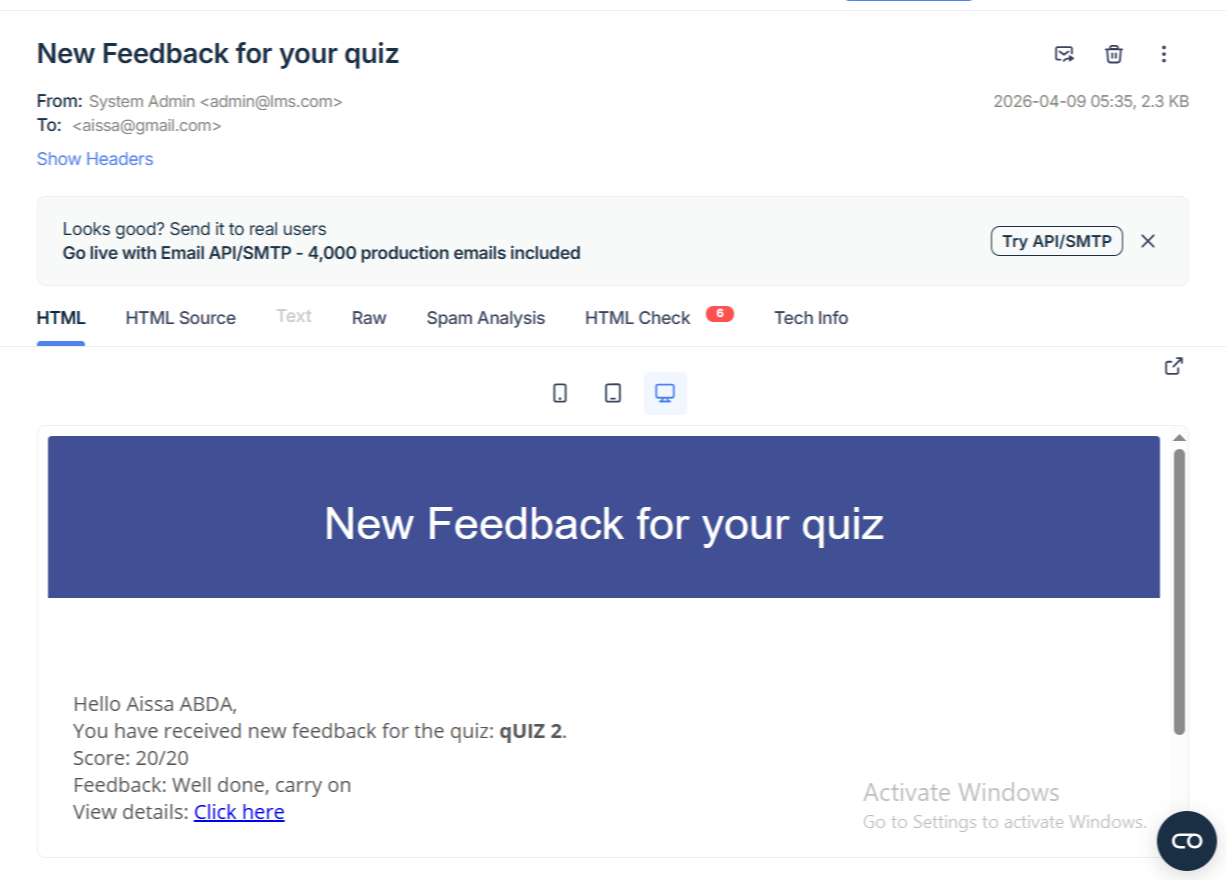
Once the feedback is submitted, the system triggers an email notification to the student’s registered email address.