In the Single Coupon section, you can create new coupons for specific courses within a selected category. All newly created coupons are immediately visible in the Single Coupons List, providing a centralized view of available discounts.
The list provides detailed information for each coupon, including the coupon title, coupon code, coupon type, minimum purchase amount, maximum discount amount, usage count, validity period, and usage limit.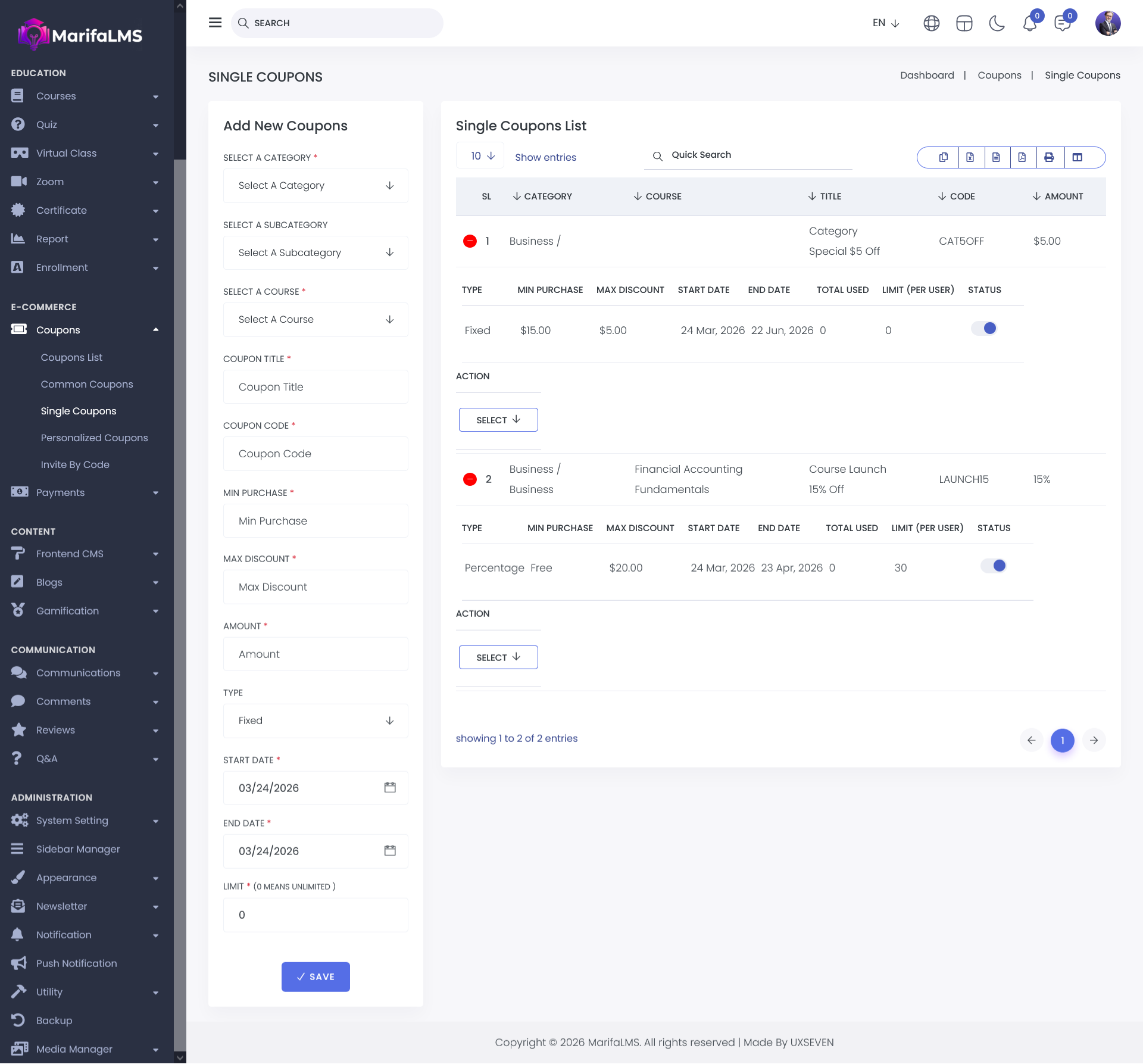
You can configure pagination settings and quickly locate specific records using the Quick Search field. Additionally, this section allows you to export your data and customize table column visibility according to your preferences.
From the Action menu in the Coupon List, you can edit or delete any specific coupon, allowing for efficient management and updates of existing promotional codes.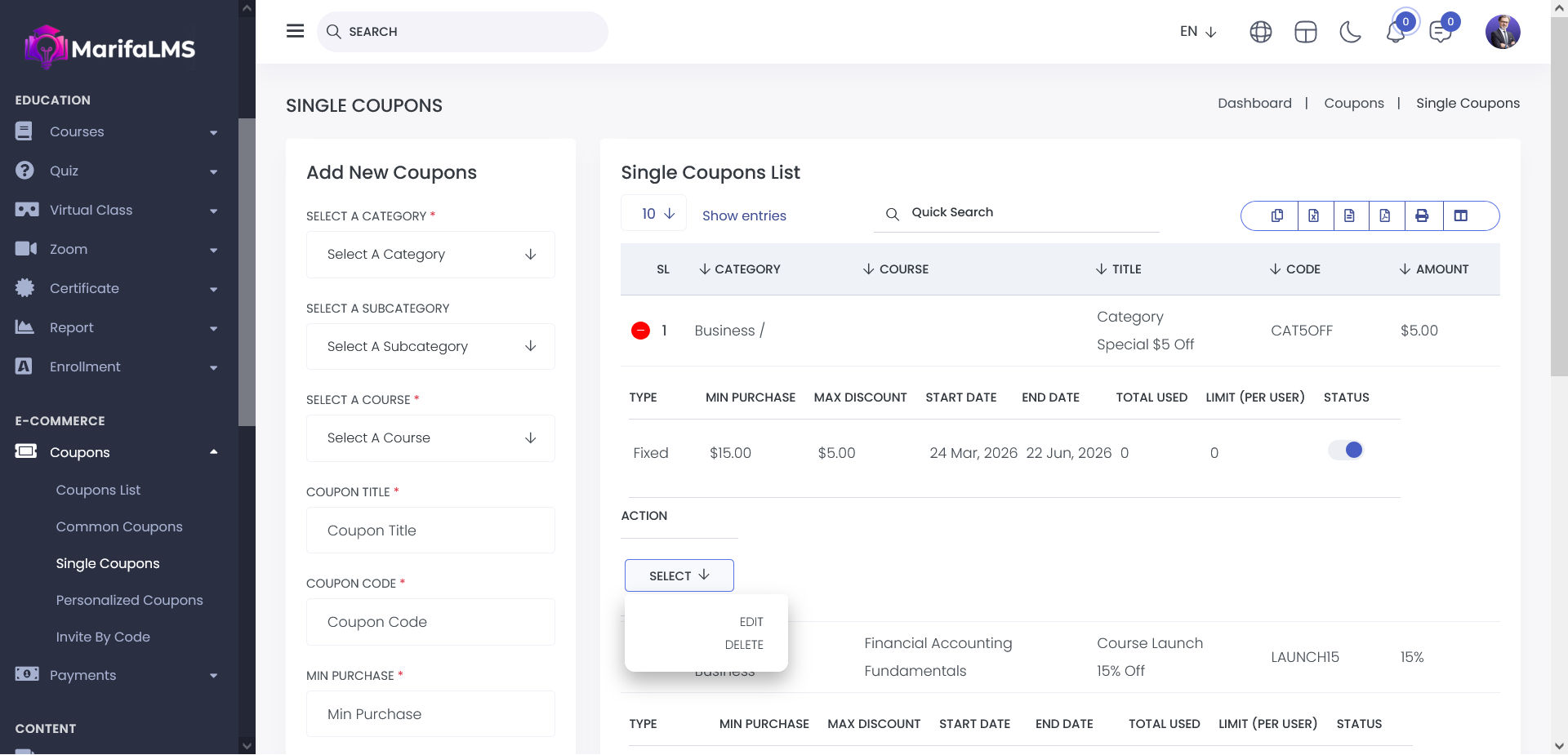
By clicking the Edit button, you can update the specific coupon.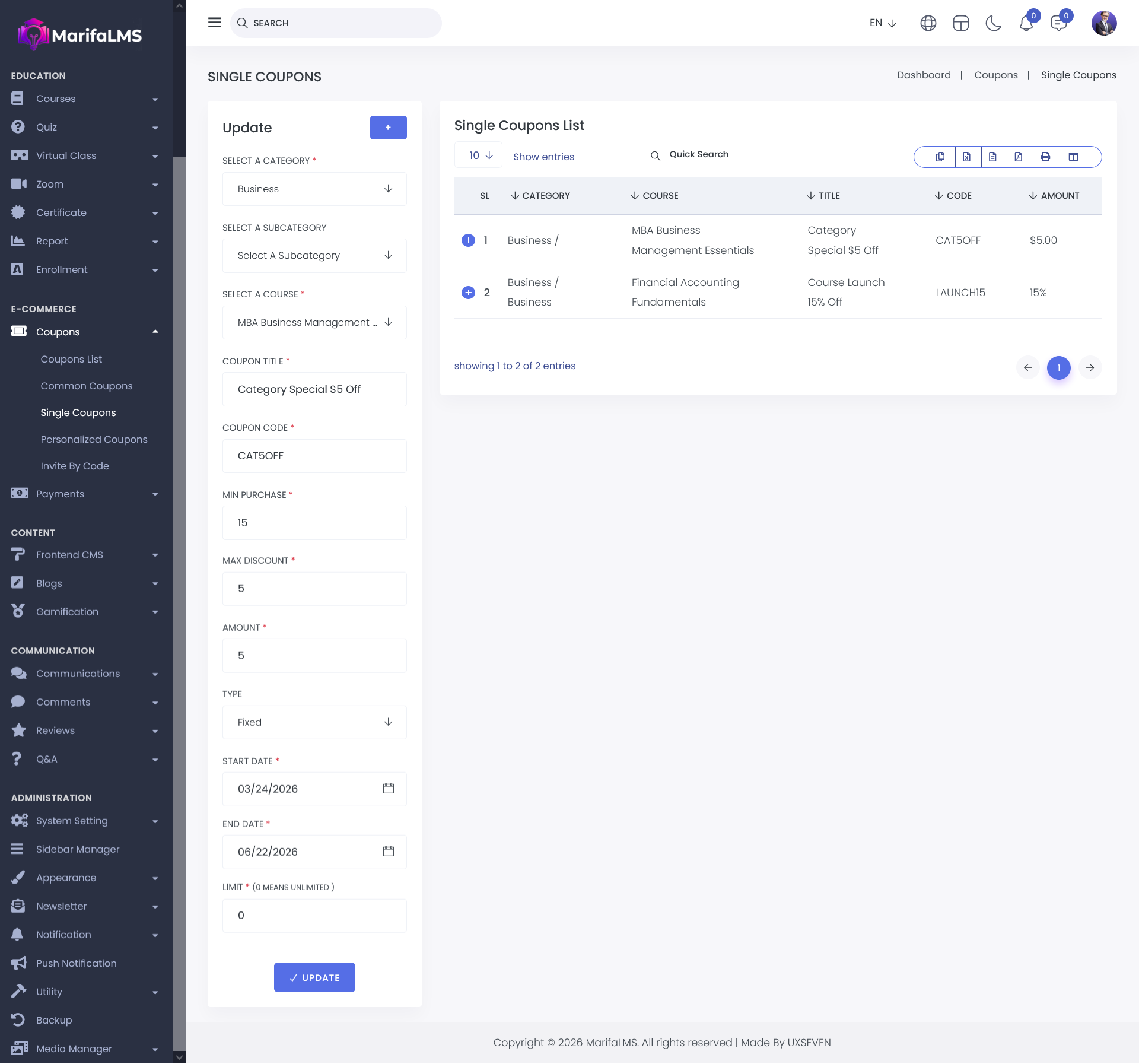
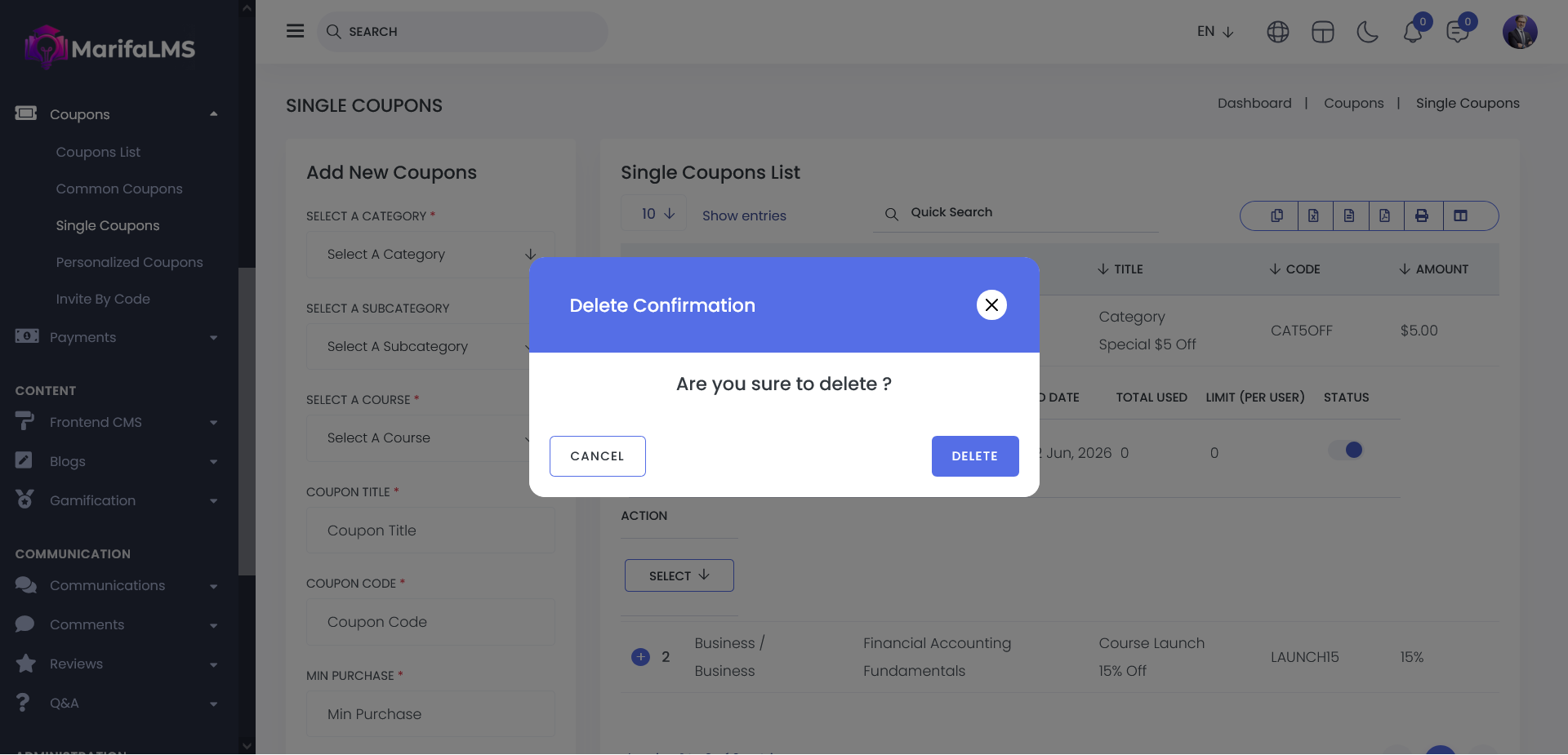
By Clicking the Delete button, you can remove the specific data from the list.