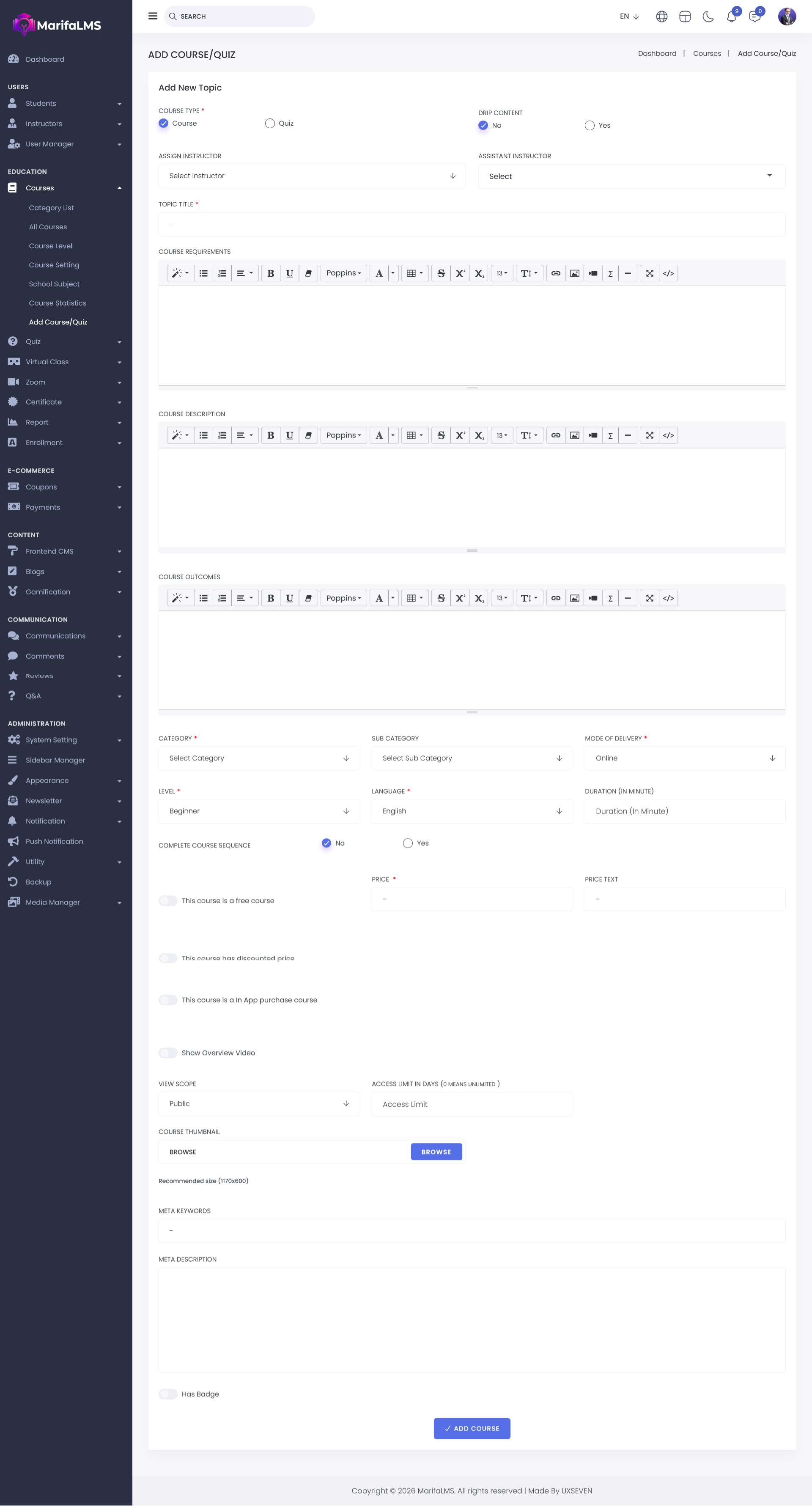
Provide the topic title, course requirements, description, and Course outcomes. Choose the appropriate category, subcategory, mode of delivery, level, and language. Set the course duration and indicate whether it must be completed in sequence.
Specify if the course is free or paid. For paid courses, set the price and, if applicable, the discounted price. Configure in-app purchase options and upload an overview video. Define the course's visibility scope and access limits. Finally, upload a thumbnail image for the course.
You can also optimize the course for search engines by adding meta keywords and a meta description. Once all the details are completed, click "Add Course button." Your course or quiz will be successfully created.