New Enroll :
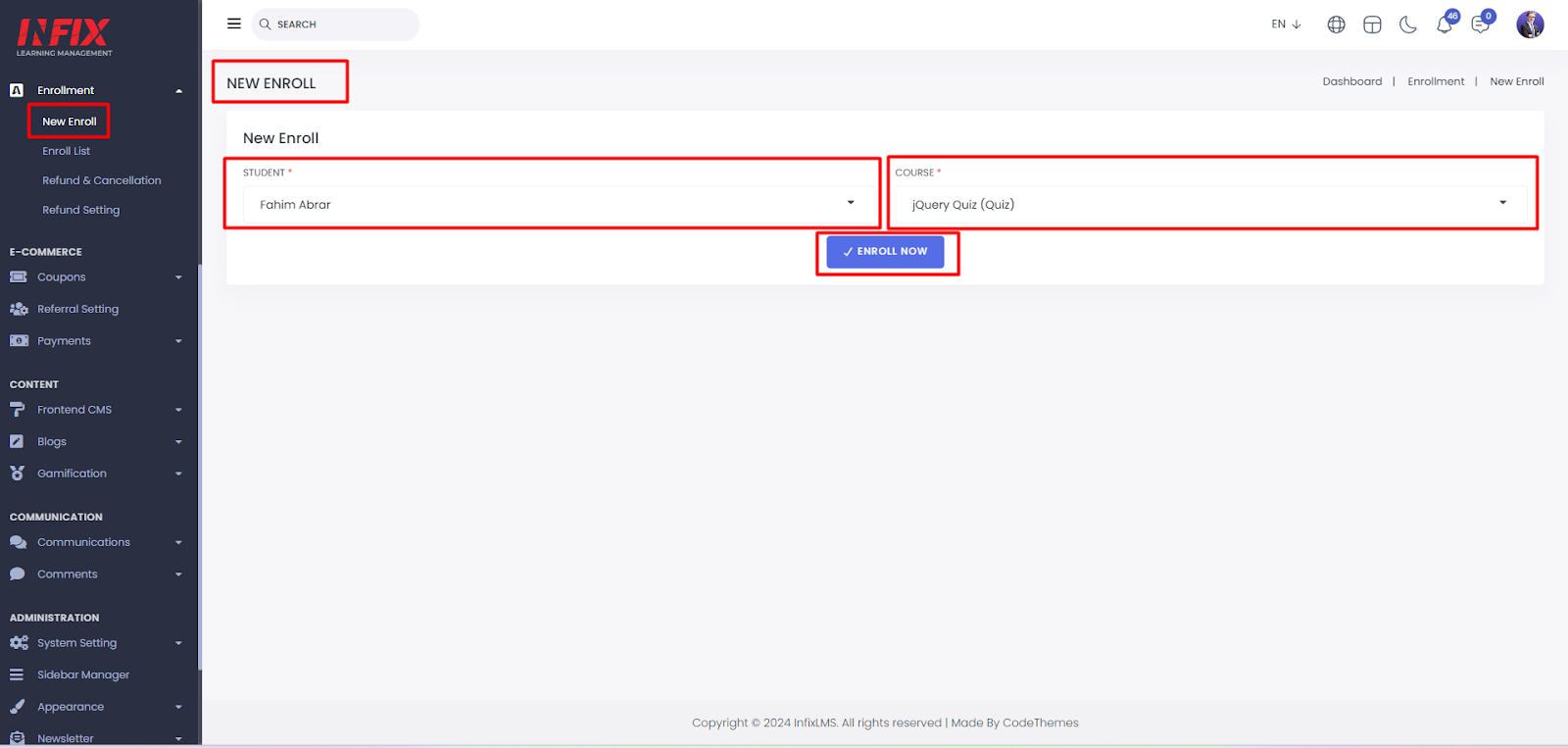
From here, you can enroll a student in a new course. Simply select a student, choose the desired course, and click the "Enroll Now" button to complete the enrollment successfully.
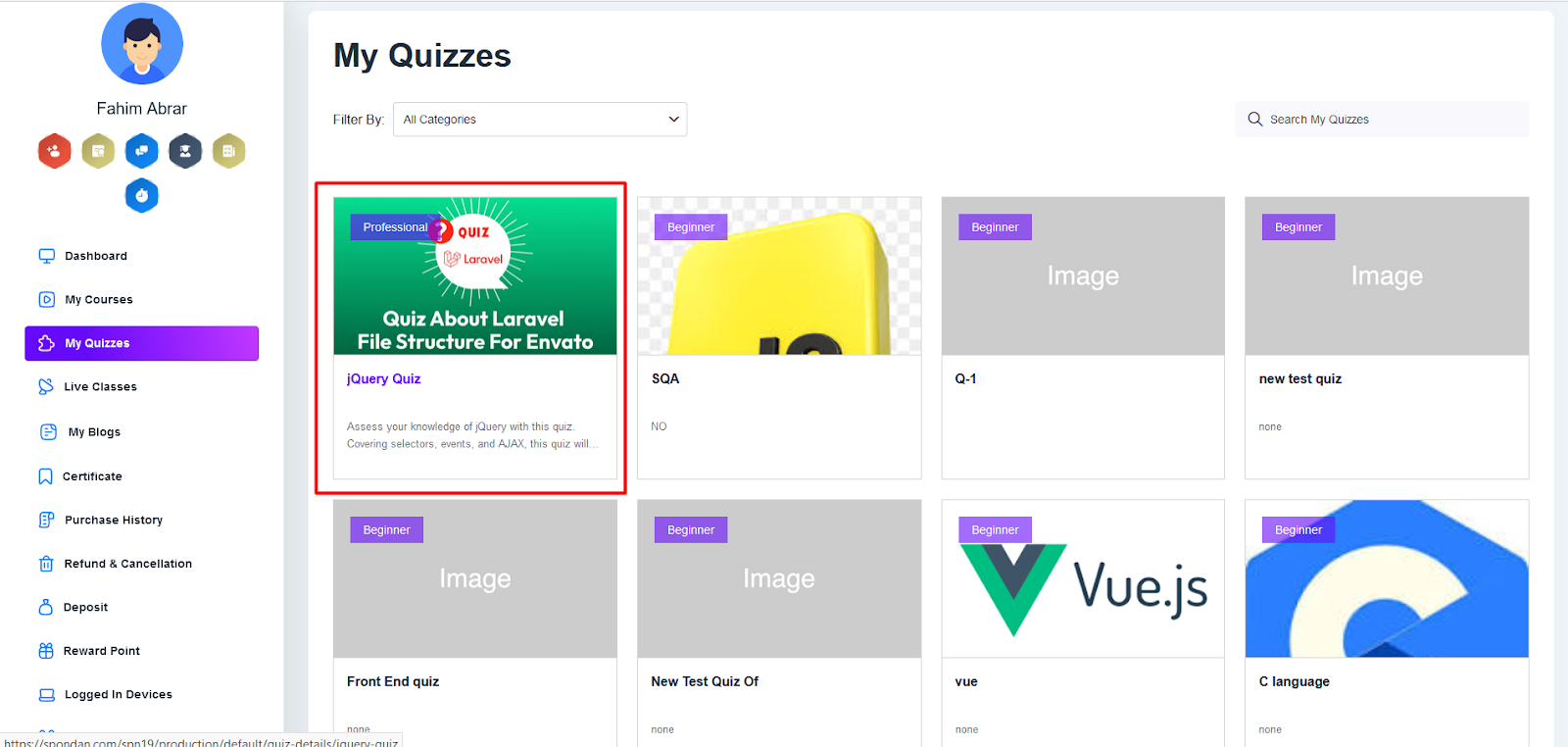
After clicking the enroll now button your course will be enrolled successfully.You can see it from the student panel. Log into the student panel and go to my quizzes you can see the quiz.
Enroll List :
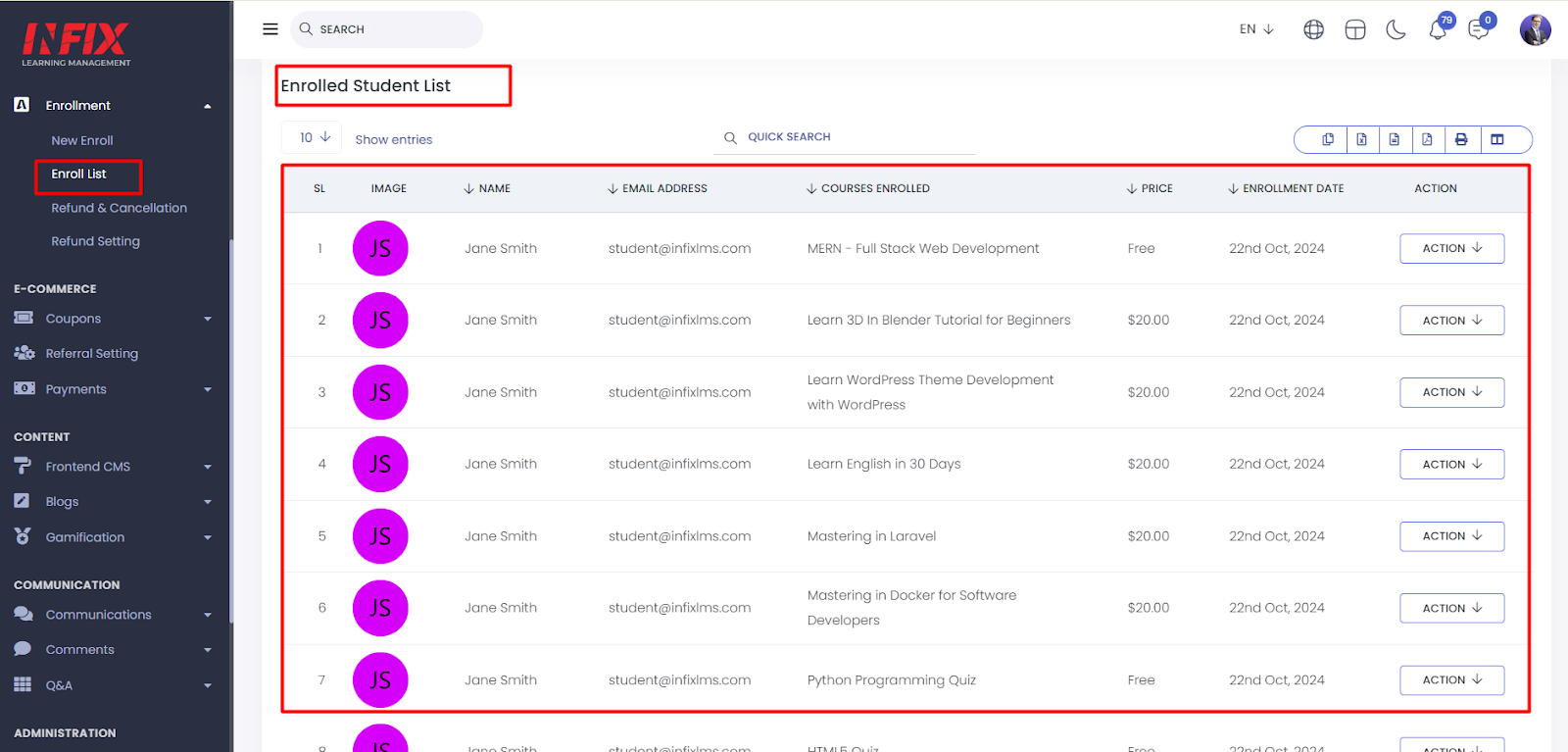
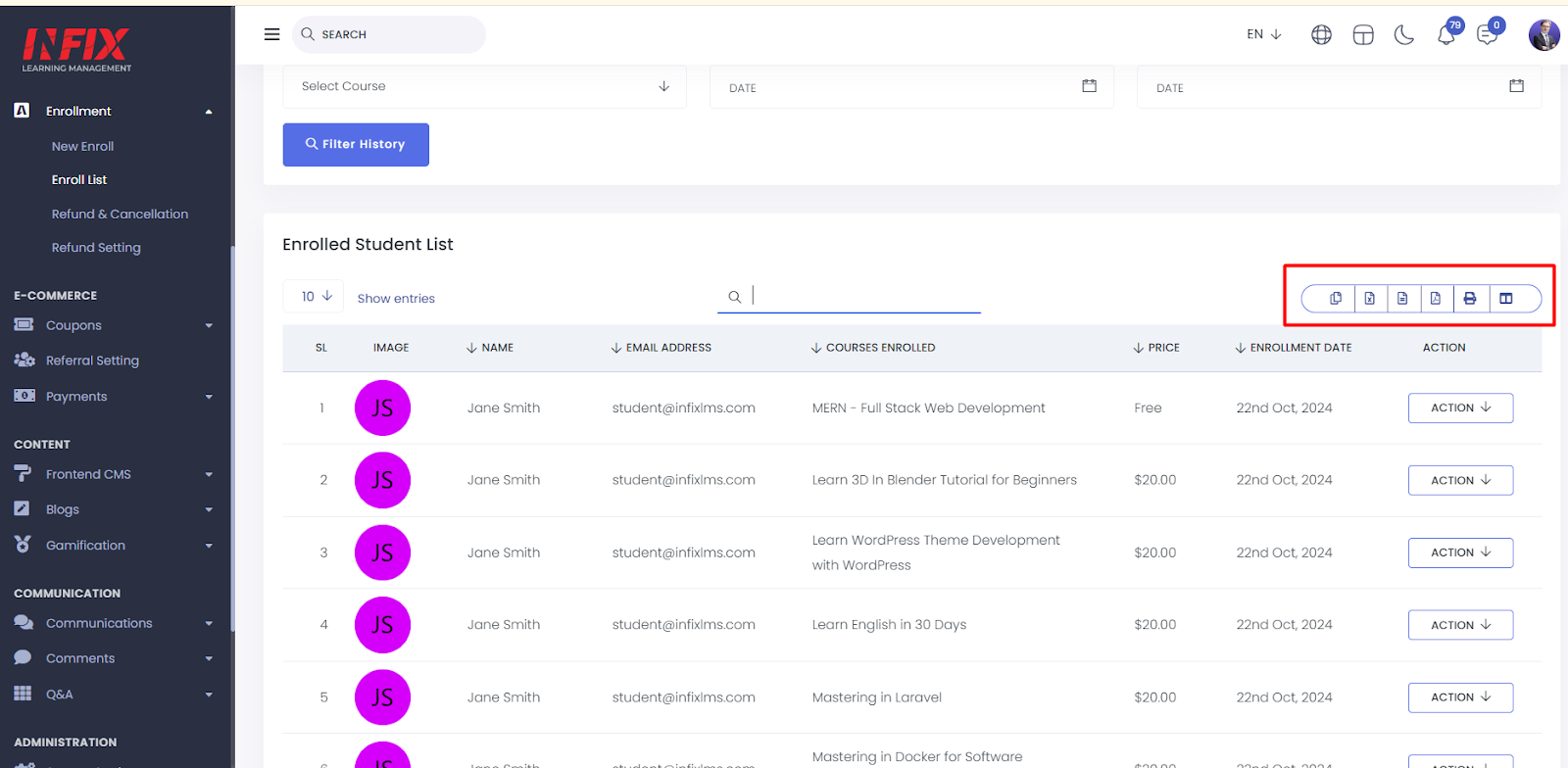
Here, you can view the complete enrollment list, including the serial number (SL), image, student name, email, enrolled course, price, enrollment date, and available actions.
You can use the advanced filter option to easily find specific information.
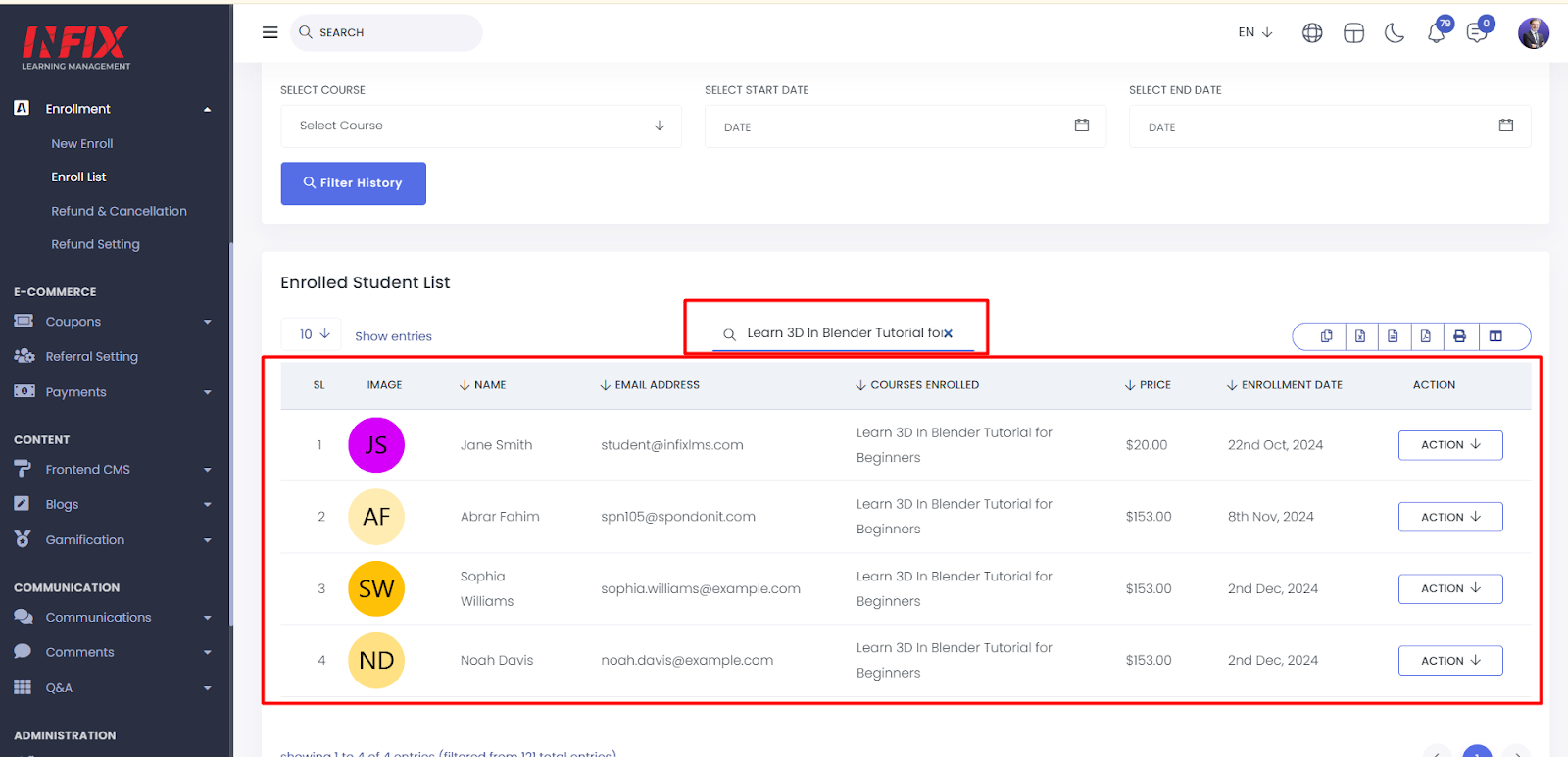
You can search anything by using search functionality.
You can export from here.
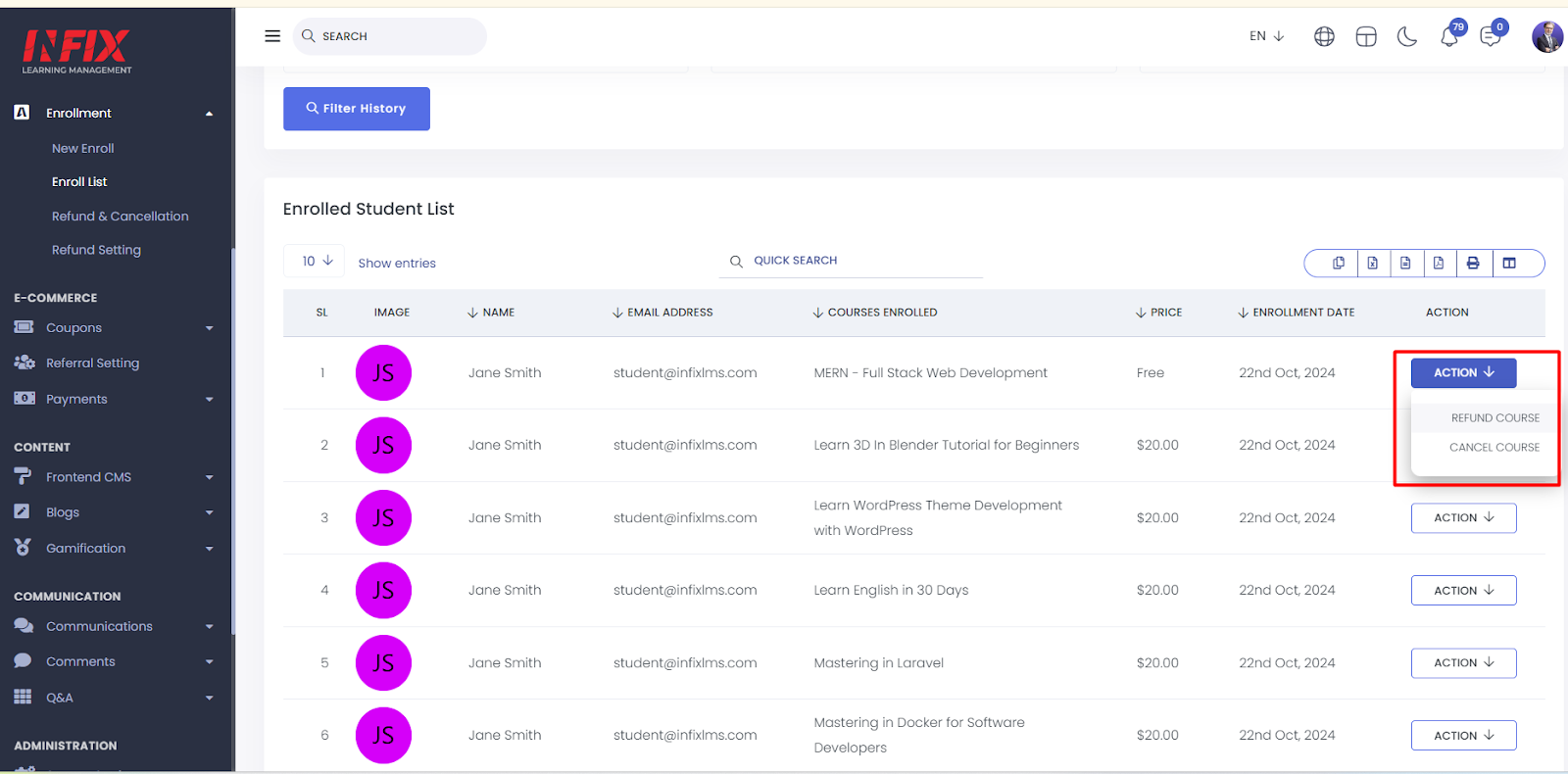
After clicking in action you can refund and cancel course.
Refund Course:
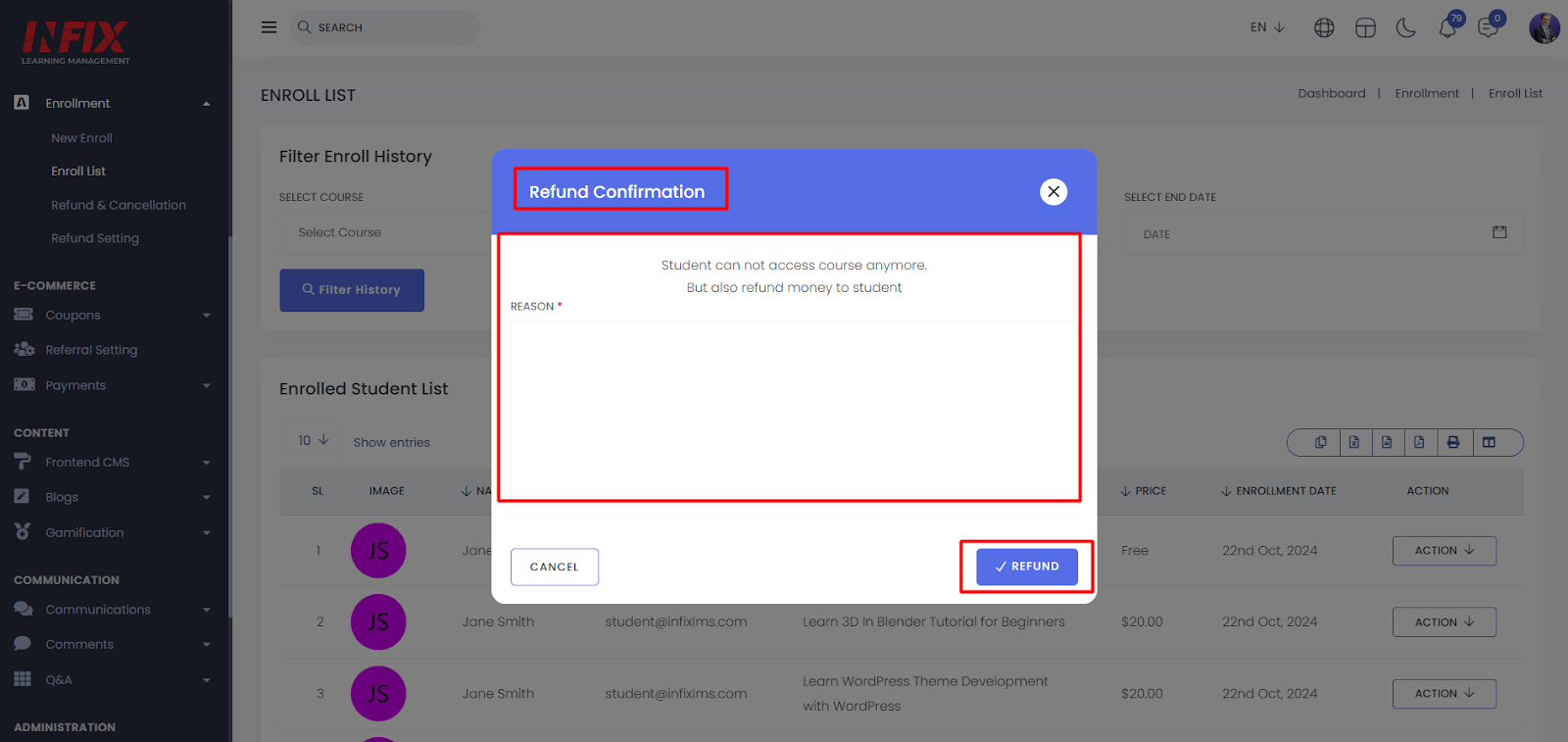
To refund a course click on refund then give a reason then click on refund button.
Cancel Course :
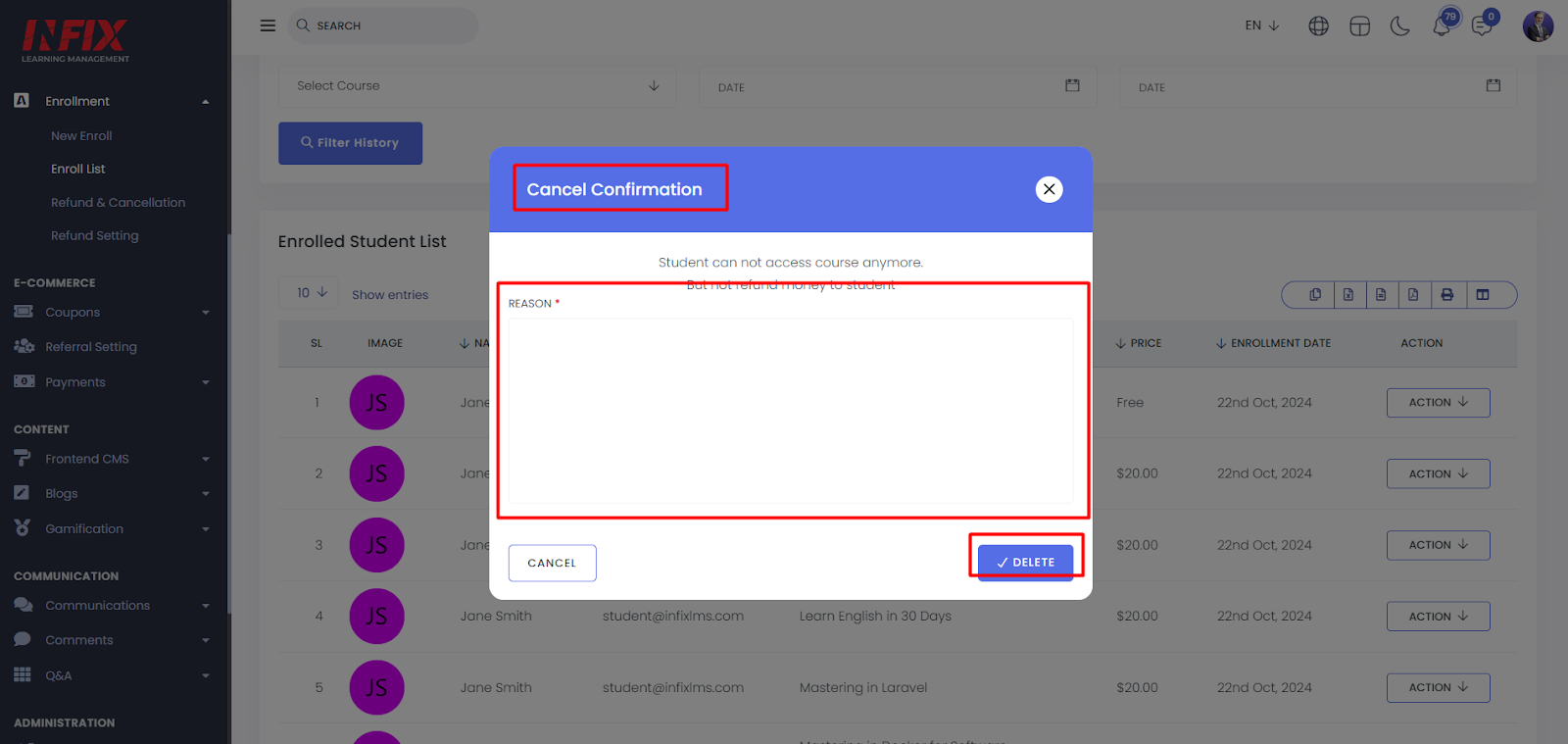
can cancel a course by clicking the " Delete" button.
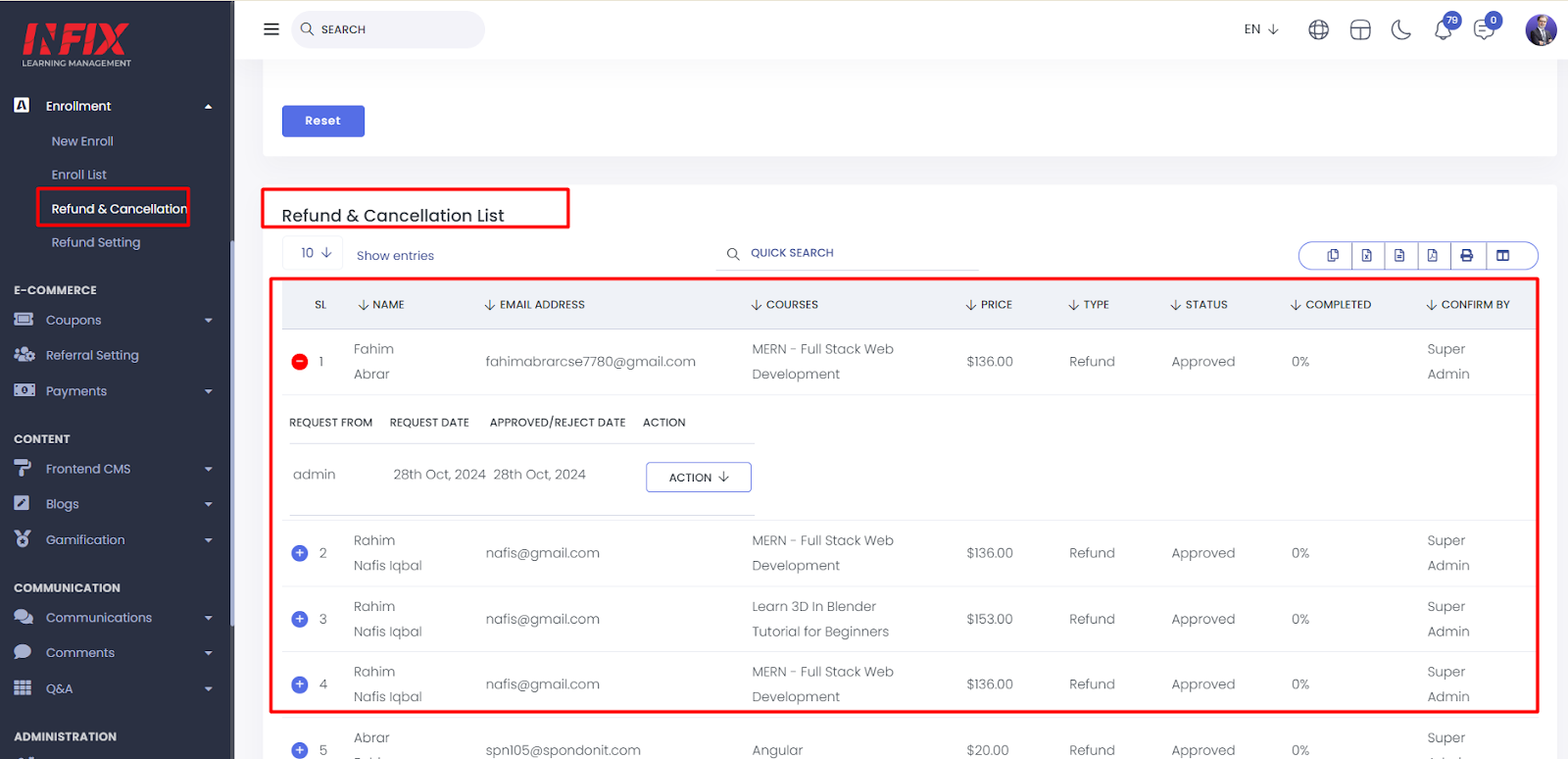
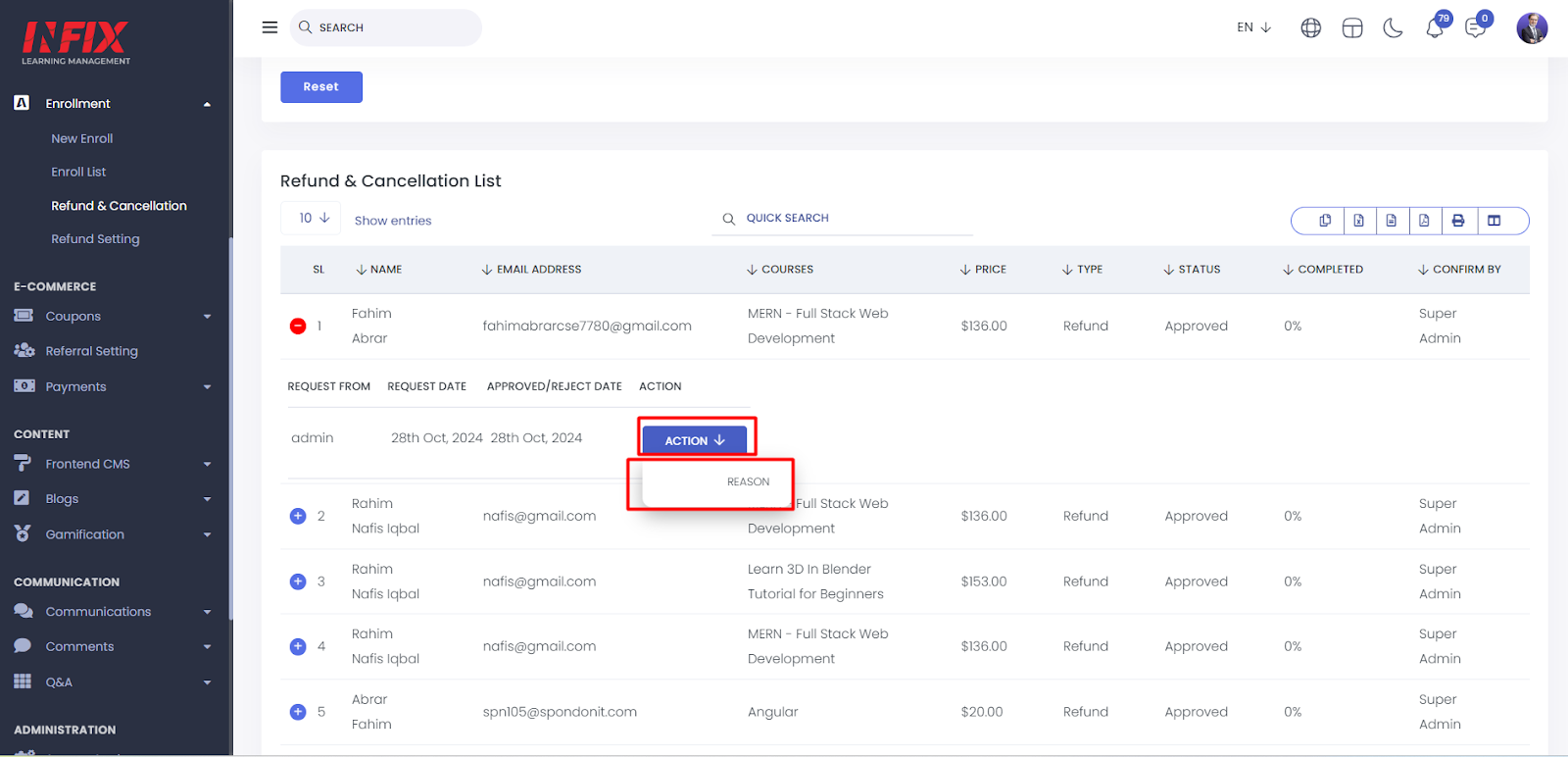
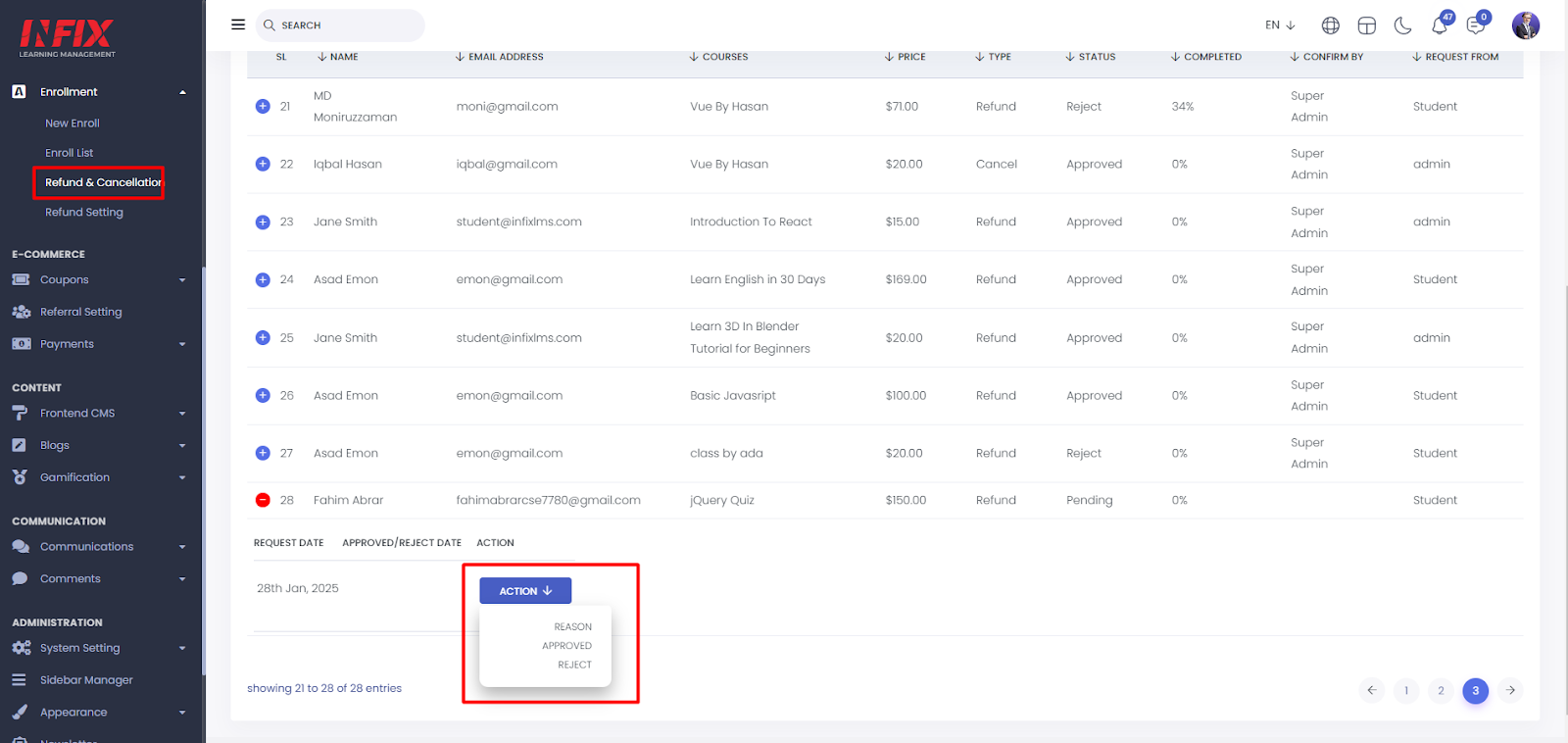
Refund & Cancellation: Here, you can view the refund and cancellation list, which includes the serial number (SL), name, email, course details, price, type, status, completion percentage, the person who confirmed the refund, request date, approval/rejection date, and available actions.
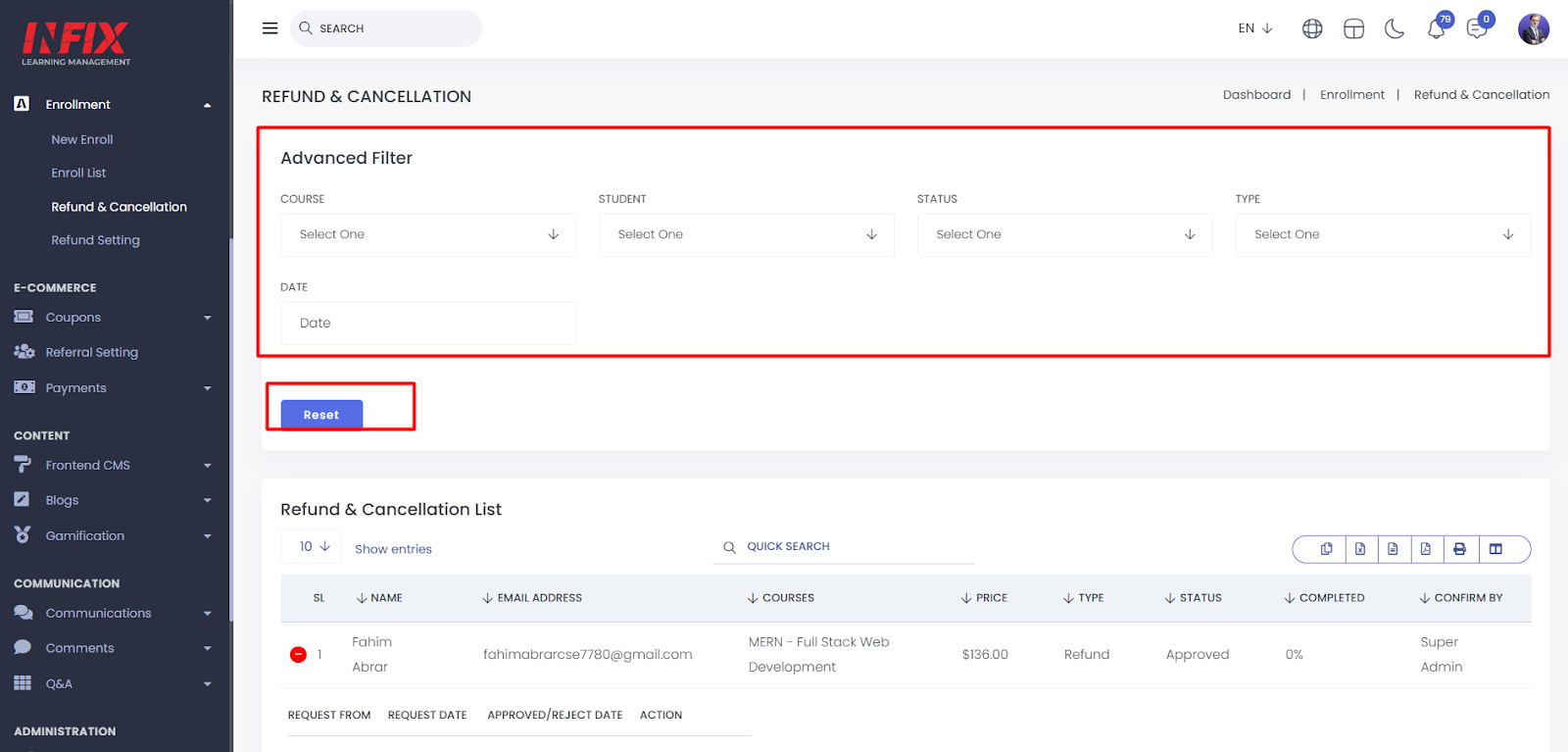
You can use the advanced filter settings to find specific information. To clear the filters, simply click the "Reset" button.
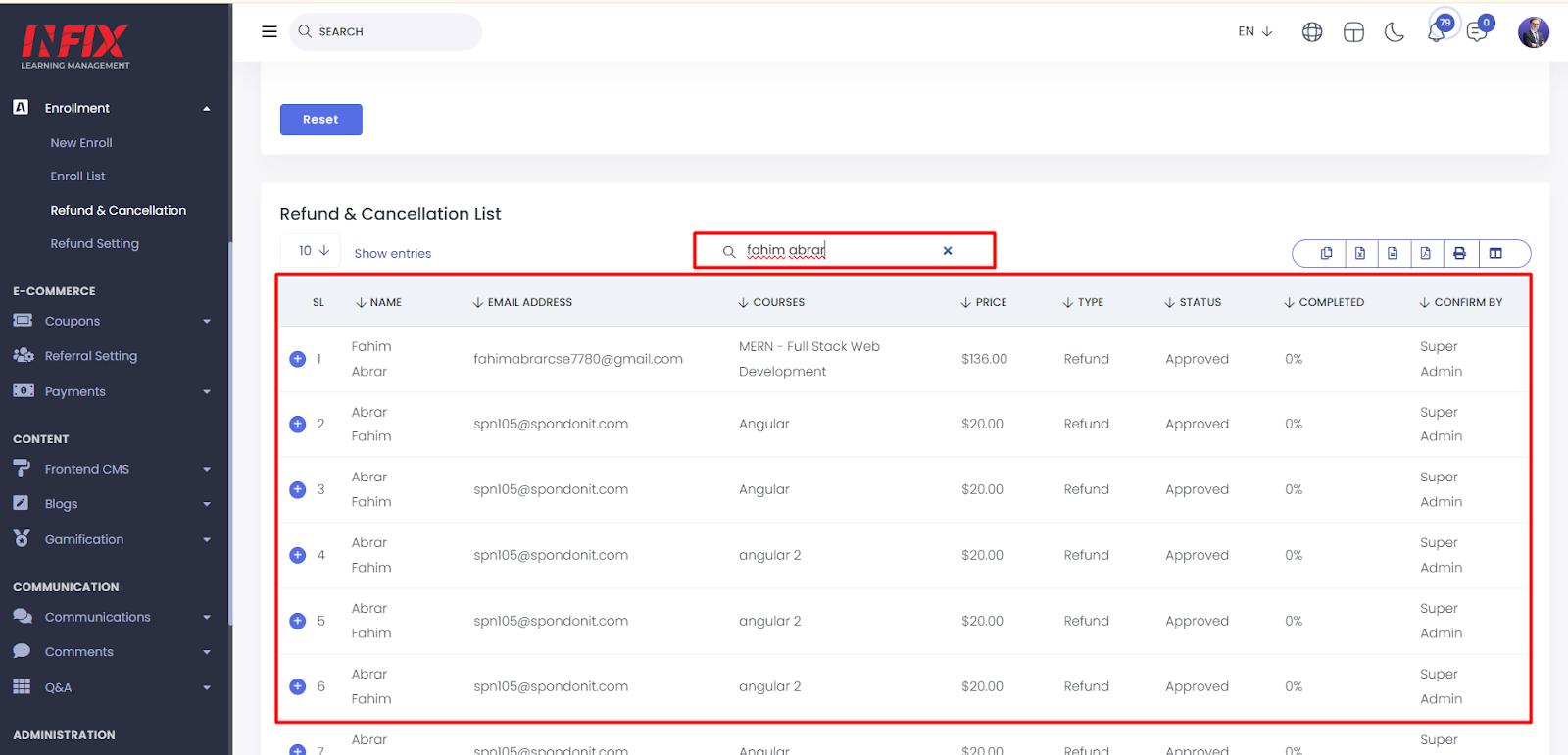
You can also use the search functionality to find specific information.
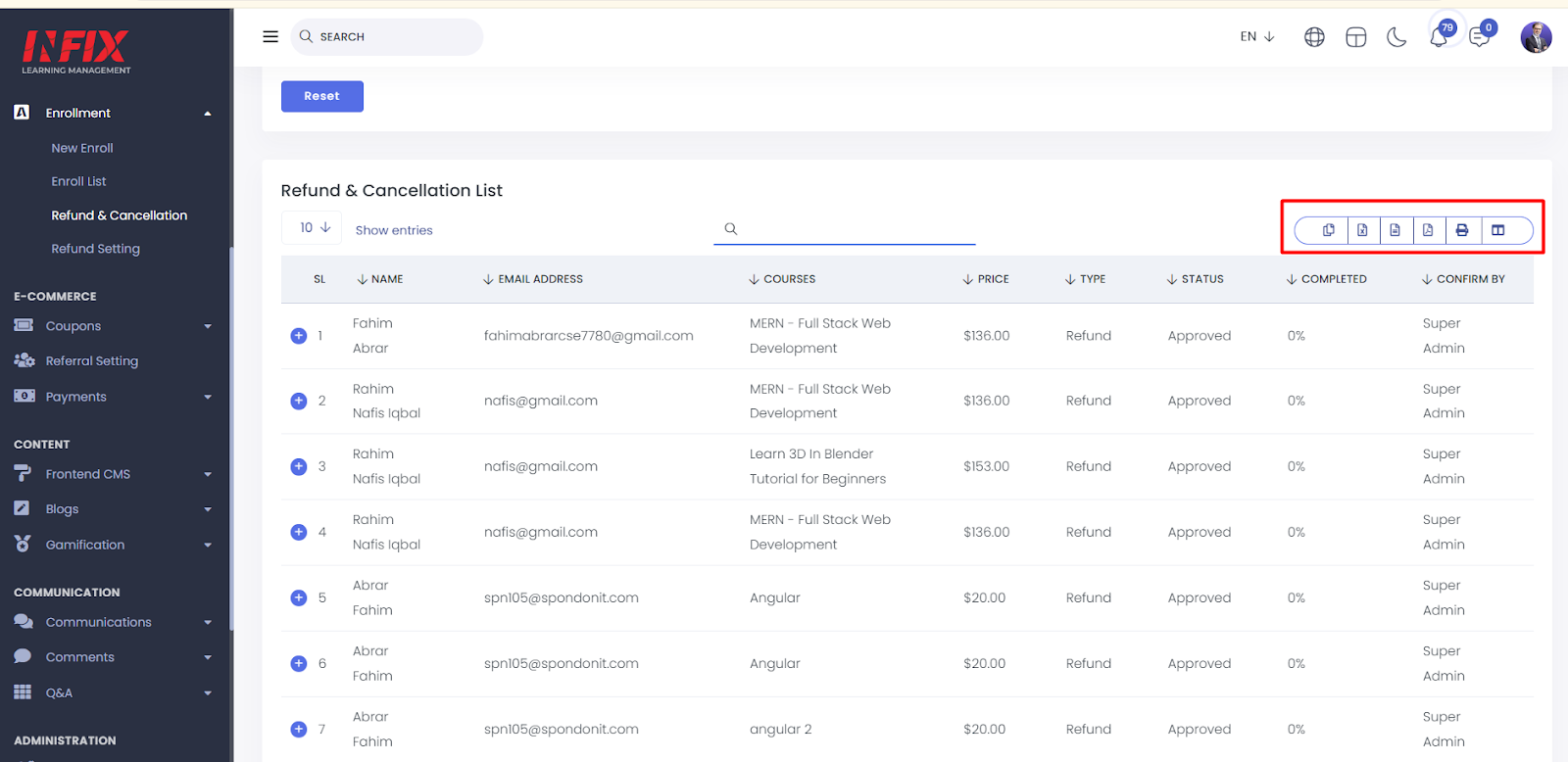
You can export data from here.
By clicking the "Action" button, you can view the reason for the cancellation.
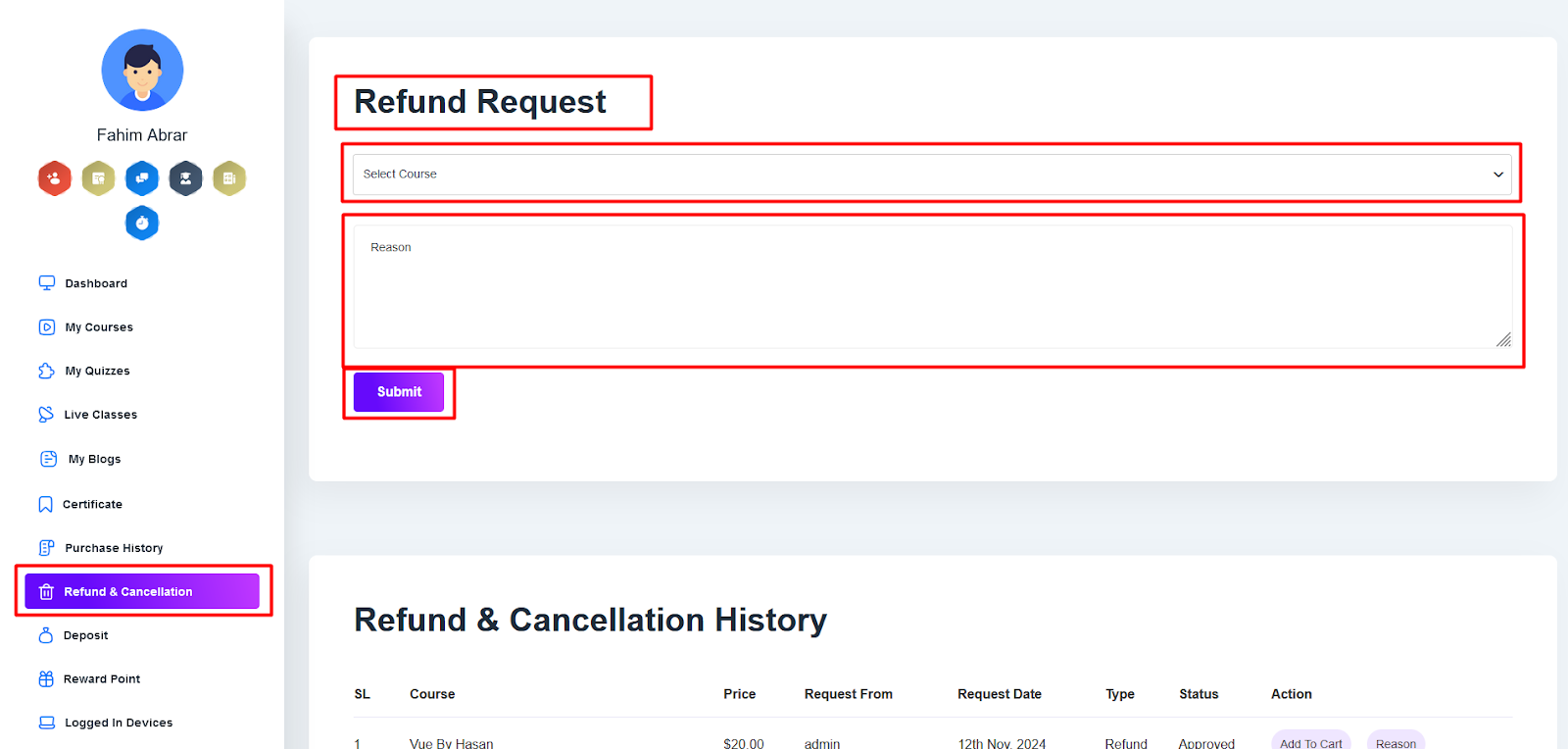
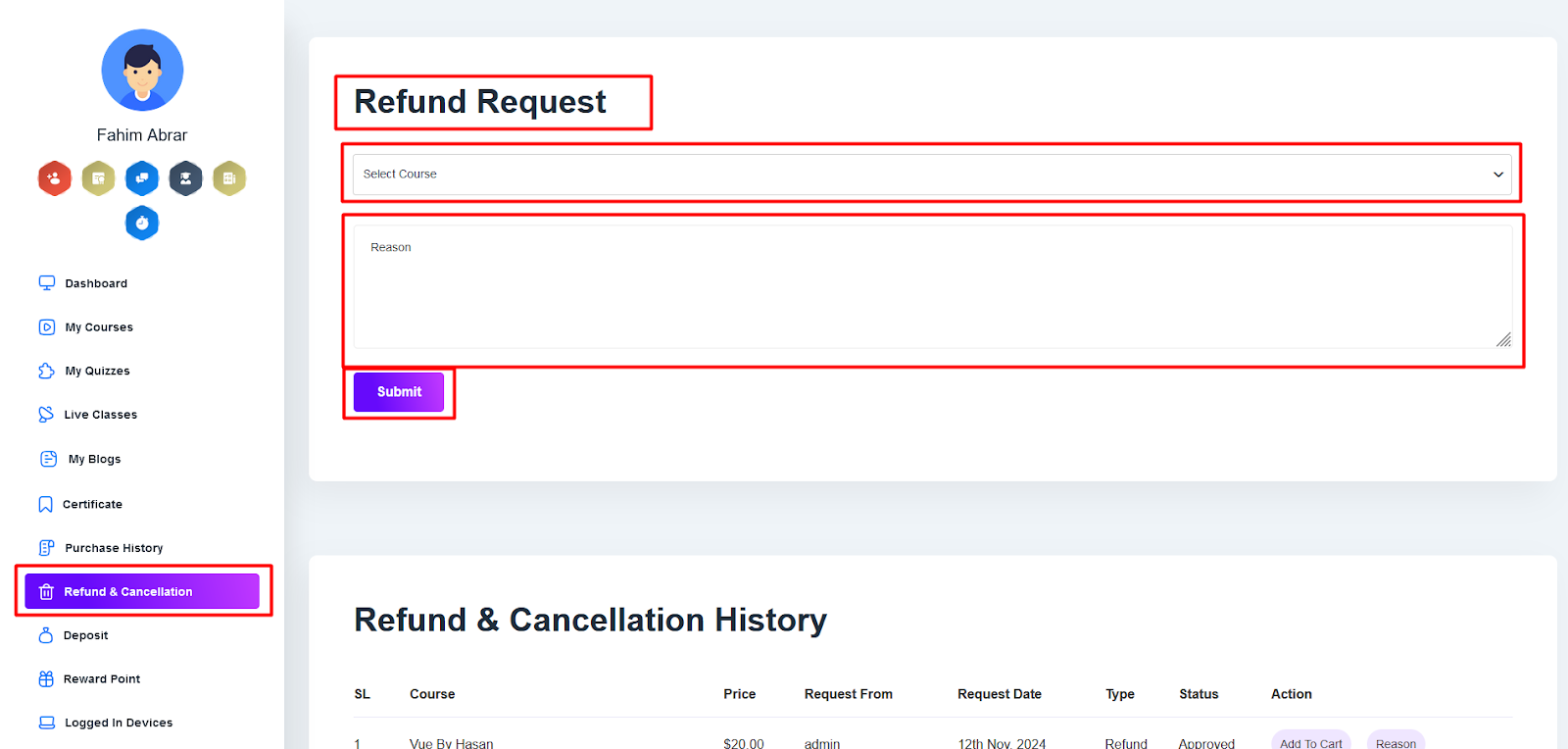
You can request a course refund through the student panel. Simply log in, go to the Refund & Cancellation section, select the course, provide your reason, and click Submit. Your request will then be sent for processing.
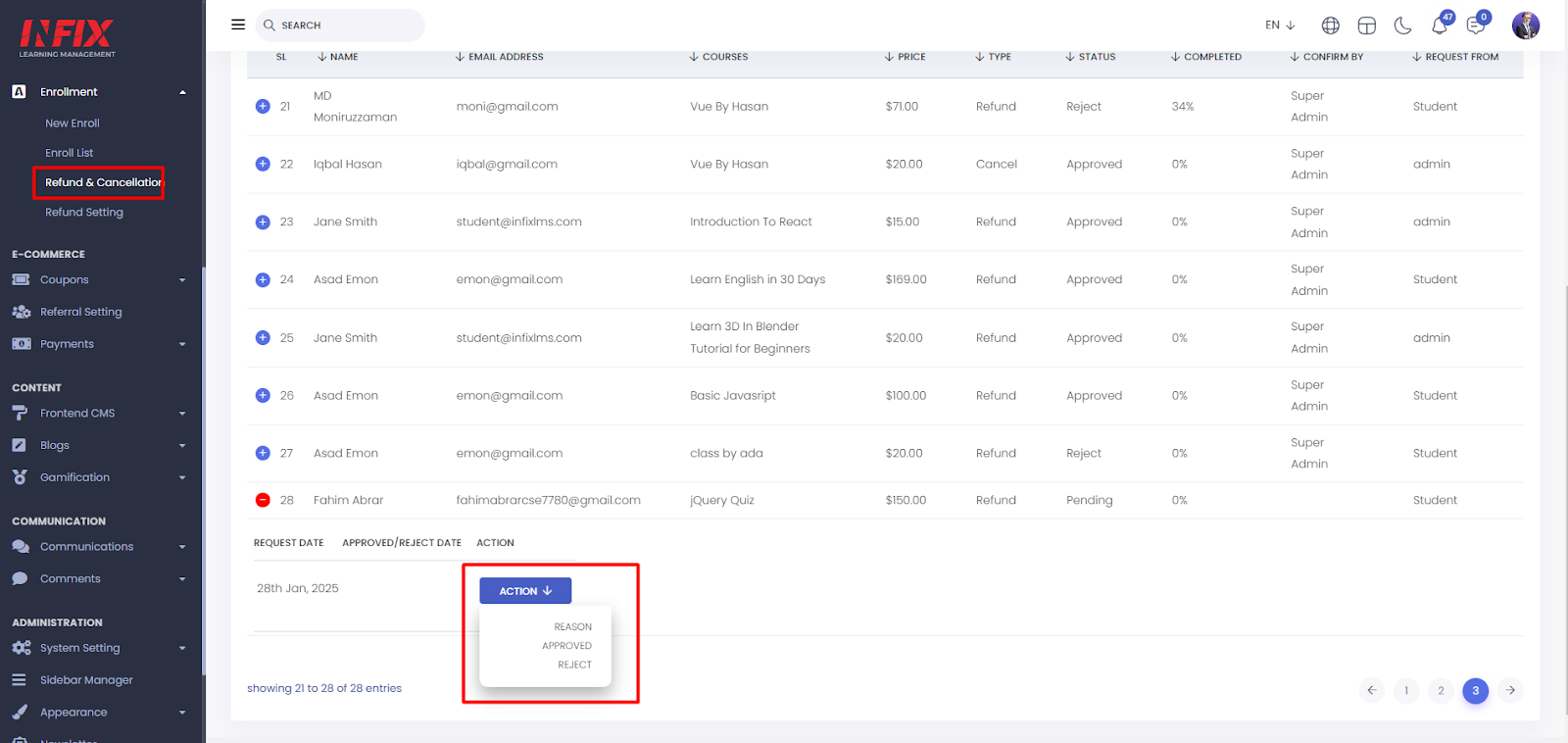
To accept a refund request, log in to the admin panel. Navigate to the Refund & Cancellation section, where you can review and accept refund requests.
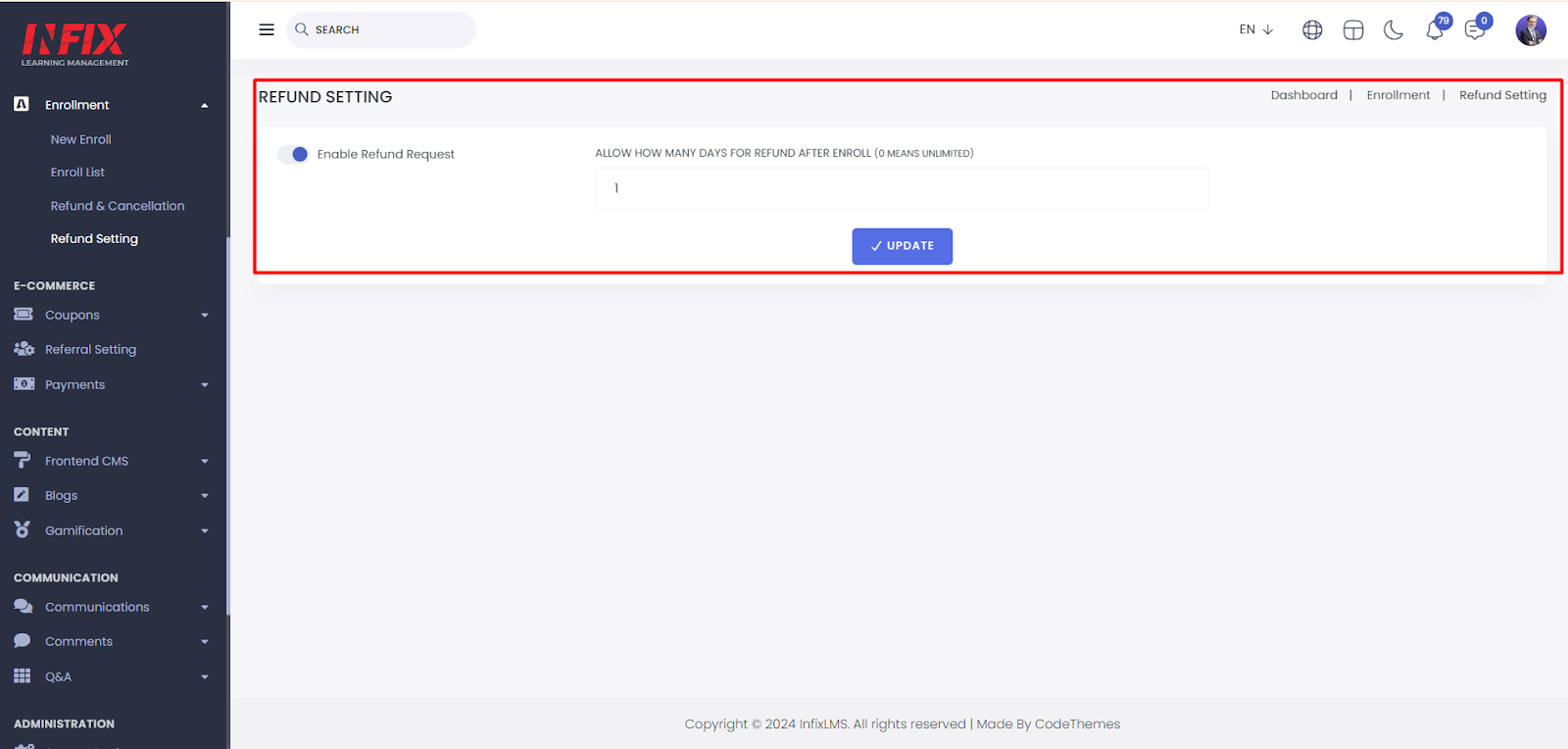
Refund Settings:
From here, you can set the number of days allowed for refunding a course.
You can request a course refund through the student panel. Simply log in, go to the Refund & Cancellation section, select the course, provide your reason, and click Submit. Your request will then be sent for processing.
To accept a refund request, log in to the admin panel. Navigate to the Refund & Cancellation section, where you can review and accept refund requests.