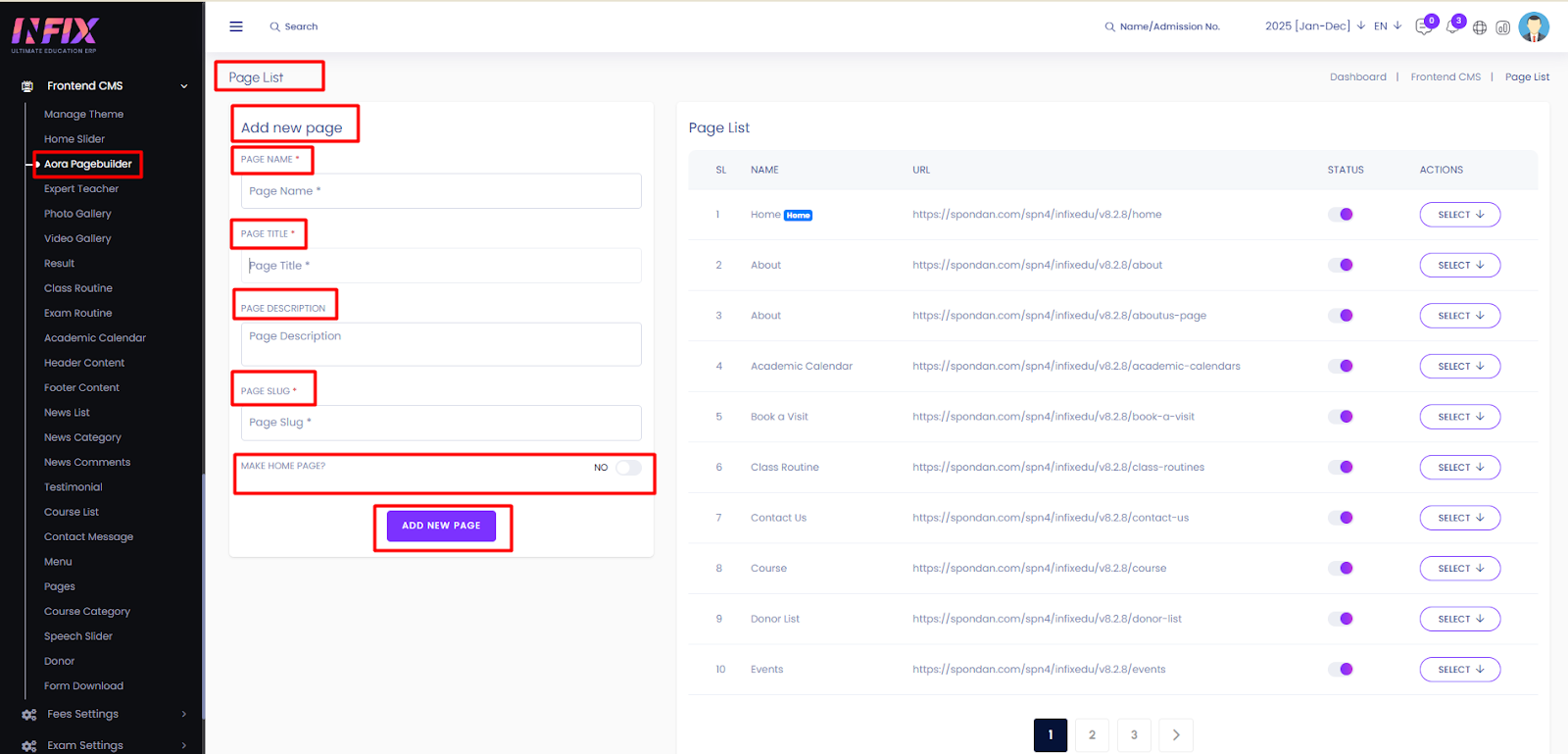
From here, you can add a new page by setting the page name, title, and description. You can also specify whether the page will be the homepage or not.
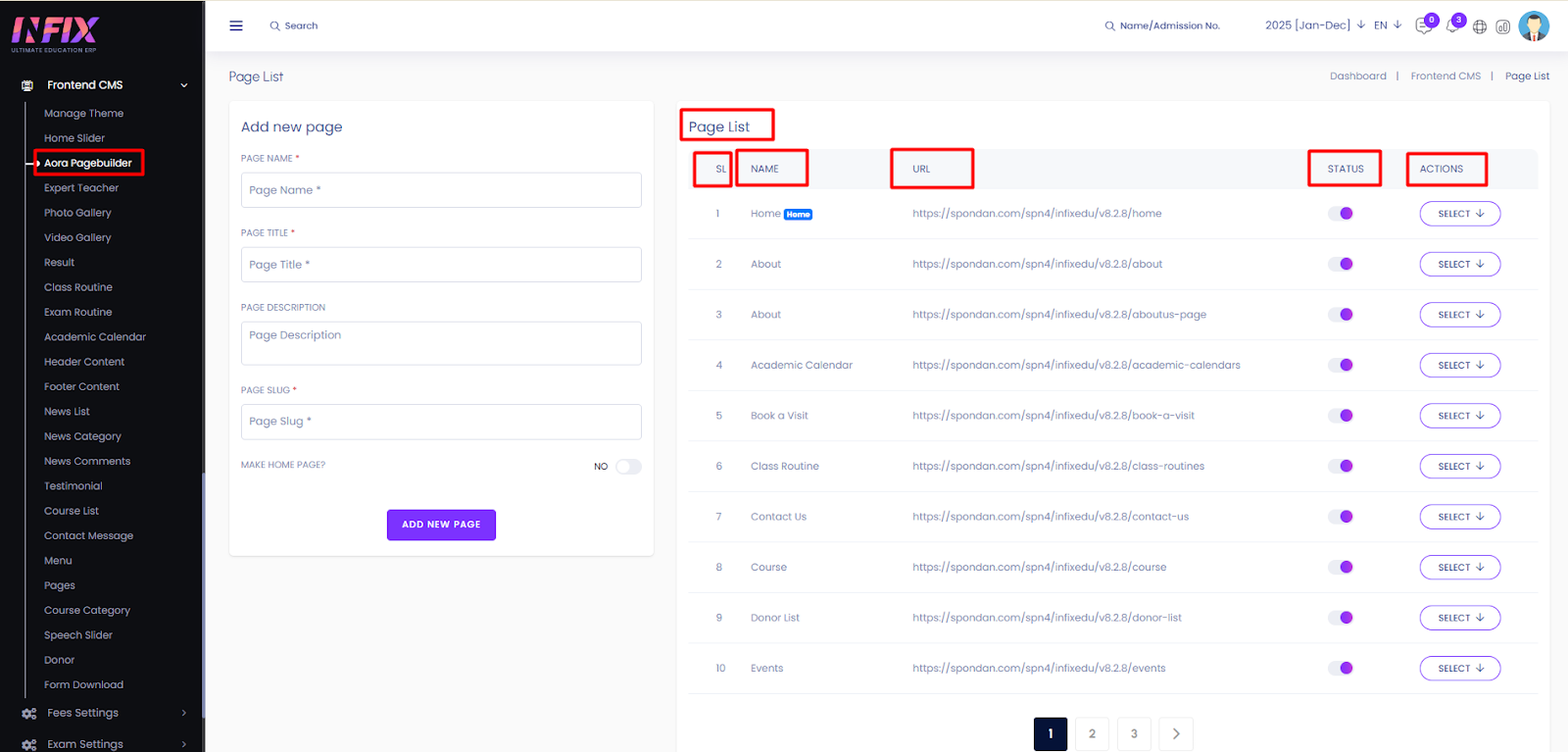
After adding a page, it will appear in the page list. You can view all pages here with details such as name, URL, status, and available actions.
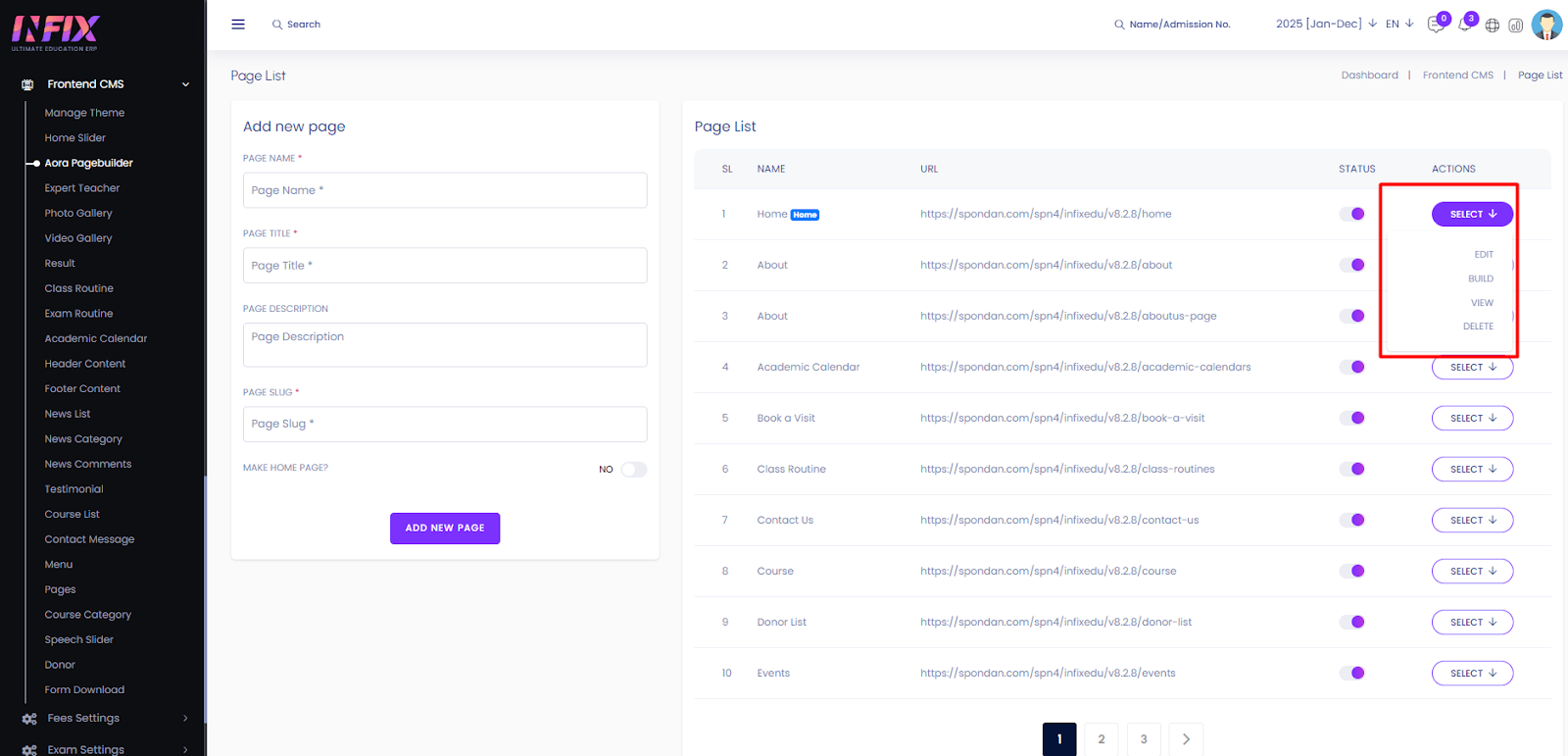
By clicking the select button you can edit, build, view & delete the page.