Users can access the Classes section from the main navigation menu to explore a wide range of available online classes. Each class is presented with essential details, including title, pricing, and enrollment status, enabling users to browse and select courses that match their interests and learning goals.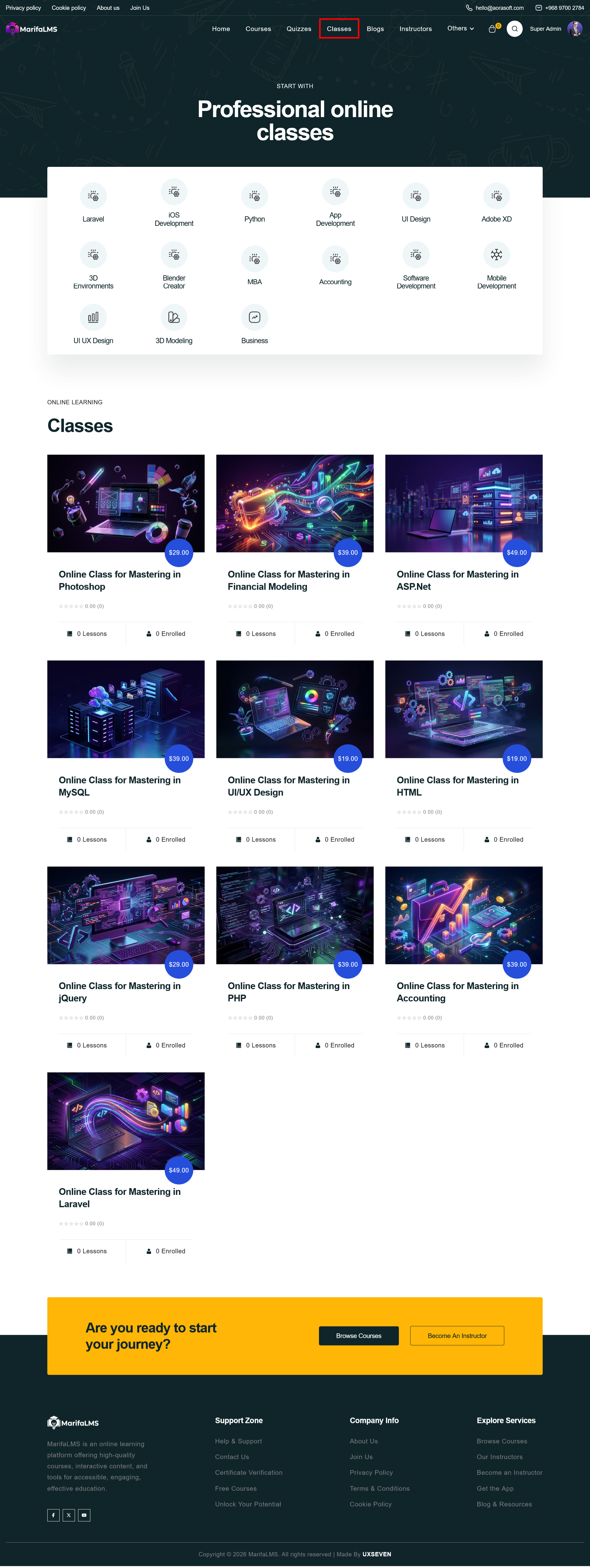
The Class Details page provides a comprehensive overview of the selected class, including key information such as duration, skill level, and enrollment status. Users can begin the class by clicking the Start Class button displayed prominently at the top.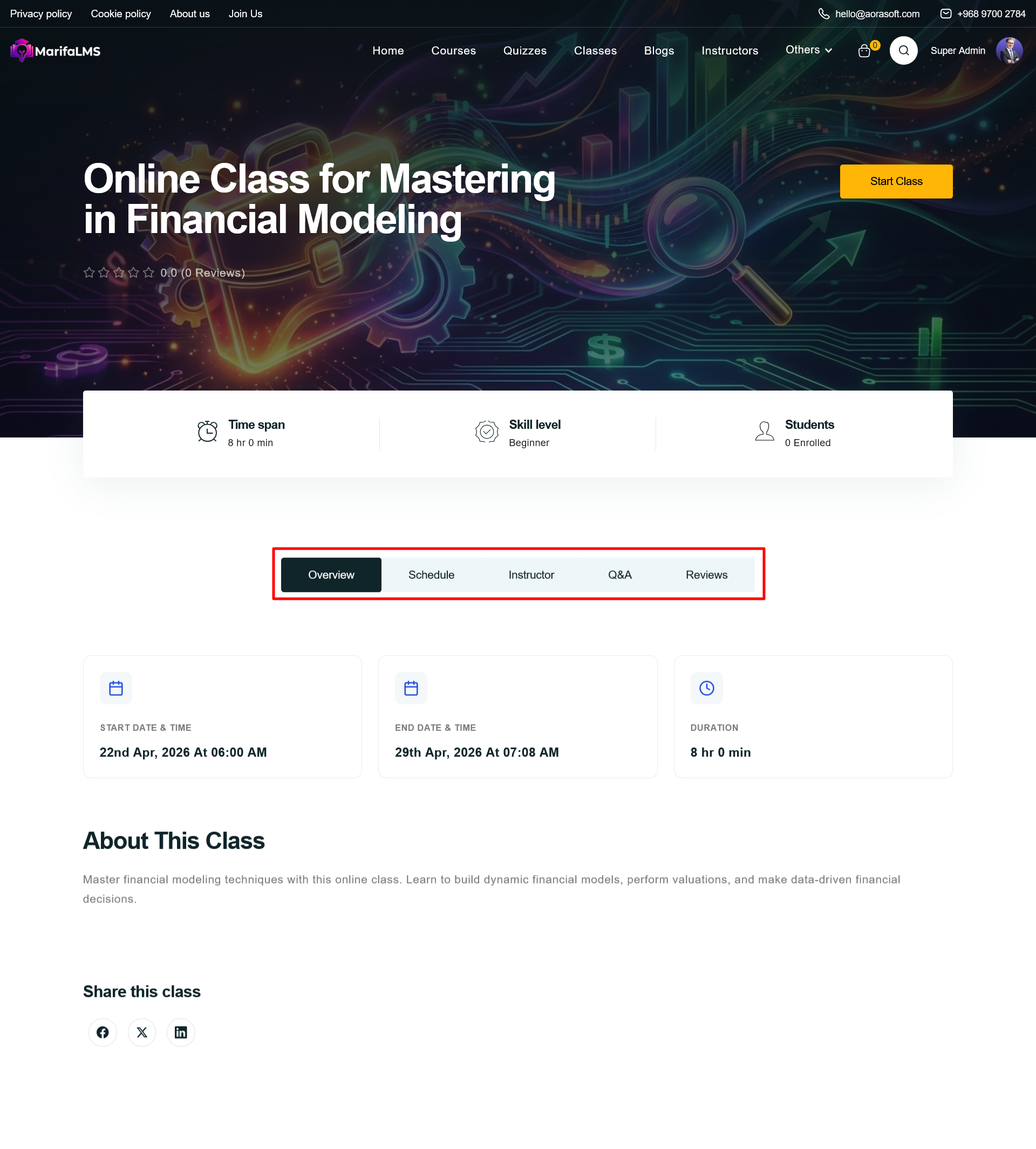
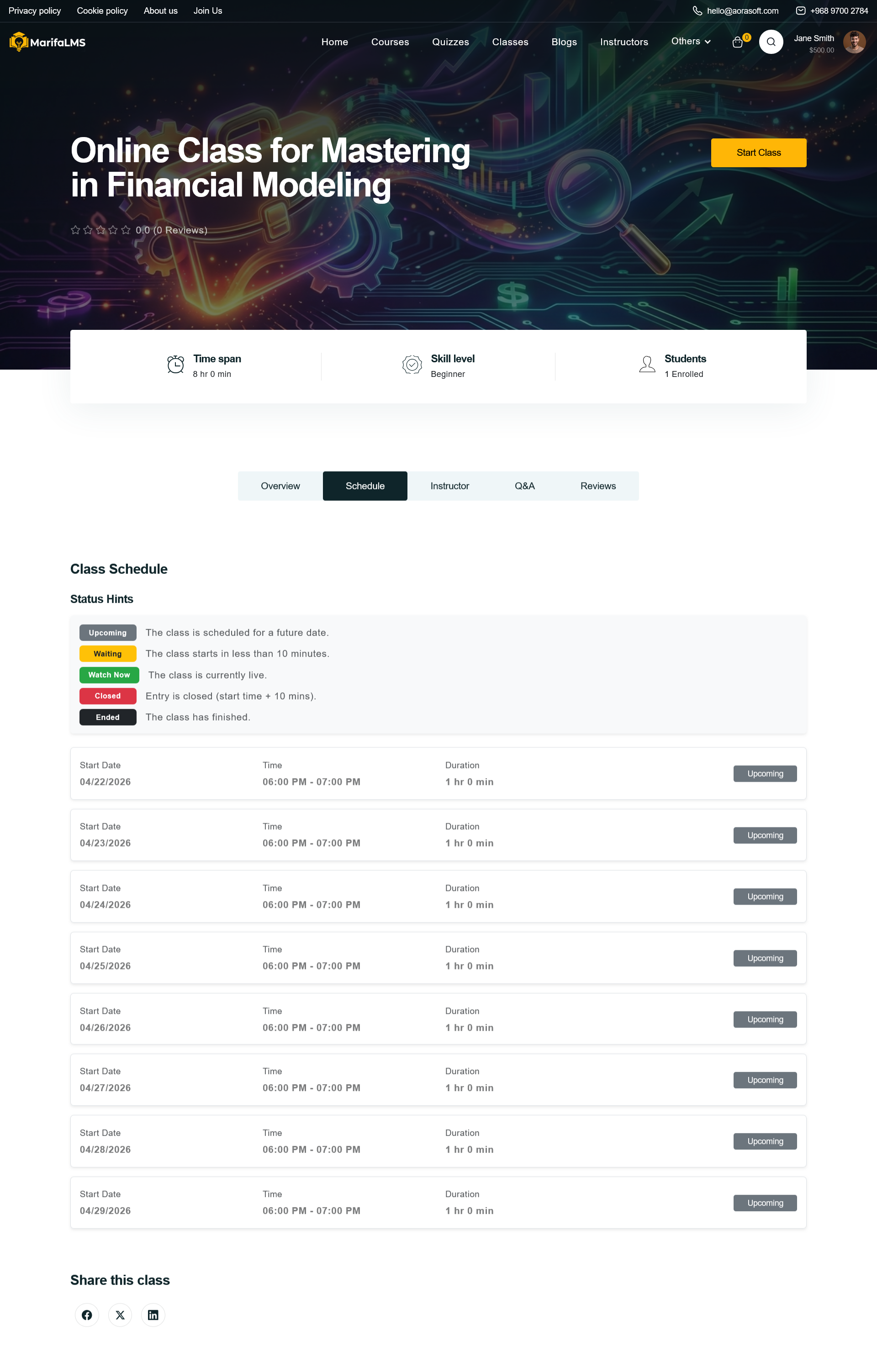
The page is structured into multiple tabs—Overview, Schedule, Instructor, Q&A, and Reviews—allowing users to navigate through detailed class information. The Overview section presents a summary of the class, while the Schedule section outlines the start date, end date, and total duration.