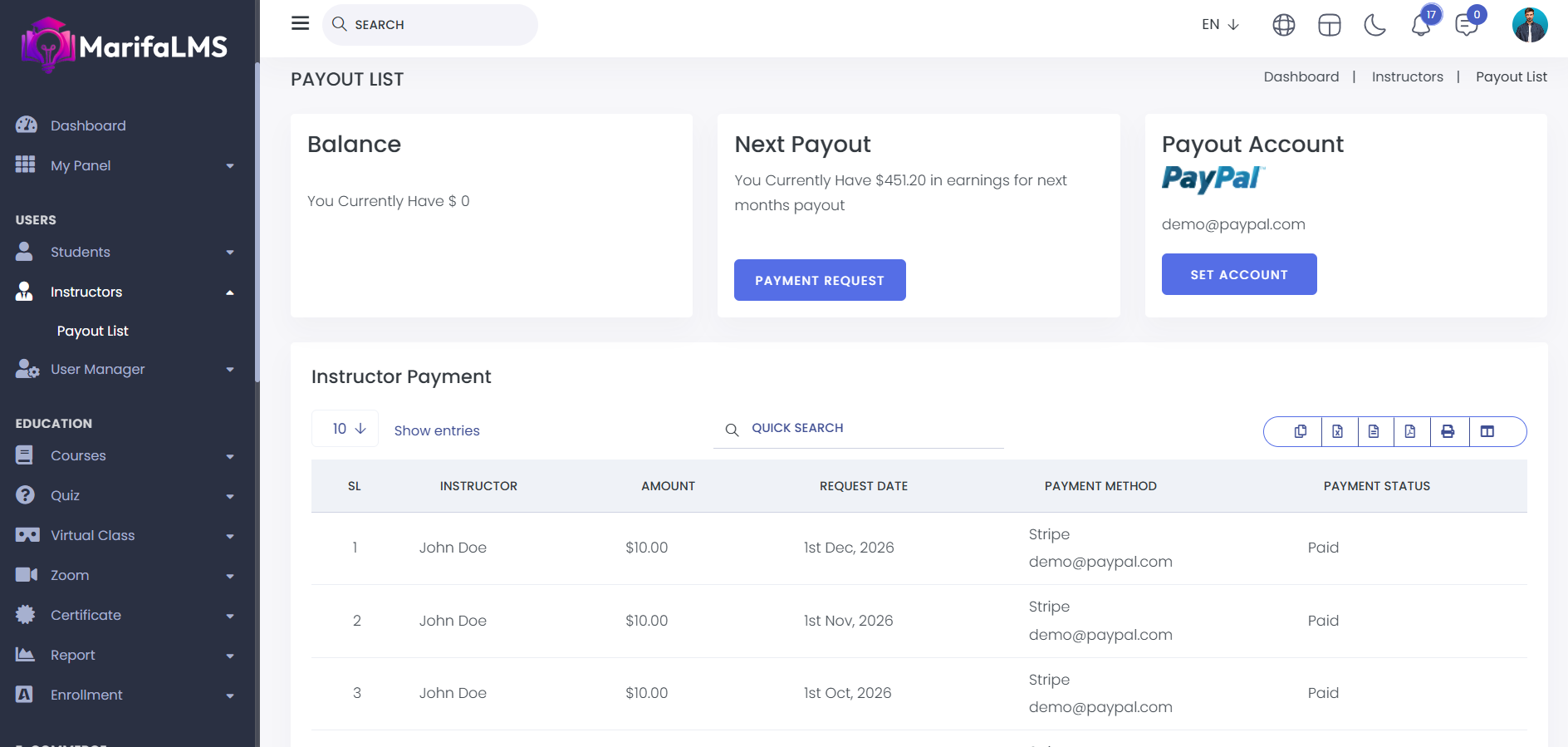
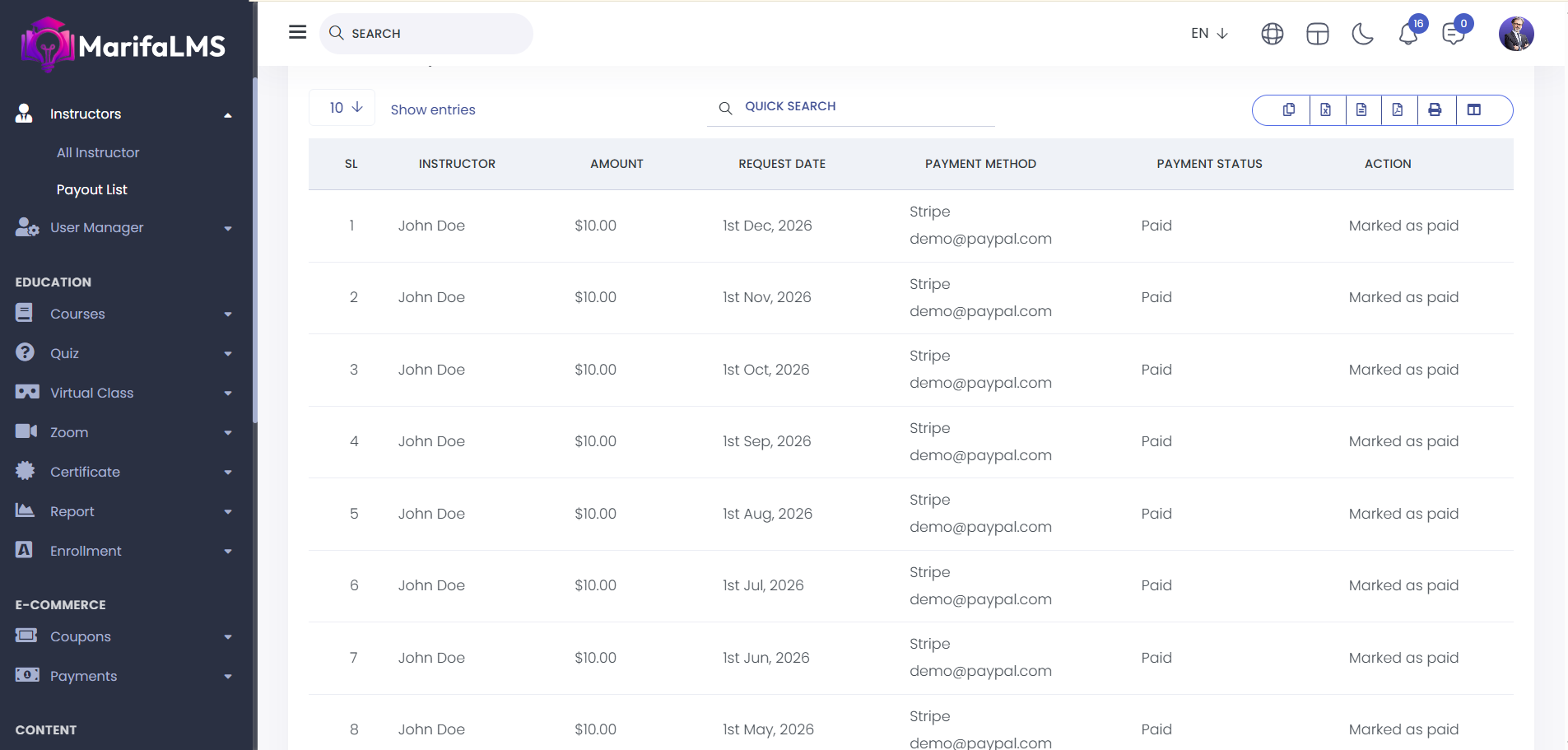
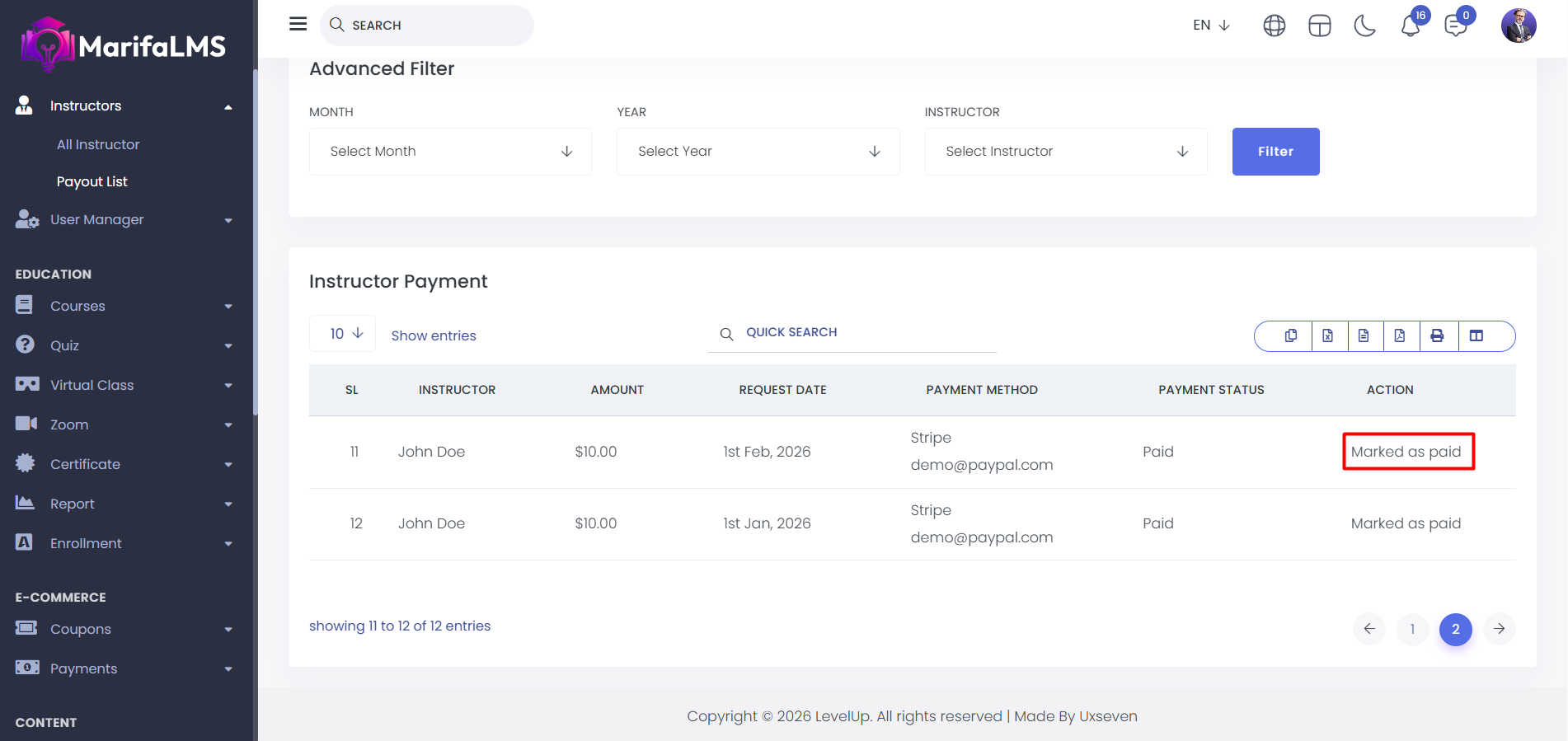
Payout List: From here, you can view the complete payout list, including details such as SL, Instructor Name, Amount, Request Date, Payment Method, Payment Status, and Action.
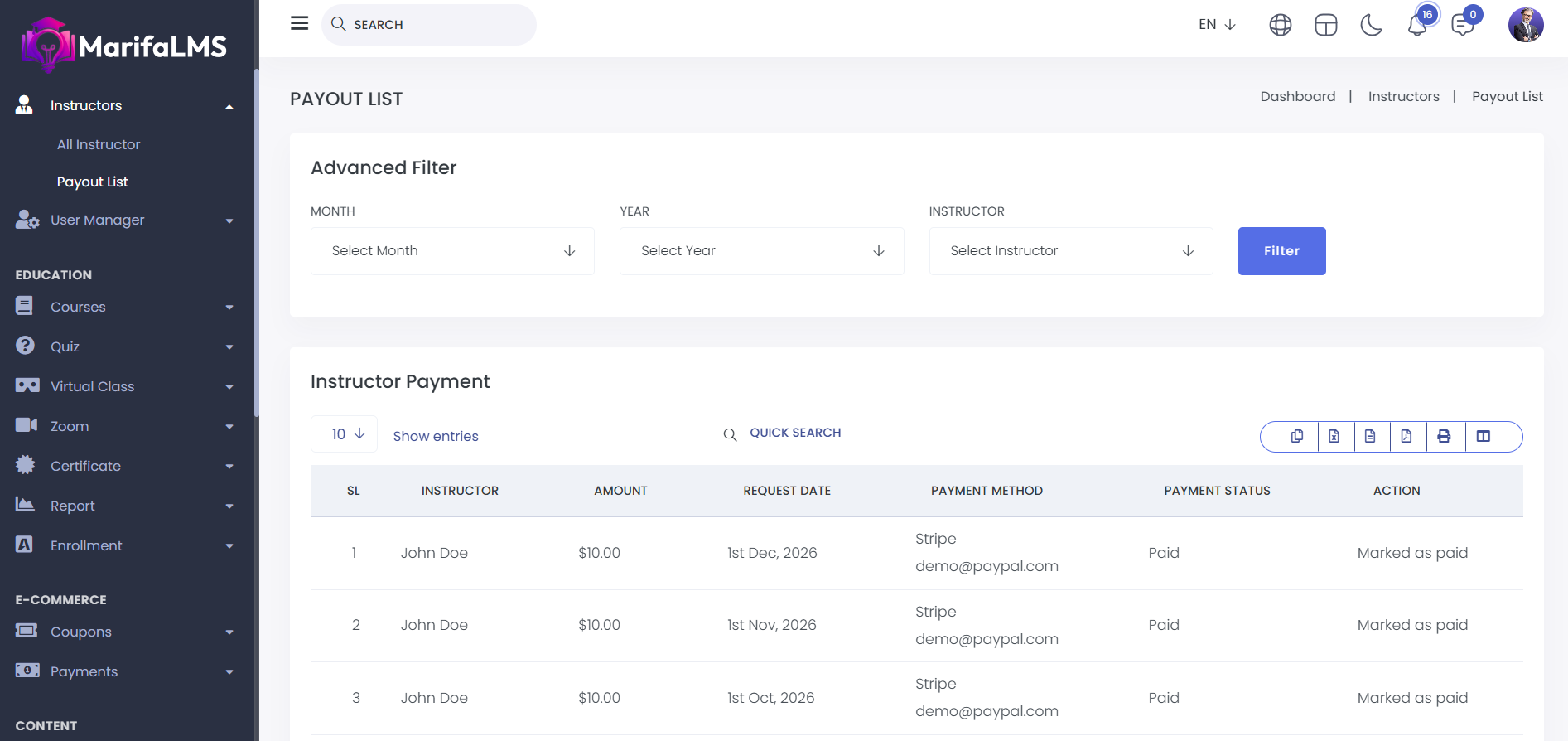
To find any specific payout details you can use the advanced filter.
You can also use the search functionality to find anything you need.
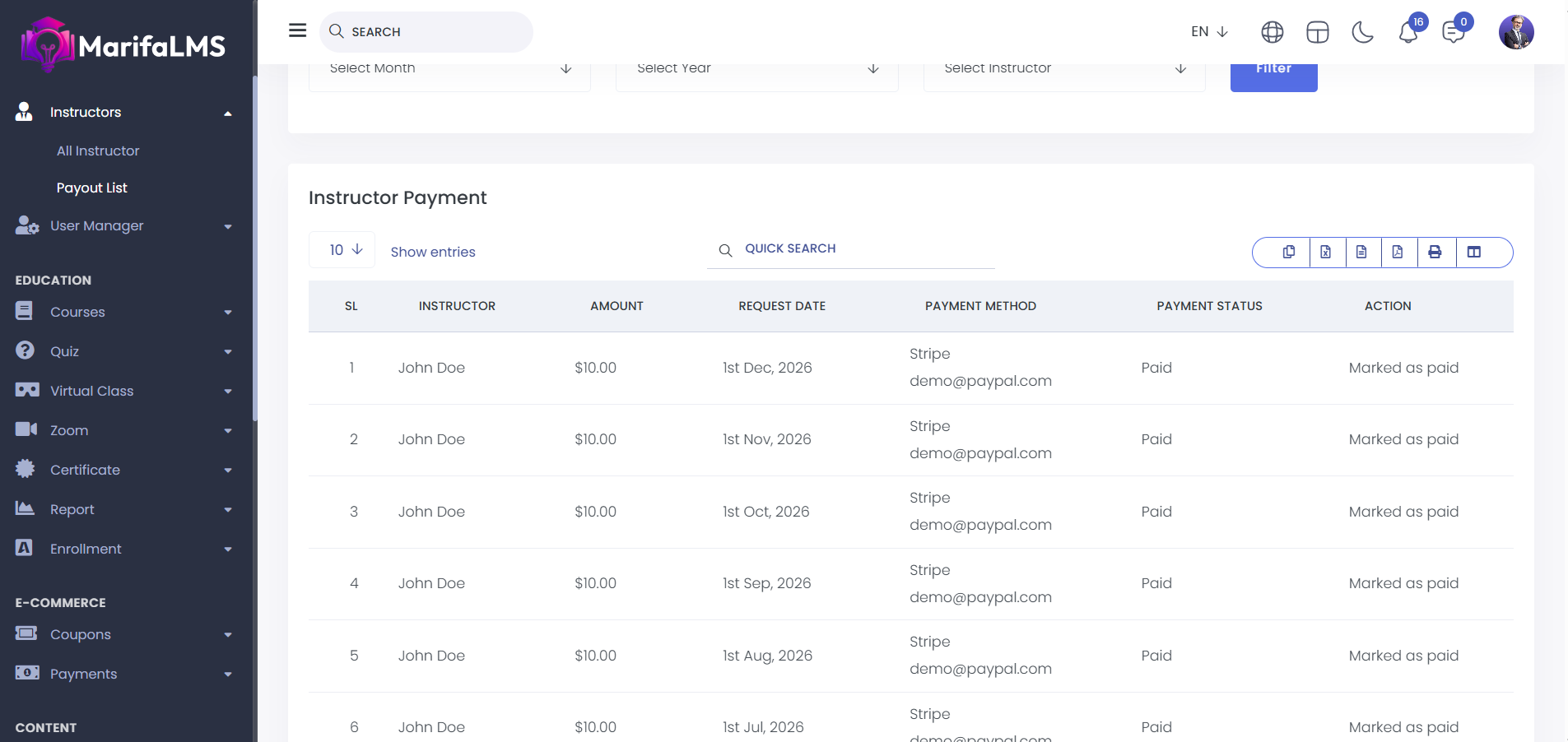
You can export data from here.
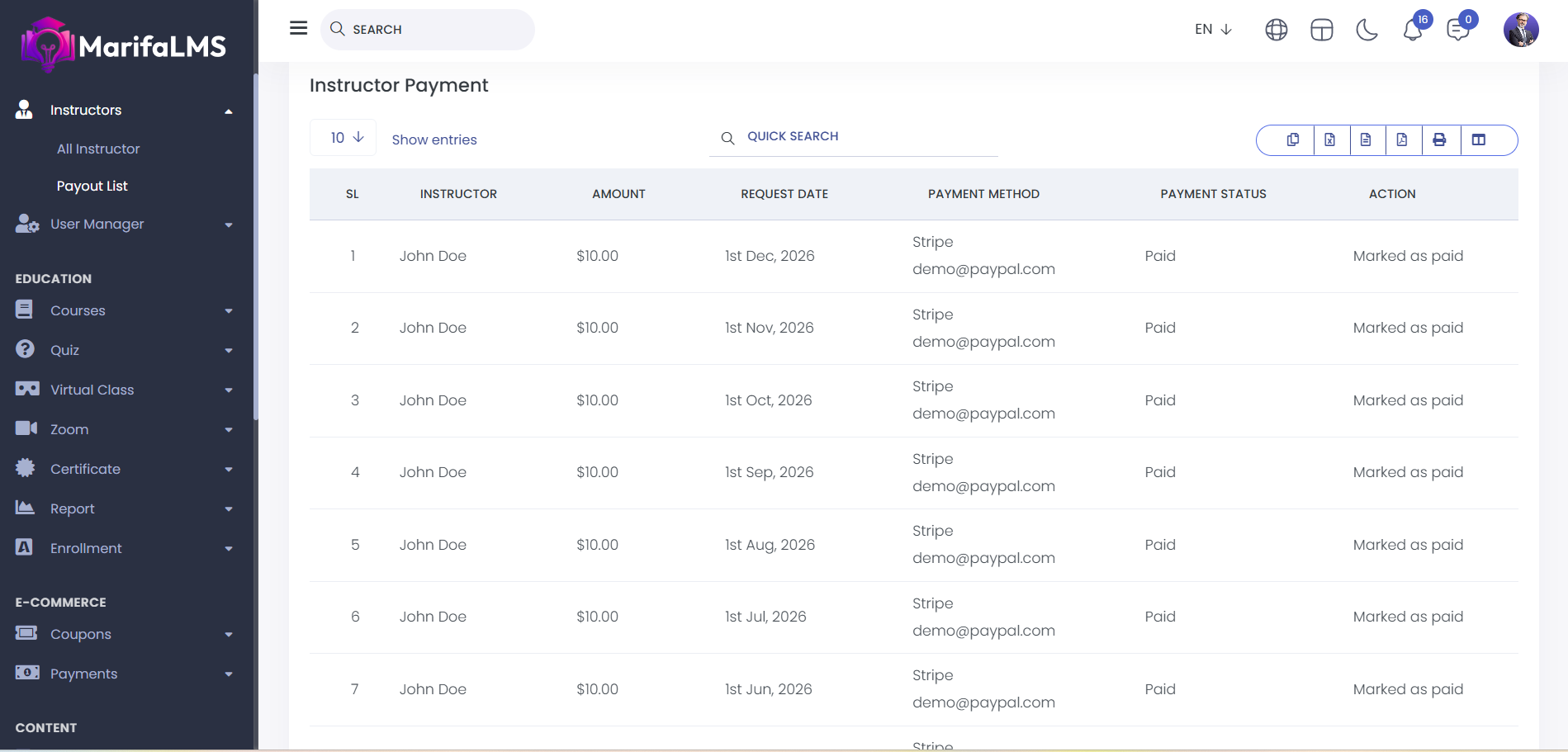
By clicking on the "Action" button, you can approve the payout request and mark it as paid.
To make a payout request from the instructor panel, start by logging into your instructor account. Once logged in, navigate to the "Payout Account" section. In this section, you can view the Instructor Payout List and your Total Balance. You also have the option to set or update the account where your payouts will be deposited. After ensuring that your payout account is correctly configured, you can submit a payout request directly from this section.