The Payout Settings section allows you to define the minimum payout amount for transactions. To configure this setting, enter the desired minimum payout amount in the provided field and click the Update button. The changes will be saved and applied immediately.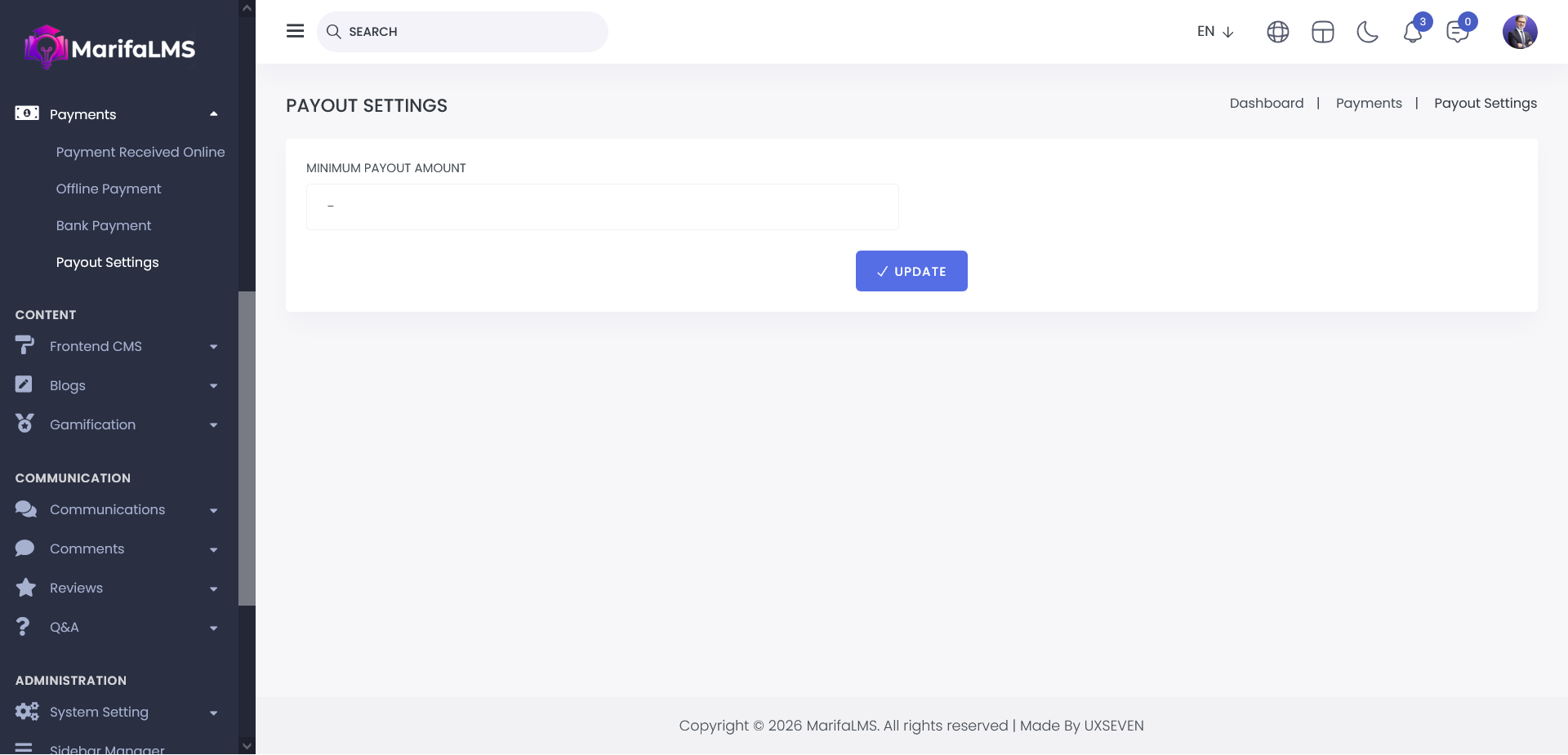
Payout requests can only be initiated from the Instructor Panel. To submit a payout request, follow these steps:
1. Navigate to the Instructor Panel.
2. Go to the Payout List section.
3. Click on the Payout Request button.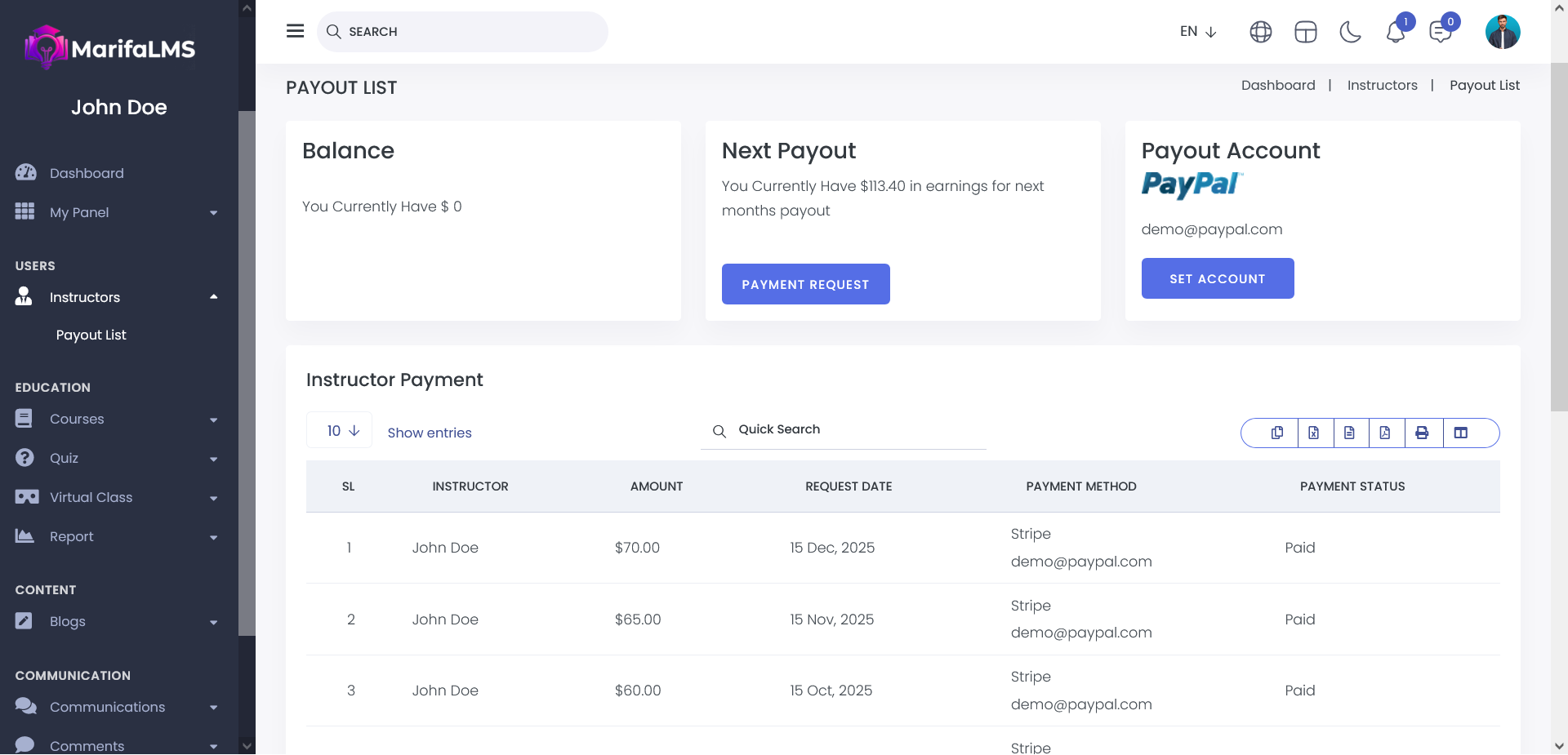
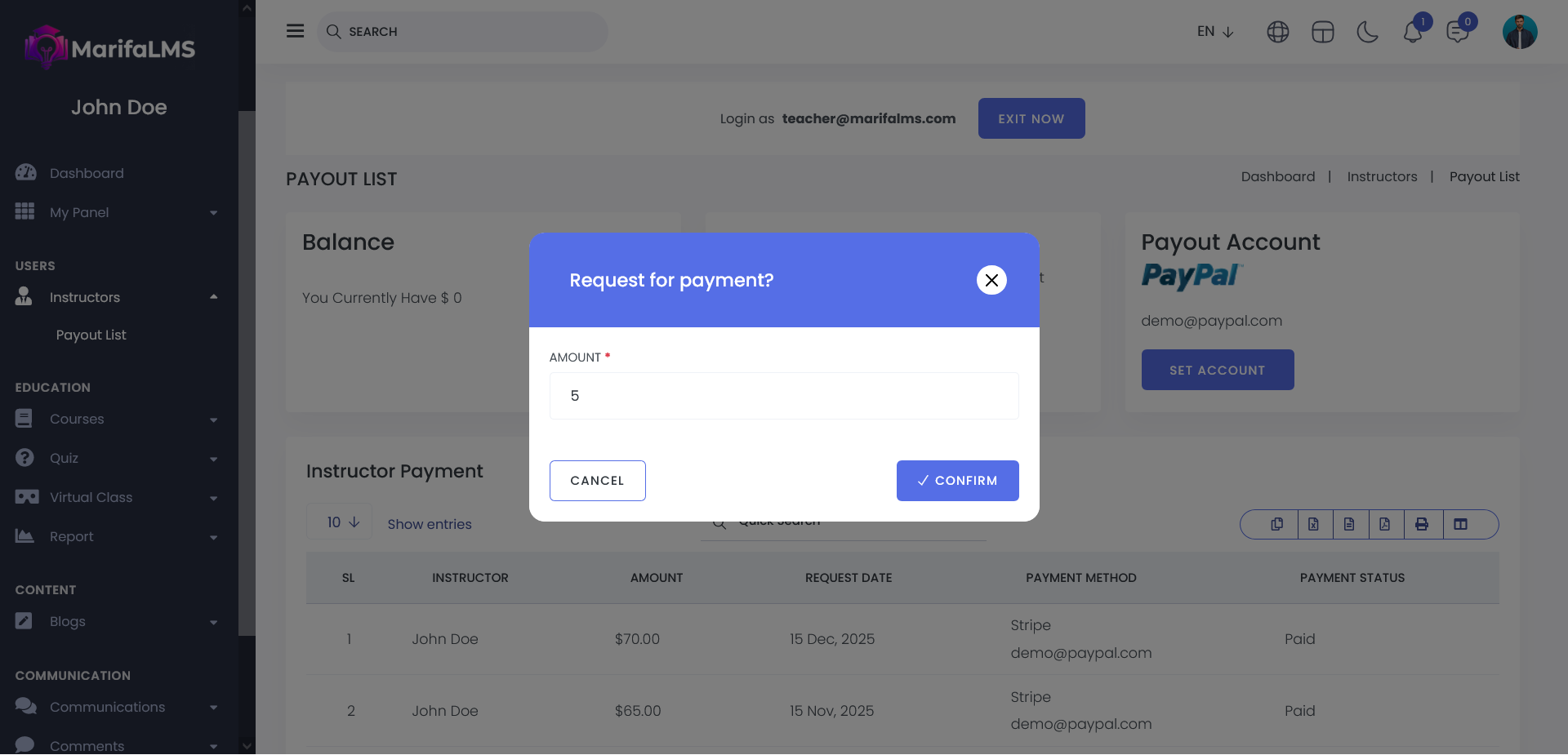
After clicking the Payment Request button, enter the desired payout amount and click Confirm to submit your request.
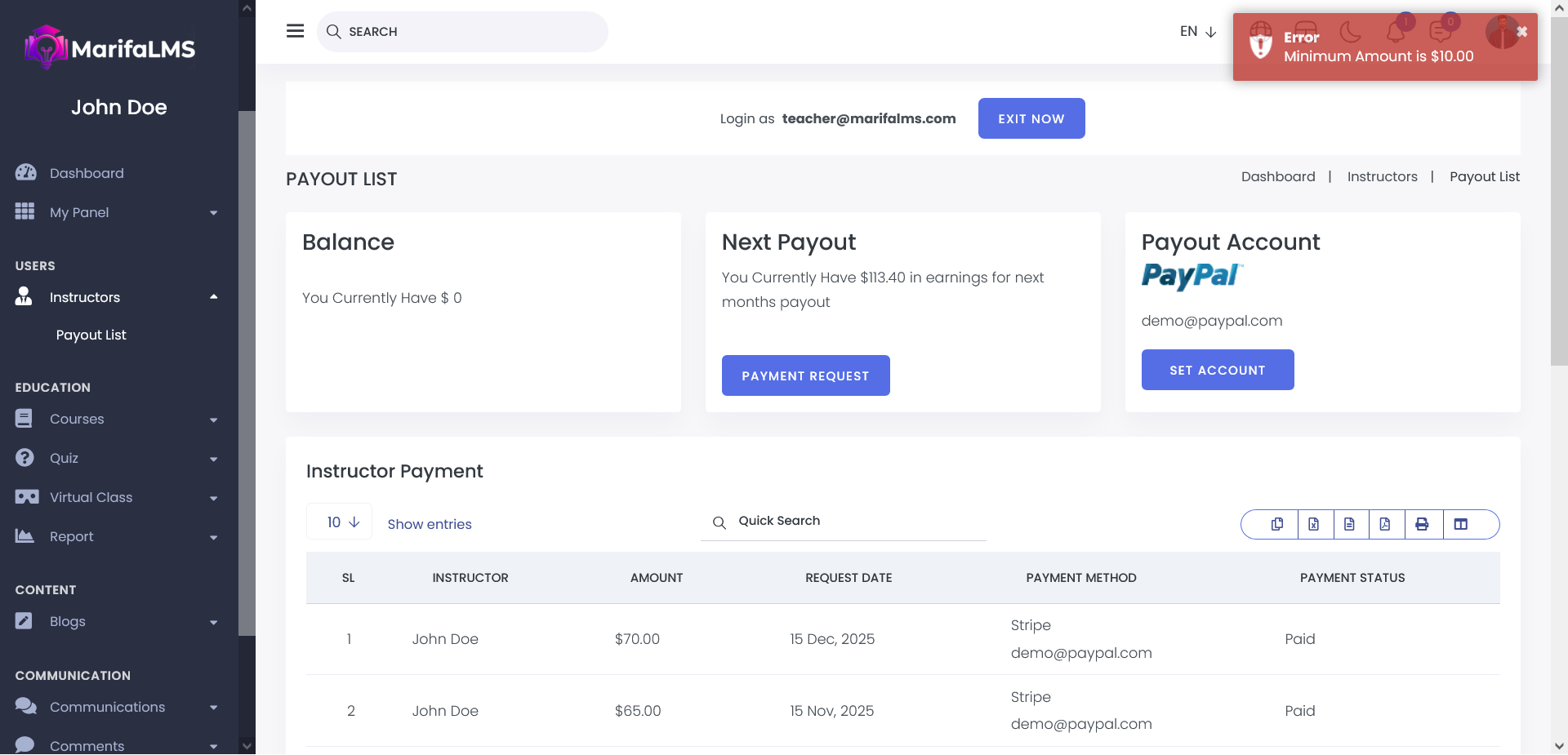
Please note that payout requests must meet the minimum threshold. Requests below the minimum amount of 10 will not be accepted, as this limit is predefined in the payout settings.