The Admin Revenue List shows all the revenue settings created by the Administrator for Courses, Quizzes, and Live Classes in the Level Up system.
Here, you can easily view important details for each item, including:
Title of the Course, Quiz, or Class: The official name of the Course, Quiz, or Class.
Instructor name: The assigned educator or content creator responsible for the item.
Price: The current market price set by the Administrator.
Published date: The timestamp of when the item was made live for enrollment.
Total number of enrollments: The cumulative number of students who have purchased or joined the asset.
Total revenue generated: The total money earned so far from this item.
This section helps you quickly understand how each course, quiz, or class is performing and which ones are generating the most revenue.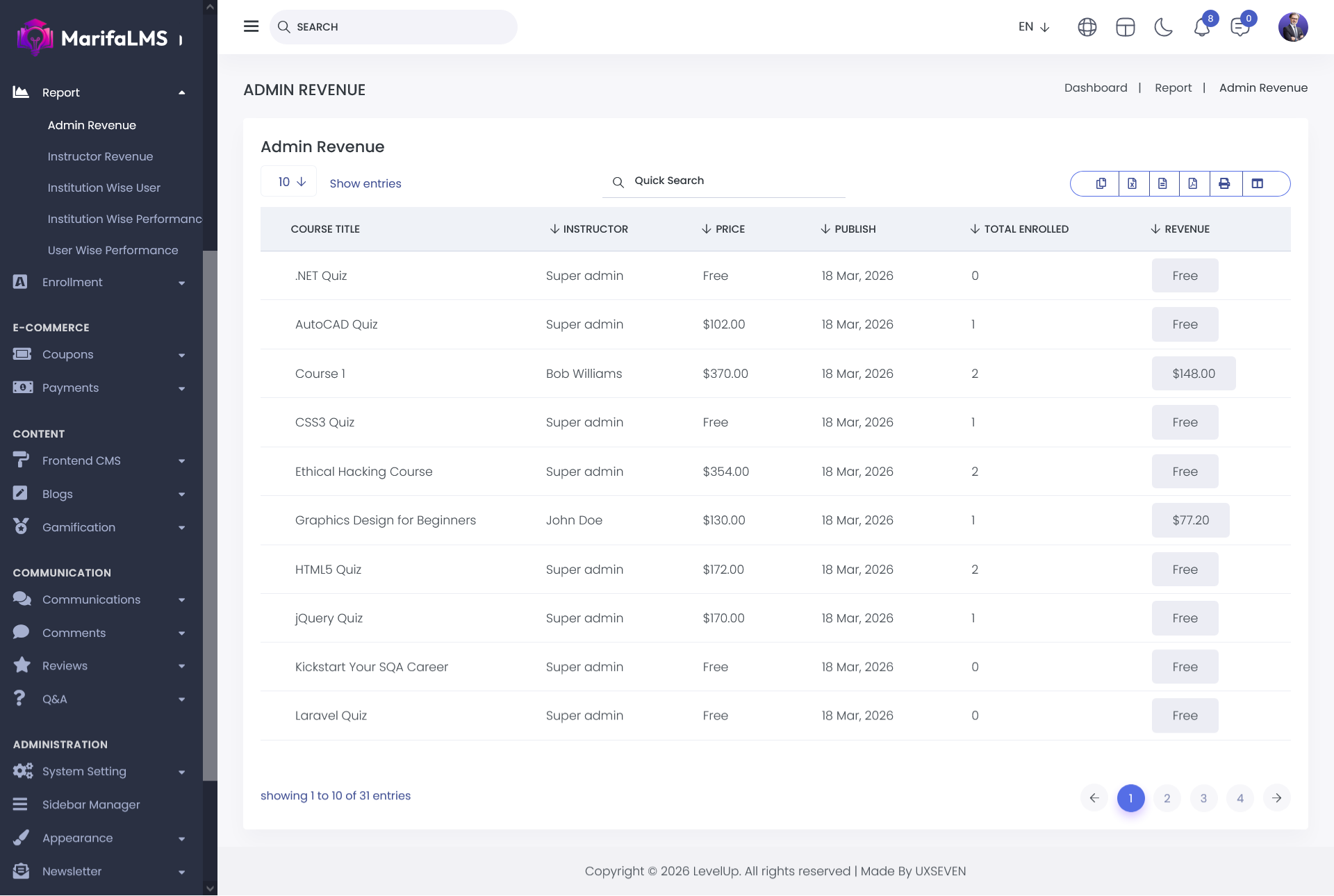
You can configure pagination settings and quickly locate specific records using the Quick Search field. Additionally, this section allows you to export your data and customize table column visibility according to your preferences.


