The Institution-wise User List displays users based on their associated institutions, providing a clear and organized view.
In this section, users are listed with the following details:
Serial Number: The sequential serial number for easy list tracking.
User Image: A visual identifier for the user
User Name: The registered name of the user.
Email Address: The primary contact and login credential for the user.
Phone Number: The verified mobile or contact number.
Associated Institution: The specific organization or campus the user belongs to.
All information is presented in a structured, column-based format, making it easy to review and manage users by their respective institutions.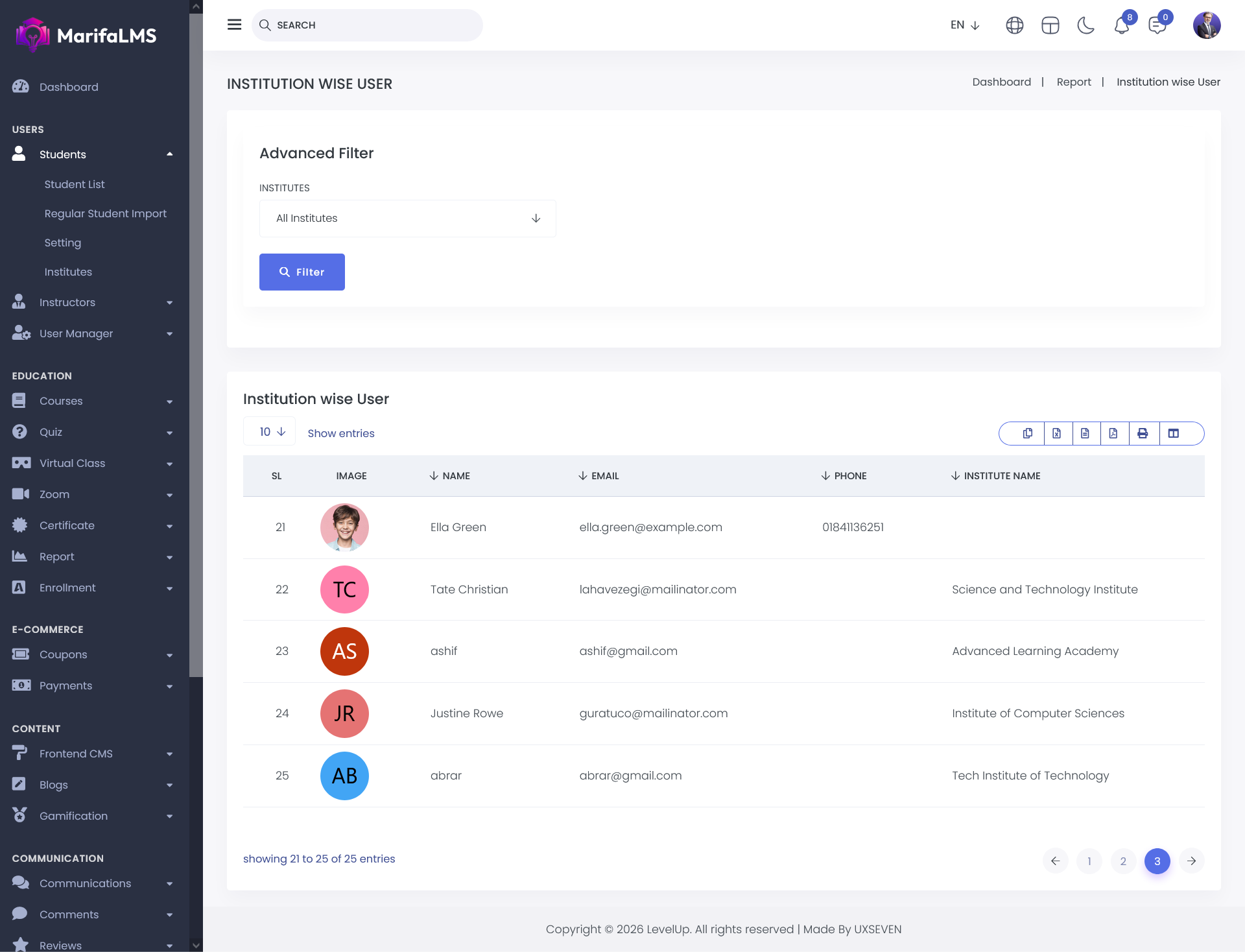
The Advanced Filter allows you to refine data based on a specific institution.
Simply select the desired institution from the available fields and click the Filter button to view the corresponding results.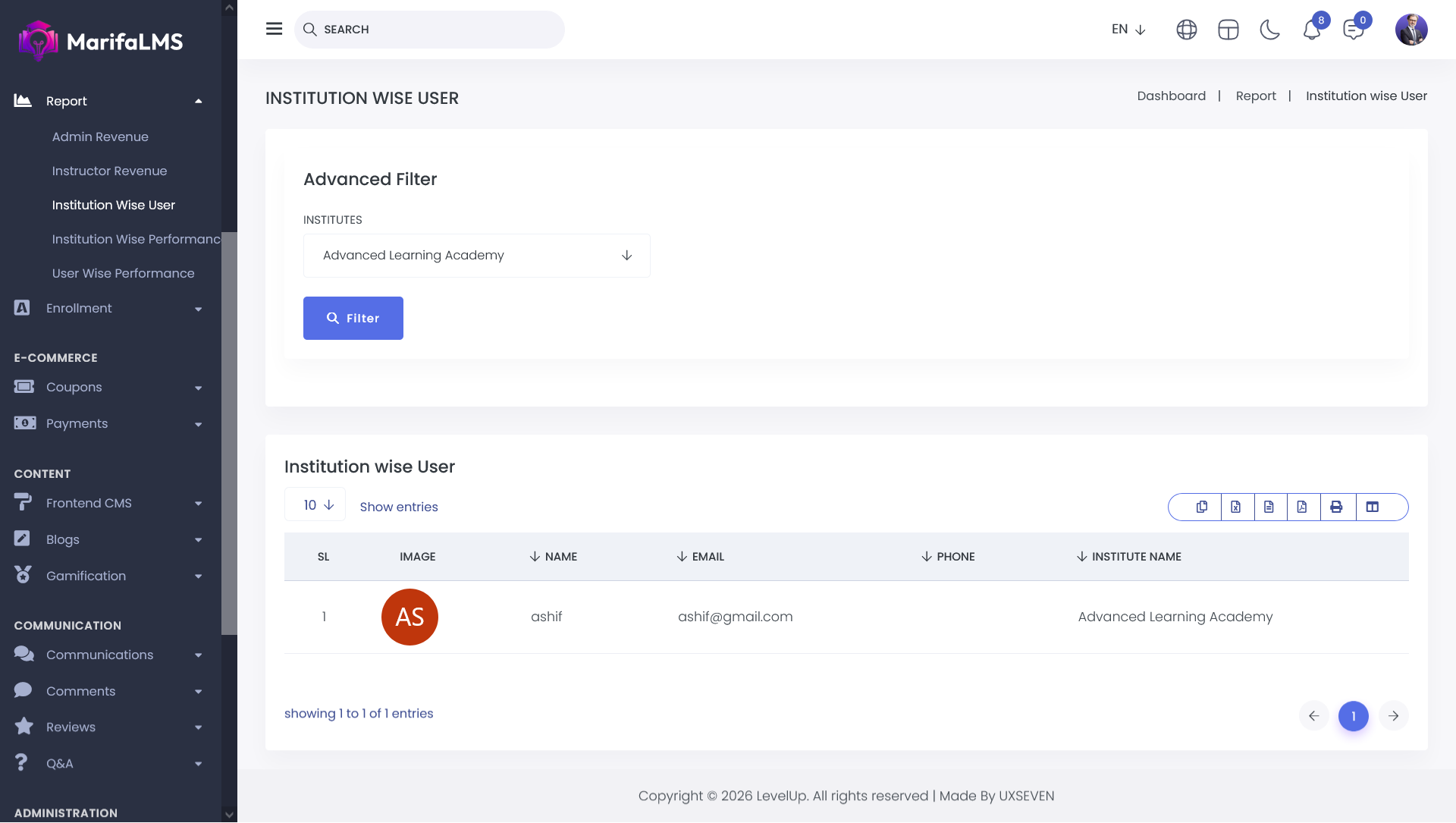
You can configure pagination settings and quickly locate specific records using the Quick Search field. Additionally, this section allows you to export your data and customize table column visibility according to your preferences.


