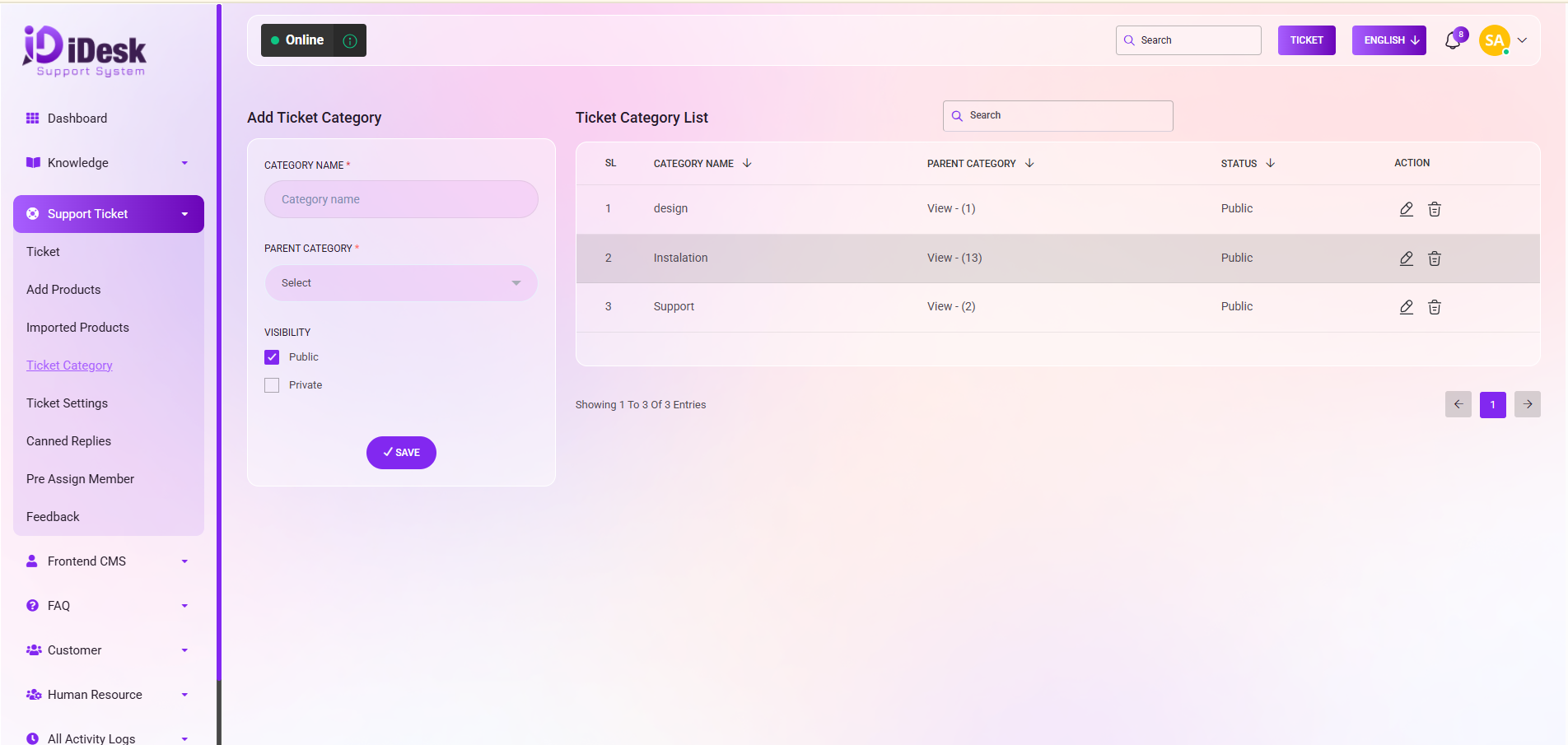
Add Ticket Category
From here you can add a new category for the product. To add a new category just follow the below steps:
Category Name: Set the title of the category.
Parent Category: Set the parent category for the category.
Visibility: Set the visibility of the category, if it will be public or private.
Save: Click to save the category. After saving it will be displayed on the category list.
On the right side, the Ticket Category List is conveniently displayed. Such as:
SL: You can see the serial number of the category.
Category Name: You can see the name of the category.
Parent Category: You can see the associate parent category.
Status: You can see the status of the category if it is public or private.
Action: In this column you can see two icons. One is edit and another is delete. Edit will help you to modify the category and you can use the delete option to remove the category.